Troubleshooting
This article explains common reasons for backup and recovery failures and warnings, and provides guidance on troubleshooting and resolving these issues.
How to view and check tasks with Failed or Warning status
If any task for a tenant finishes with a Failed or Warning status during a 7-day period, the Backup status chart in the Overview dashboard will display a non-zero number of failures or warnings.
You can configure service reports on the Configuration → Reports tab to receive periodic emails or Slack/Teams/Google Chats notifications with licensing and protection/backup status updates for a tenant.

To identify tasks affected by a failure or warning, navigate to the Activity → Tasks tab and filter for tasks with Failed or Warning statuses.
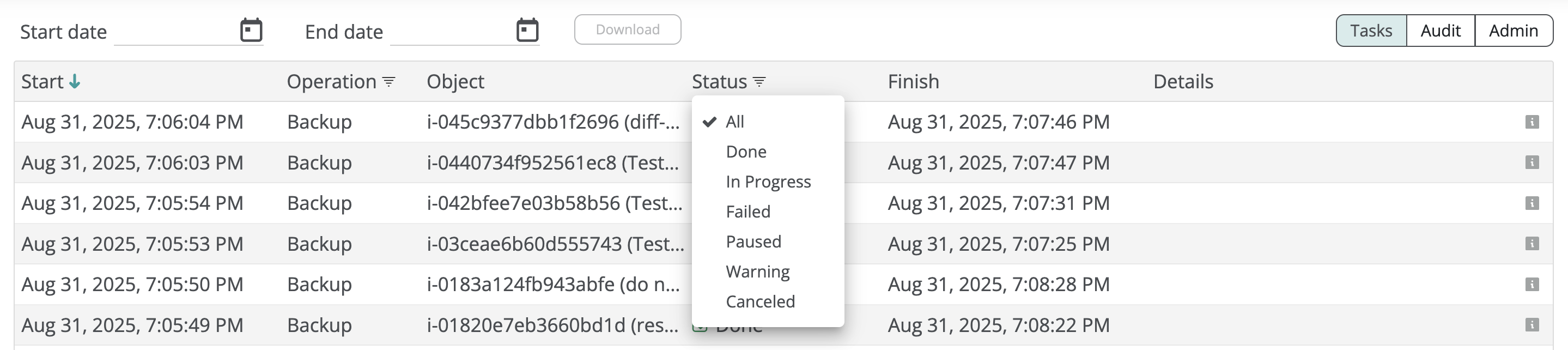
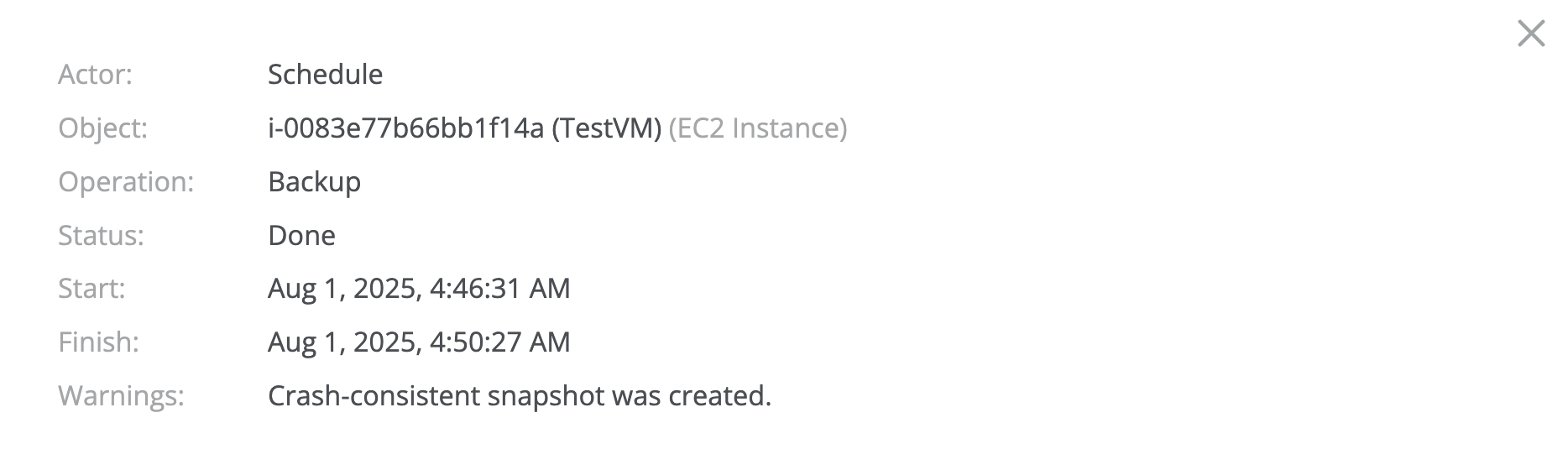
You can view the details of each task by clicking on it to review the failure or warning reason:

Backup and recovery failures
Most common backup failures:
| Error | Reason |
|---|---|
| Quota exceeded | The Afi tenant exceeds its licensed virtual machine (instance) or storage quota.
Please go to the Licensing → Subscriptions tab to review the available quota and the current service usage or adjust the license counts according to the usage. |
Backup and recovery warnings
Most common backup warnings:
| Error | Reason |
|---|---|
| Crash-consistent restore point was created |
An application-consistent restore point for a Windows instance couldn't be created, so Afi created a crash-consistent restore point instead. This typically happens when the instance's SSM agent is stopped, outdated, in an inconsistent state, or not installed. Please follow the troubleshooting steps in this article to check the agent state.
Please note that in rare cases instance volume browse for crash-consistent backup snapshots might not be available (this doesn't affect your ability to restore data, only backup content preview). |
Paused backups
In rare cases, an AWS resource backup may pause due to reaching the AWS restore point frequency limit or encountering a transient error from the AWS API. In such cases, the backup task will pause for a few hours and will typically finish successfully after an automatic restart by the service. The Afi team constantly monitors paused tasks across our customer base and proactively investigates and troubleshoots any recurring issues.
If you need assistance with your installation or want to learn more about the product, Afi offers 24/7 technical support to address all your requests, from technical configuration and product questions to service issue reports.