Setup
This guide explains how to regrant the Afi application access and enable Google Classroom backup for your Google Workspace tenant.
If your Google Workspace tenant has been added to Afi before April 24, 2026, the Afi application needs to be granted the additional permission scopes to access Google Classroom. For tenants added on or after this date, permissions regrant is not required.
Grant permissions
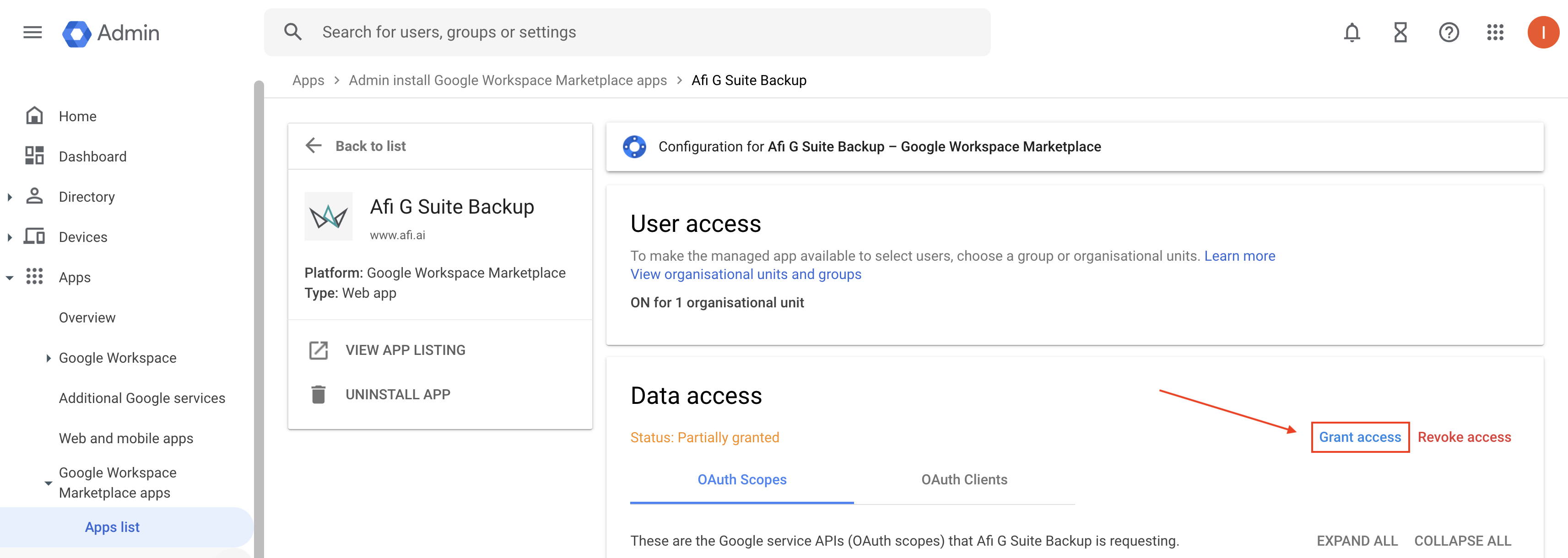
To regrant the Afi application permissions, please go to the Apps → Google Workspace Marketplace apps → Apps list → Afi G Suite Backup page in the Google Workspace Admin panel and click Grant access.
Trigger a resource synchronization and protect Google Classroom
After additional permissions are granted, please return to the Afi portal and click the refresh icon in the top-right corner of the Service → Protection screen to trigger a resource synchronization with Google Workspace.

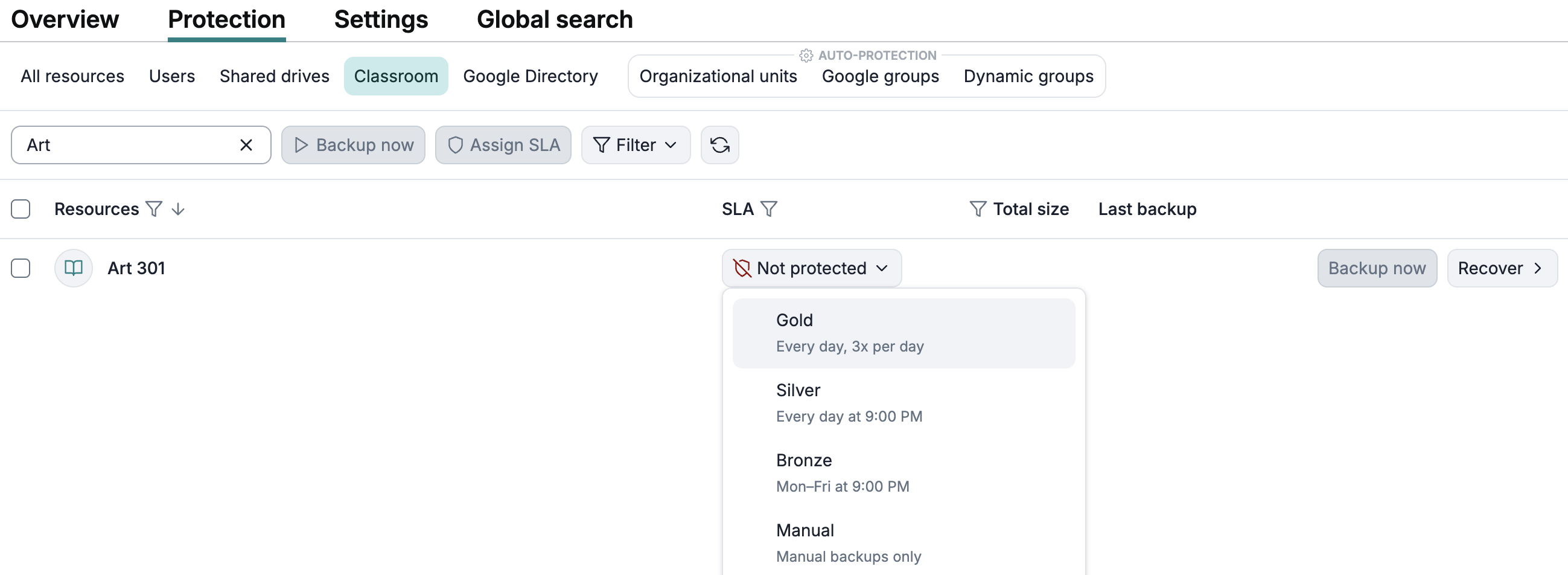
After the synchronization is performed, assign a backup SLA policy to the provisioned Google Classroom resources that you want to protect:
Info
In rare cases it can take up to 24 hours for the newly granted permissions to take effect on the Google Workspace side so it might take some time before Afi can verify the access and the Google Classroom resources are provisioned in your Afi tenant.
Permission scopes for Google Classroom backup and recovery
| Scope | Description |
|---|---|
| https://www.googleapis.com/auth/classroom.courses | View, create, and edit Google Classroom classes. |
| https://www.googleapis.com/auth/classroom.announcements | View and manage announcements in Google Classroom. |
| https://www.googleapis.com/auth/classroom.coursework.students | Manage coursework and grades for students in Google Classroom classes. |
| https://www.googleapis.com/auth/classroom.coursework.me | See, create and edit coursework items including assignments, questions, and grades. |
| https://www.googleapis.com/auth/classroom.topics | See, create, and edit topics in Google Classroom. |
| https://www.googleapis.com/auth/classroom.courseworkmaterials | See, edit, and create classwork materials in Google Classroom. |
| https://www.googleapis.com/auth/classroom.rosters | Manage Google Classroom class rosters. |
| https://www.googleapis.com/auth/classroom.profile.emails | View the email addresses of people in classes. |
| https://www.googleapis.com/auth/classroom.profile.photos | View the profile photos of people in classes. |
| https://www.googleapis.com/auth/classroom.guardianlinks.students | View and manage guardians for students in Google Classroom classes. |