Copilot
Afi backup for Copilot chats captures user prompts and Copilot agent replies, including both direct chats with Copilot and interactions with Copilot within other Microsoft 365 applications (Outlook, Word, etc.).
Notice
Due to Microsoft 365 API limitations, Copilot backup is available only for users who have the Microsoft 365 Copilot Chat service plan in their Microsoft 365 subscription. Without this service plan, it is not possible to access Copilot chats for a user via API, even if the user has existing Copilot conversations in Microsoft 365.
Notice
If you have installed the Afi application before November 12, 2025, please re-grant the application access to your Microsoft 365 tenant as described here to back up Copilot chats.
Browse
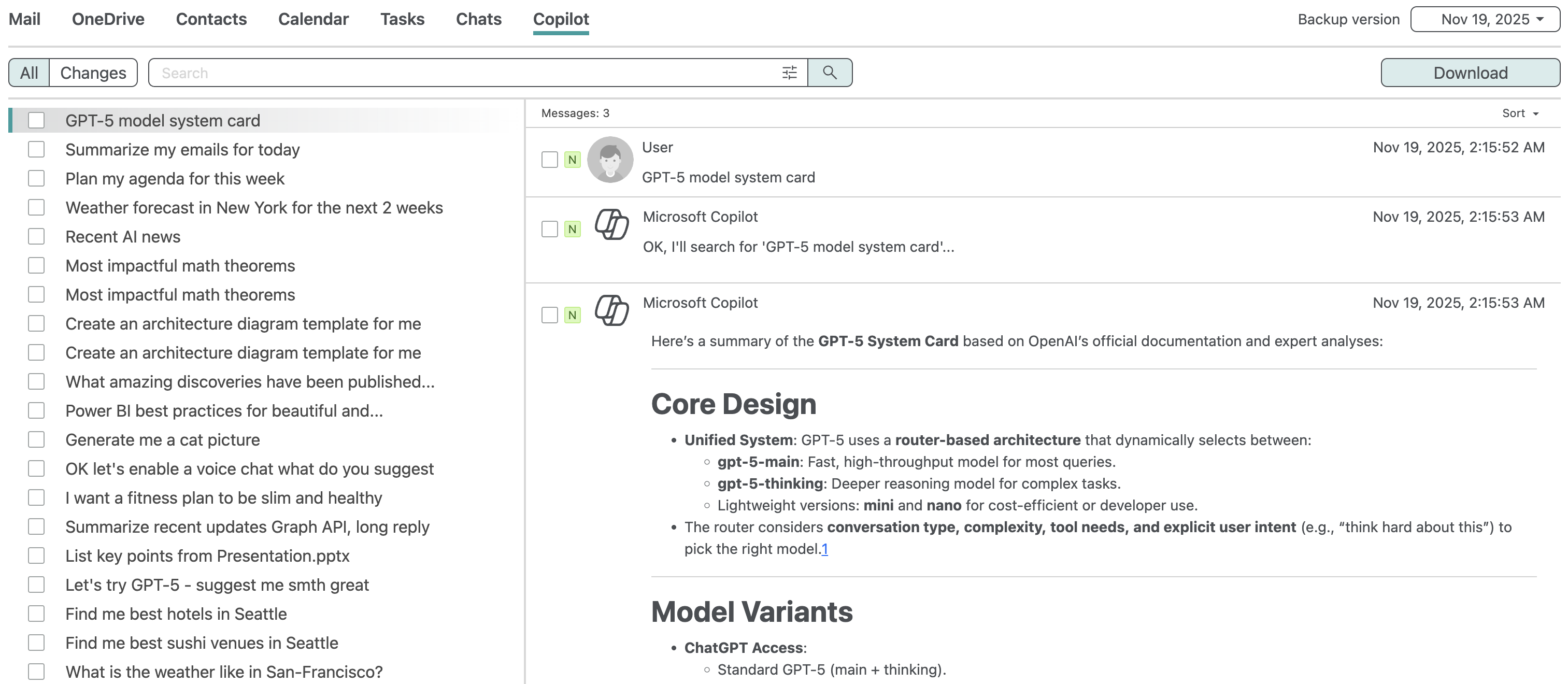
In the backup browse view, Afi displays a list of user chats with Copilot in the left panel. You can select any chat to view user and Copilot messages within this chat. Chats are sorted based on the modification date from newest to oldest.
Restrict chat content preview
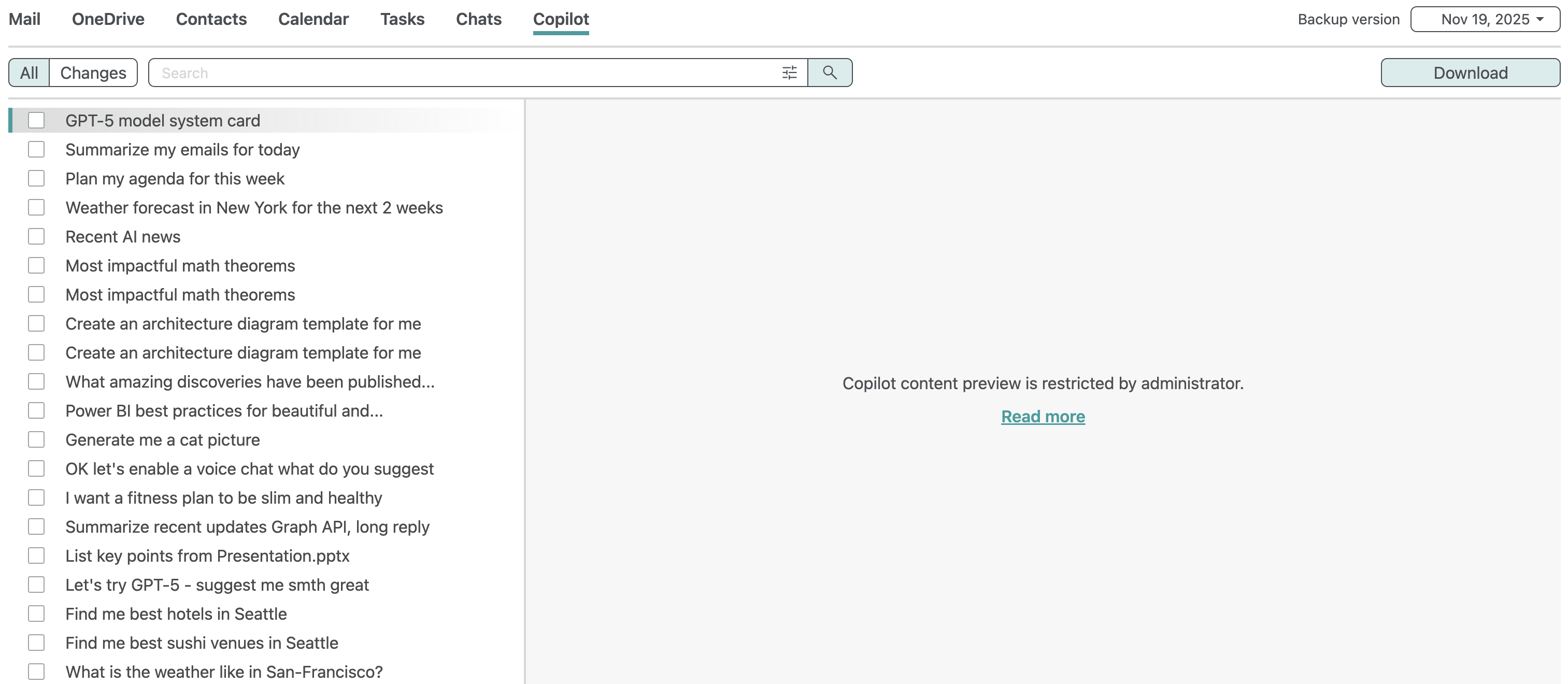
You can restrict access to Copilot chat content for service administrators, access group operators, or even end-users on the Service → Settings → Access groups tab by disabling the Preview email and chats content access permission. Here is an example of a Copilot chat browse view when content preview is restricted:
Info
Afi provides a configuration option to disable content preview during email and chat browse by default and enable it by click during data browse. Browse events without and with enabled content preview are audited and content preview status is included in the audit events details. Please contact the Afi Support to enable the feature.
Search
Afi supports full-text search across Copilot chat messages and allows you to look up messages sent during a specified time period.
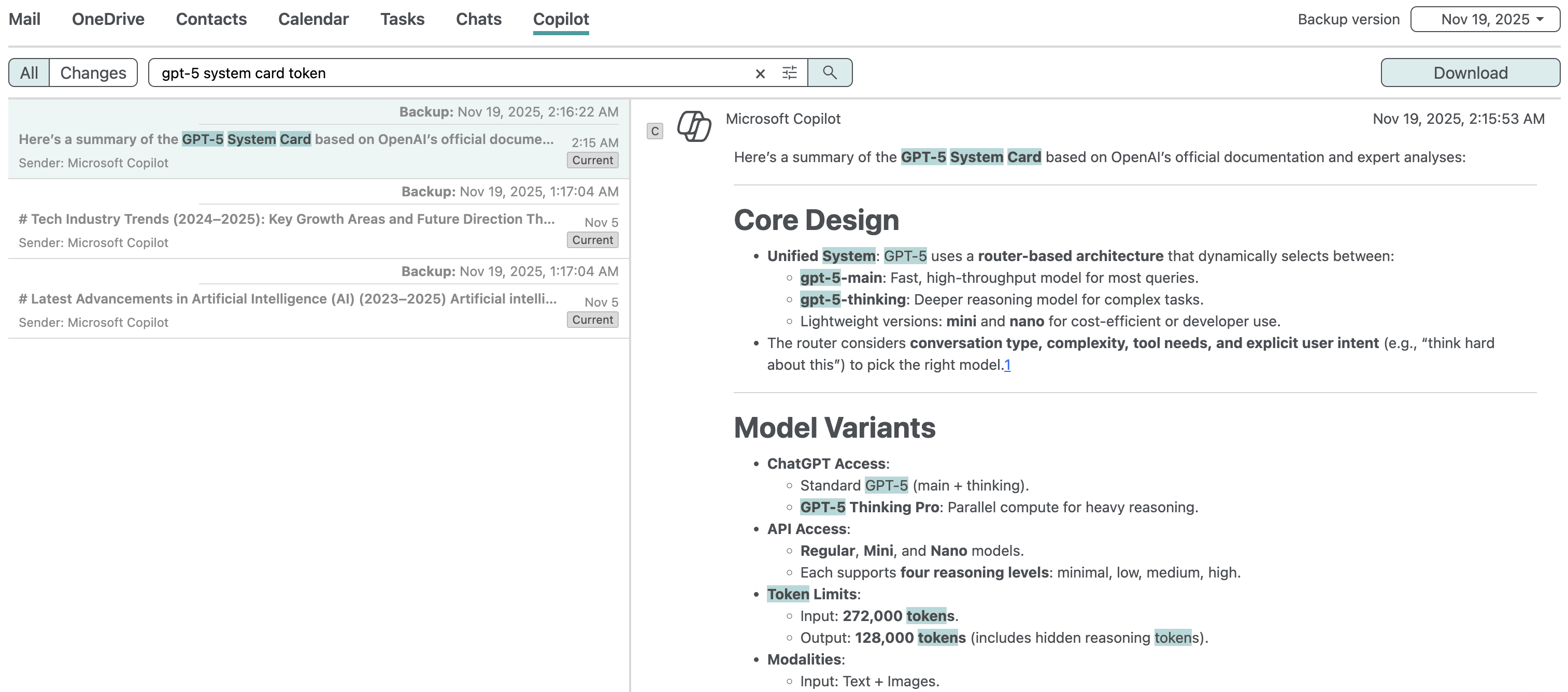
This example shows a basic search query to find all Copilot chat messages that contain certain terms across the user's Copilot interactions:
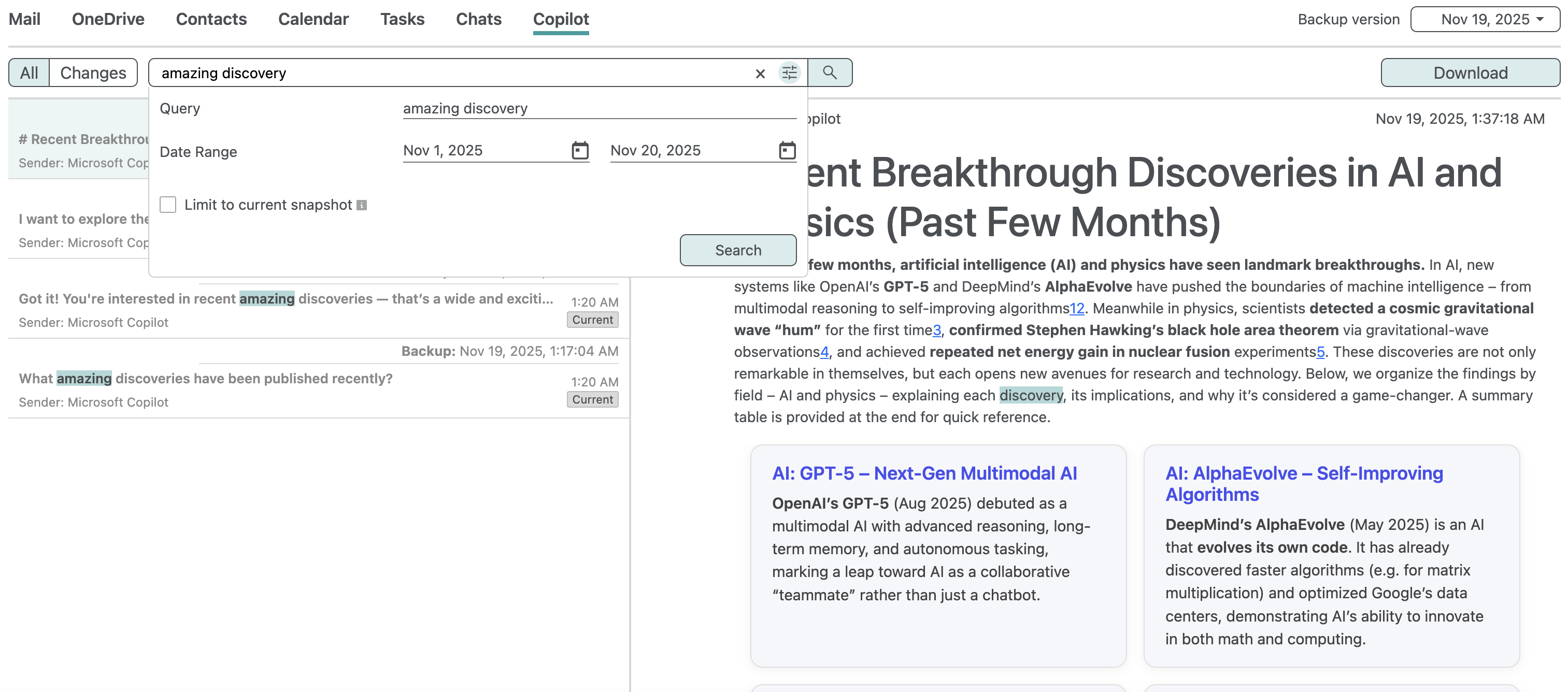
Here is a more advanced example with a search query to find chat messages that contain the terms amazing and discovery and that took place between the 1st and 20th Nov 2025:
Export
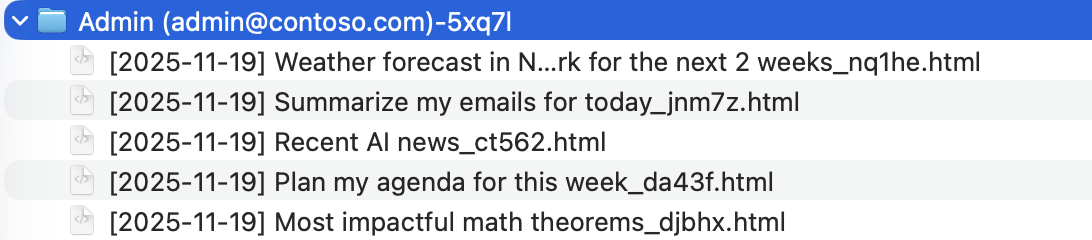
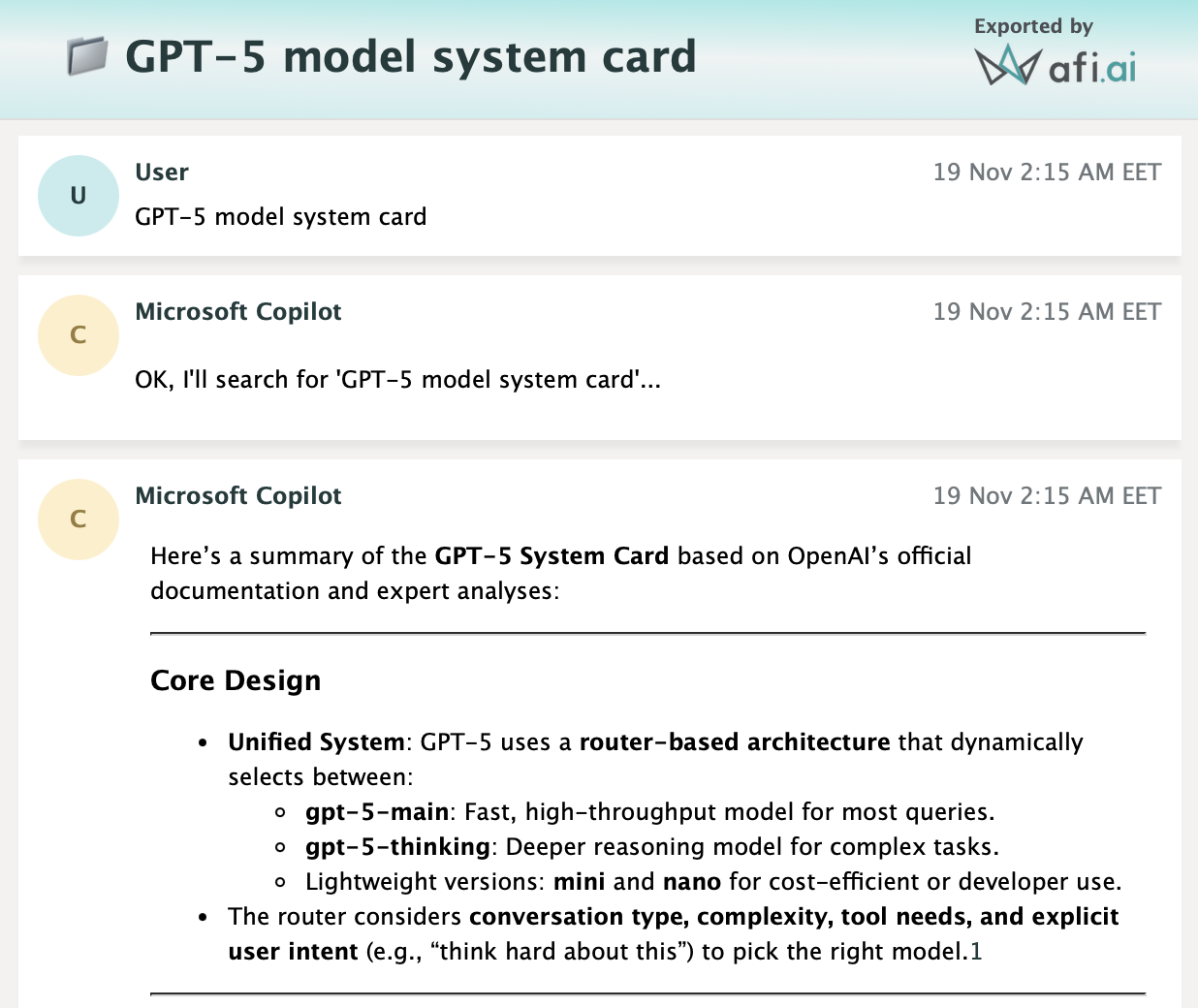
Copilot chat data can be exported as HTML in a ZIP archive, which contains per-chat folders with each chat's HTML export. A user can select individual chats or chat messages, as well as all chats in a backup, for export.
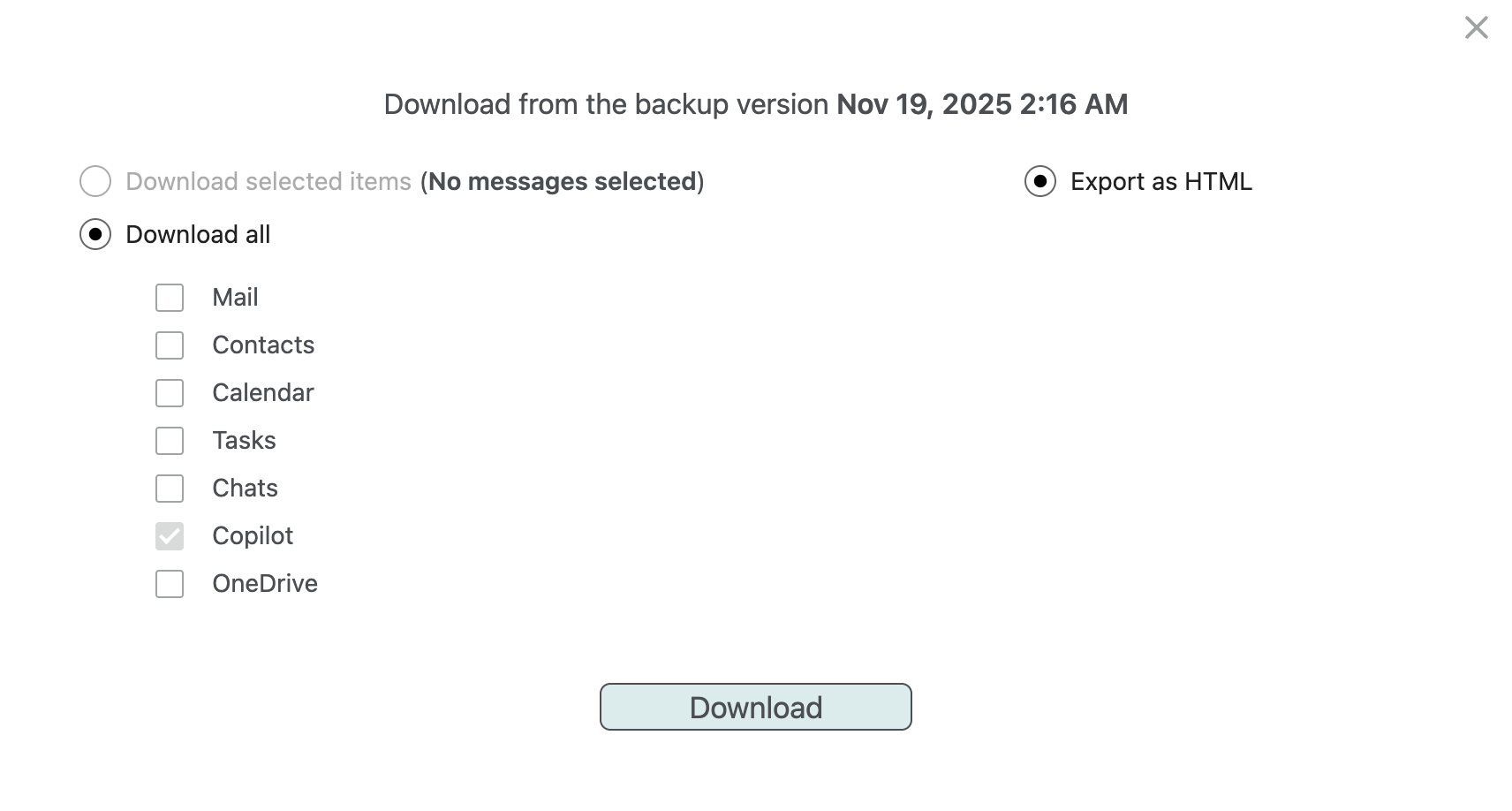
The screenshots below show an example of Copilot export structure and contents:
Recovery
Copilot recovery is not supported at the moment due to limitations of the AI interactions (Copilot) API (Microsoft 365 doesn't support ingesting conversations into Copilot).