Search
To find records, open your Salesforce backup and enter a query in the search box. You can search text, record IDs, email addresses, phone numbers, and picklist values.
Search across all SObjects
With All objects selected, Afi searches across all SObject types at once. Results are grouped by SObject type; selecting a type shows its matching records.

Select an SObject and fields
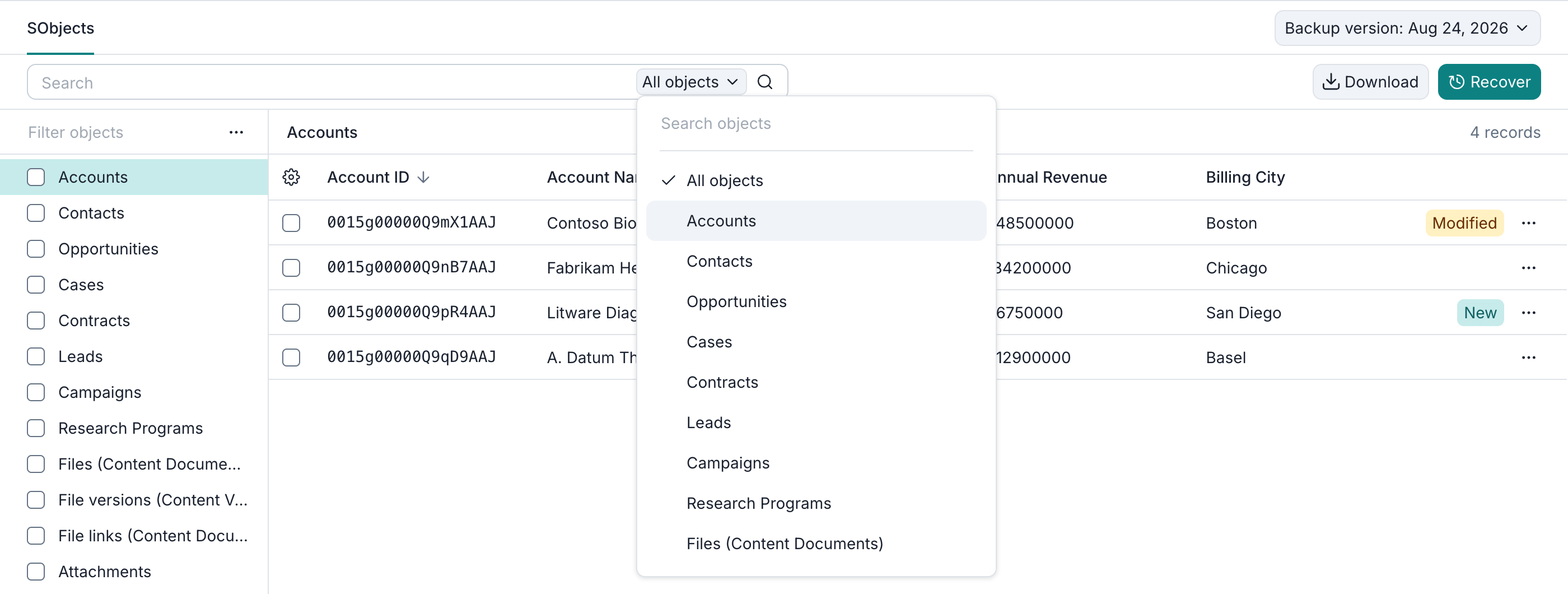
To narrow the search to an SObject type, open the All objects dropdown in the search box and choose a type, such as Accounts. To find a type by name, use the search box at the top of the open dropdown.
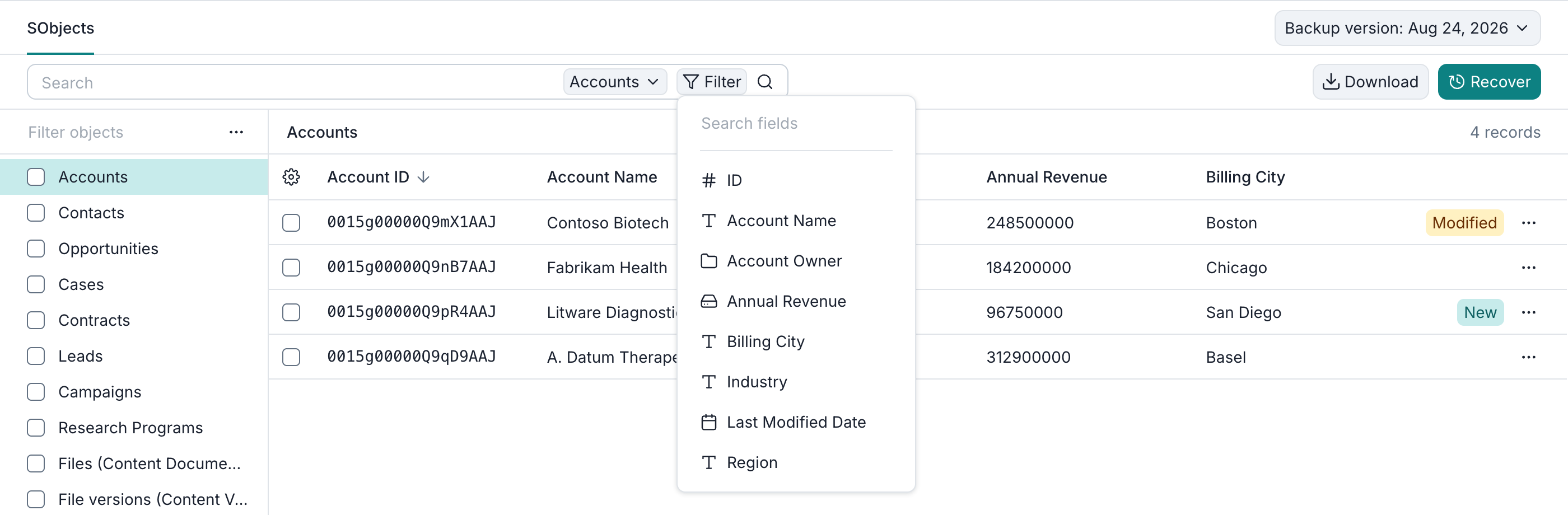
After selecting a type, click Filter to see its searchable fields. Search fields helps you find a field by name. Filters are available for supported ID, text, date, numeric, and checkbox fields.
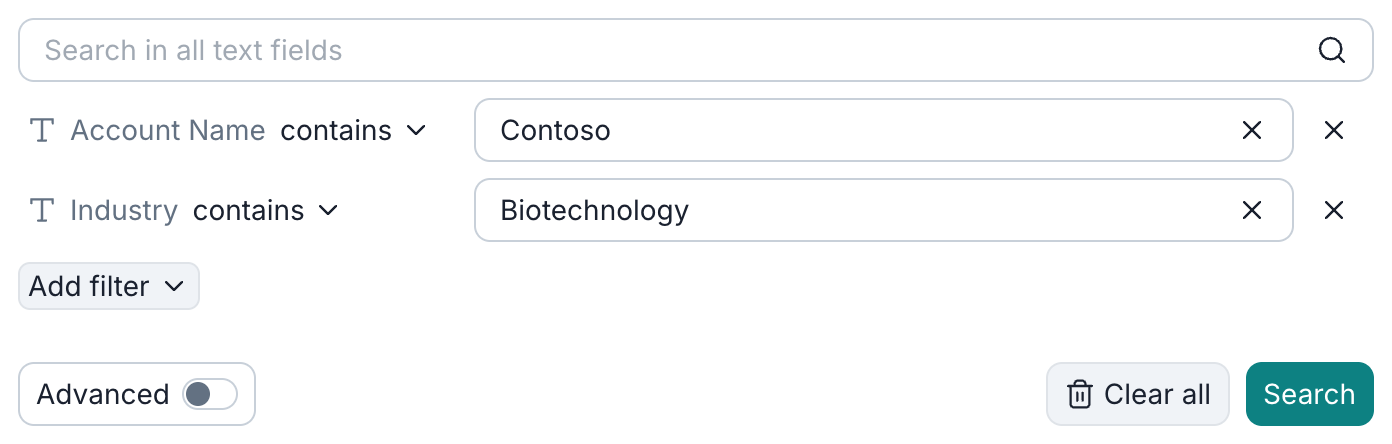
Selecting a field opens the search dialog, where you choose one operator for the condition and enter a value. The available operators depend on the field type: text fields offer contains or doesn't contain, while ID fields offer equals or doesn't equal.
To add another condition, click Add filter and select a field. To run the query, click Search.
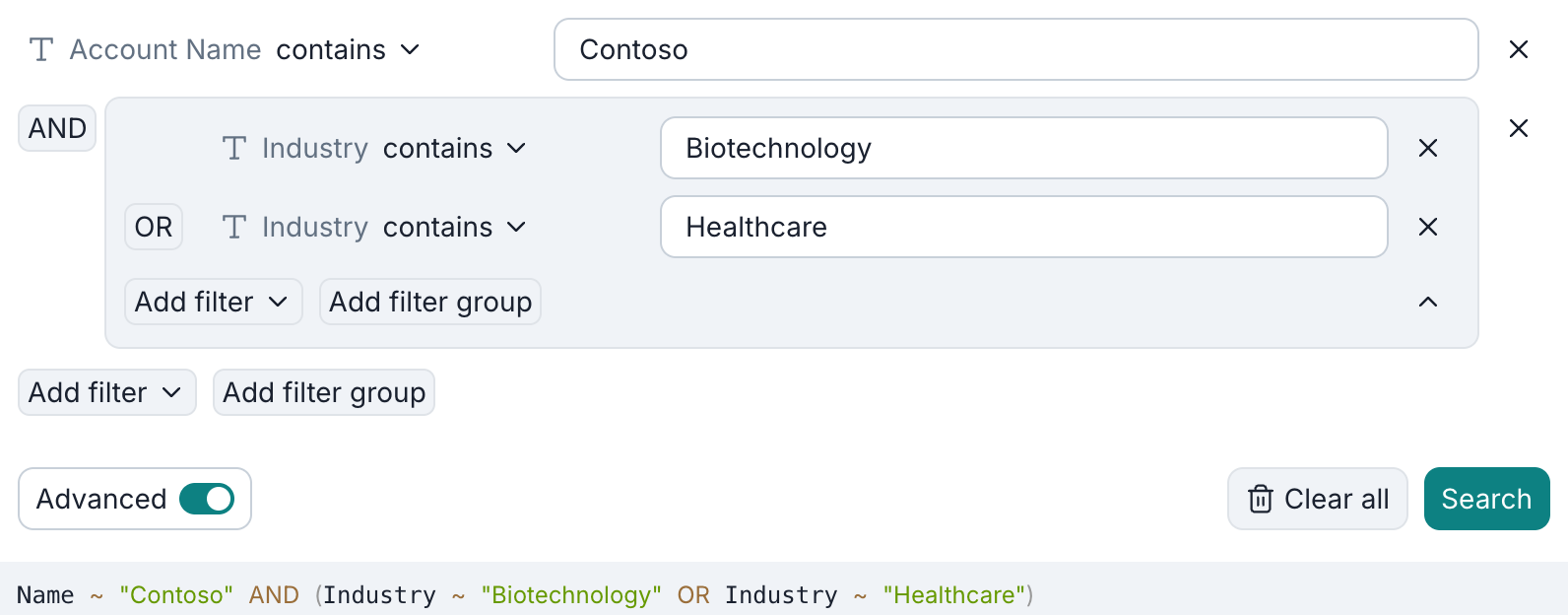
Simple search finds records that match all your conditions. In Advanced search, you can combine individual conditions and groups of conditions with AND or OR.
Advanced search
Turning on Advanced lets you combine conditions with AND or OR. To group related conditions, click Add filter group. In this example, the Account name must contain Contoso, and its industry must contain either Biotechnology or Healthcare.
Search results

By default, searches use the selected snapshot. To search all retained snapshots, turn off Limit to current backup version. Results may then include several versions of one record; the Backup version column on the right identifies each result's snapshot.
When browsing search results, keep Limit to current backup version enabled to see related records, files, and children.
To export or restore search results, select records and choose Download or Recover. Only writable records can be recovered. All records in one export or recovery task must come from the same snapshot, so keep Limit to current backup version enabled when selecting multiple results.