Auto-protection and mass management
Auto-protection settings
To enable automatic protection and backup for AWS resources (EC2 instances and PostgreSQL RDS/Aurora databases), Afi provides the ability to configure auto-protection rules for default resource groups or user-created dynamic resource groups that allow you to match resources based on selected criteria.
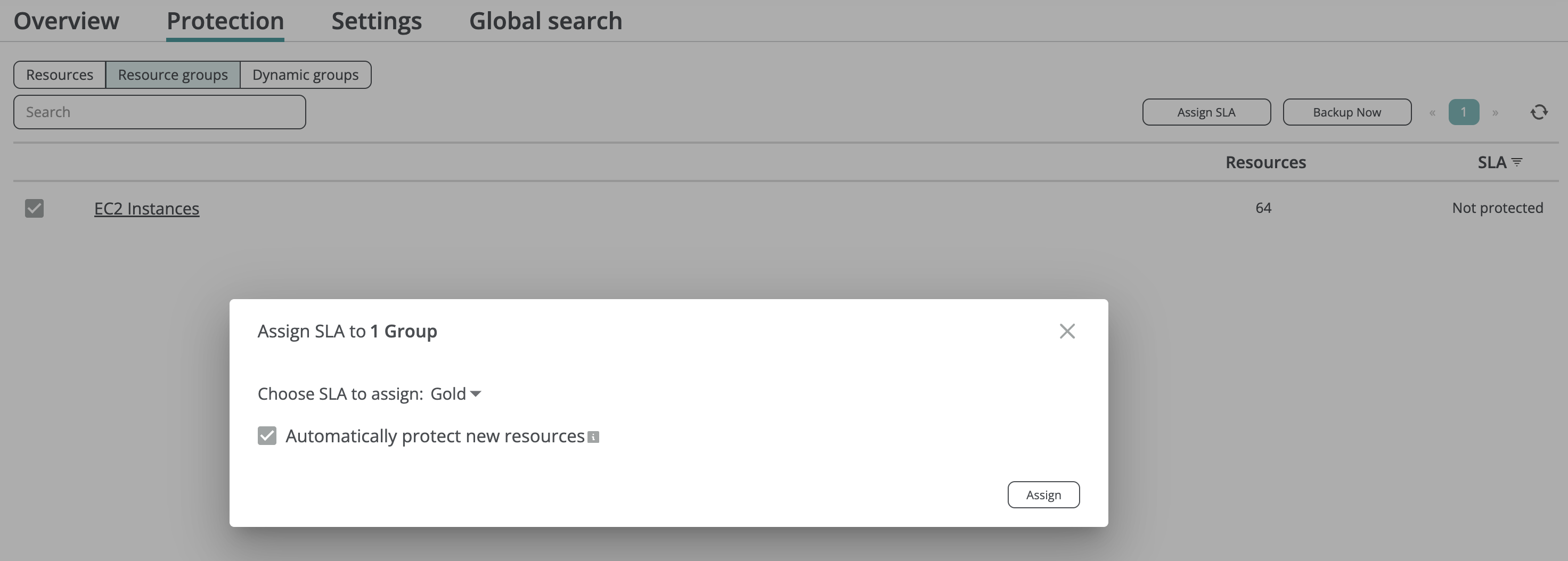
Auto-protection settings are managed on the Service → Protection → Resource groups (for default resource groups based on a resource kind, e.g., EC2 instances or PostgreSQL databases) and Service → Protection → Dynamic groups (for user-created resource groups) tabs. To enable automatic protection for all resources within a resource group, an Afi account administrator should:
- Select the groups for which automatic protection should be enabled.
- Click the Assign SLA button.
- Select a backup SLA policy to be automatically applied by Afi to resources added in the selected group(s).
- Ensure that the Automatically protect new resources checkbox is checked.
Please note that this action will also update the SLA settings for resources already present in the specified group(s).
Protect all resources
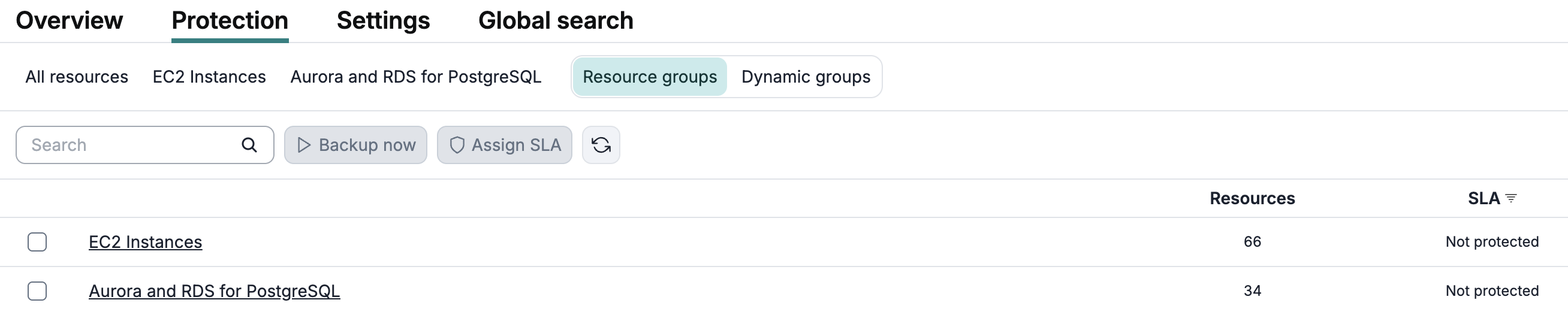
To protect all EC2 instances and databases in the AWS tenant, you can assign a backup SLA policy to the default EC2 Instances and Aurora and RDS for PostgreSQL resource groups on the Service → Protection → Resource groups tab.
Protect all resources matching certain criteria
To protect all resources in the AWS tenant based on certain criteria (region, tag, etc.), you can create a dynamic resource group that will be populated based on the selected criteria on the Service → Protection → Dynamic groups tab and assign a backup SLA policy to the group.
Create a dynamic group
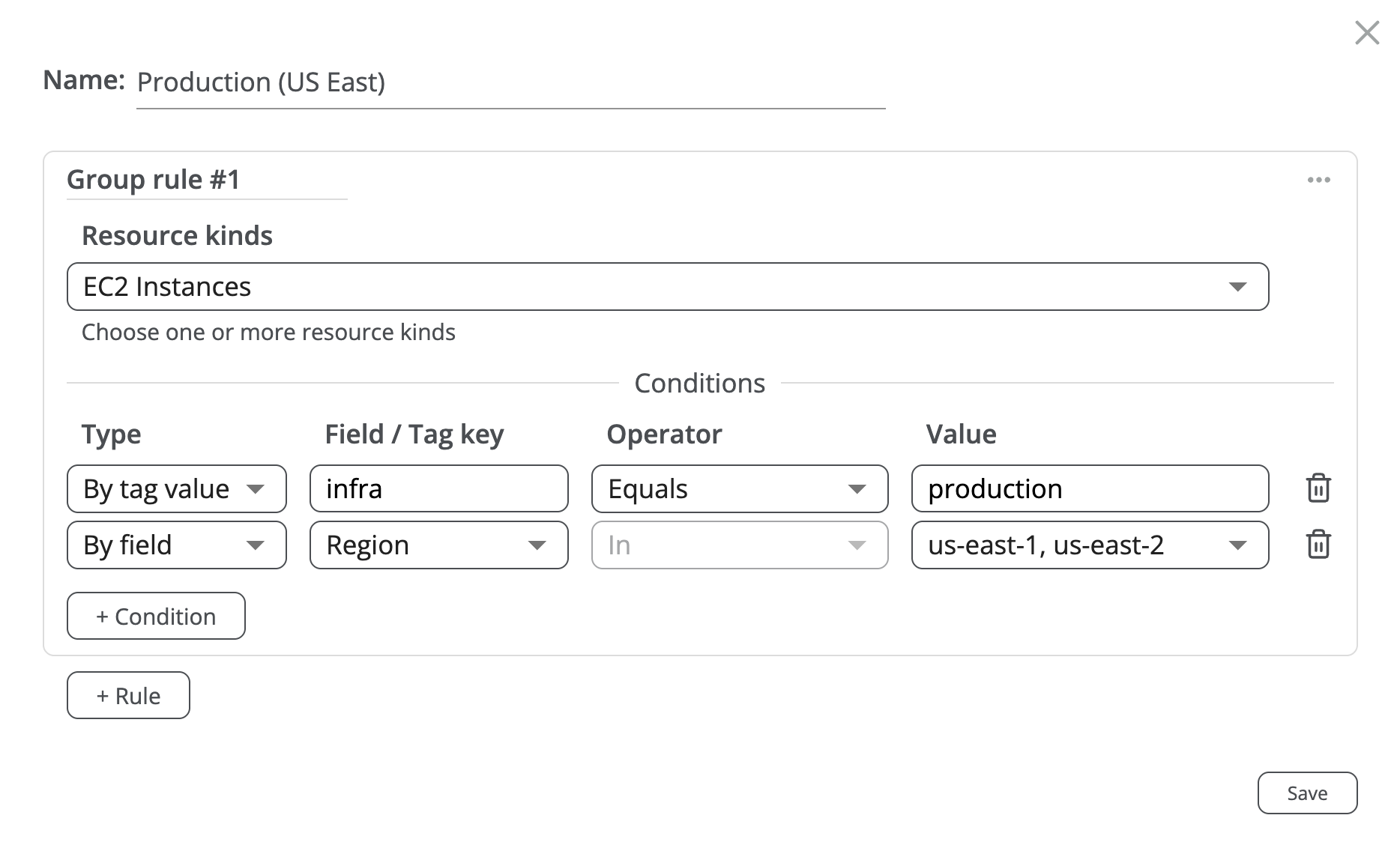
To create a dynamic group, click the + Group button on top of the Service → Protection → Dynamic groups tab. In the group configuration dialog you can specify the rules and rule conditions that will be used for resource matching.
Each rule defines a set of conditions that a resource should satisfy to be matched by this rule, and the resulting dynamic resource group will combine all the resources that are matched by at least one rule (it will aggregate the resource sets matched by each rule).

This example shows how to create a dynamic resource group that will contain resources which have the infra:production tag assigned and which reside in either us-east-1 or us-east-2 regions:
Assign a backup SLA policy to the dynamic group
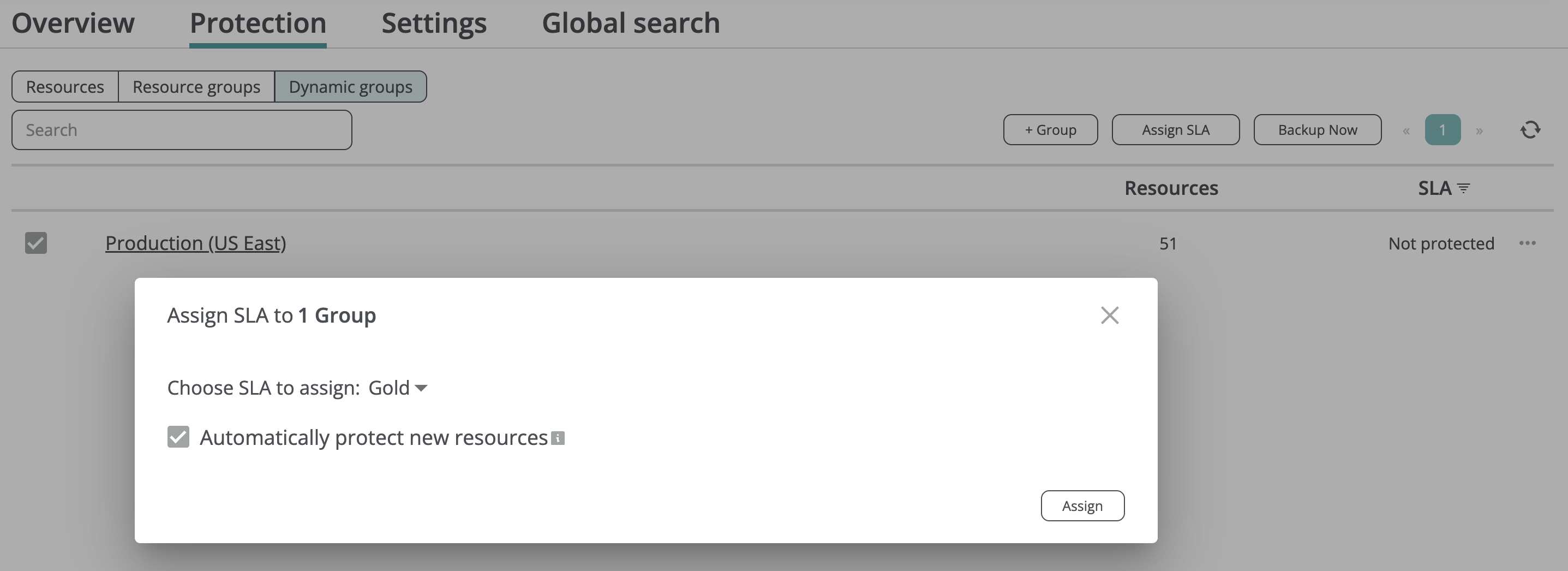
With granular auto-protection settings provided by Afi, administrators can assign different SLA policies to different resource groups based on the organization requirements. For example, it is possible to configure varying retention settings or backup schedules for resources in different resource groups.
Resource synchronization between Afi and AWS
To discover new resources and update resource statuses, Afi performs resource synchronization with AWS once every 24 hours. Therefore, any EC2 instance or database created on the AWS side will appear on the Afi side within 24 hours of its creation. Once Afi discovers a new resource that belongs to an auto-protected resource group, it assigns a backup SLA policy to it based on the auto-protection settings and backs it up according to the schedule configured for the assigned policy.
To trigger an out-of-schedule resource synchronization between Afi and AWS, click the refresh icon in the top-right corner of the Service → Protection screen. Once the synchronization is complete, the Afi UI will refresh automatically, and the new resource(s) will appear on the Protection screen.
