Google Classroom
Afi provides comprehensive backup for Google Classroom data, including class configuration, announcements, assignments, materials, and student submissions.
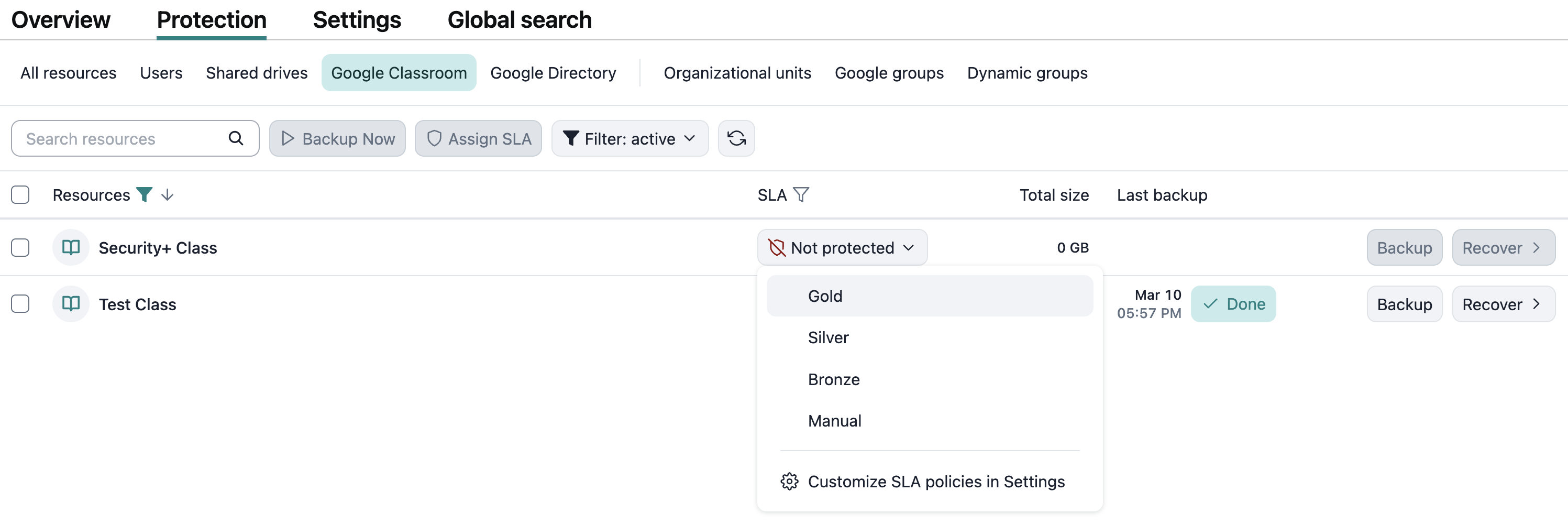
To enable Google Classroom backup for Afi tenants onboarded before April 24, 2026, please follow this guide. For newer tenants, Google Classroom resources are discovered and are available for backup automatically.
Info
Google Classroom backup is included with all Afi subscriptions for Google Workspace and requires no additional licenses.
Browse
The class backup browse view is organized into sections and includes class configuration, announcements, assignments, materials, and student submissions.

Class object kinds
Class configuration
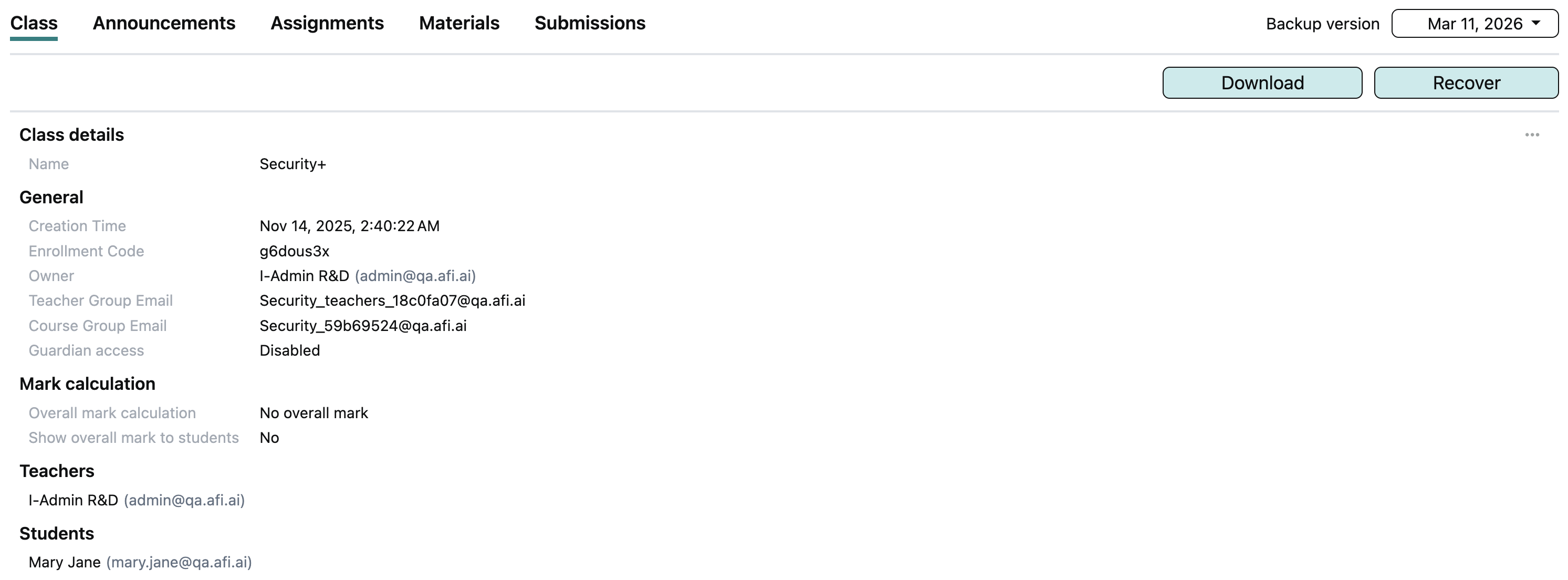
On the Class tab, Afi displays class configuration and metadata, including the creation time, enrollment code, class owner, teachers, and students, as well as students' guardians if guardian access is enabled for the class.
Announcements
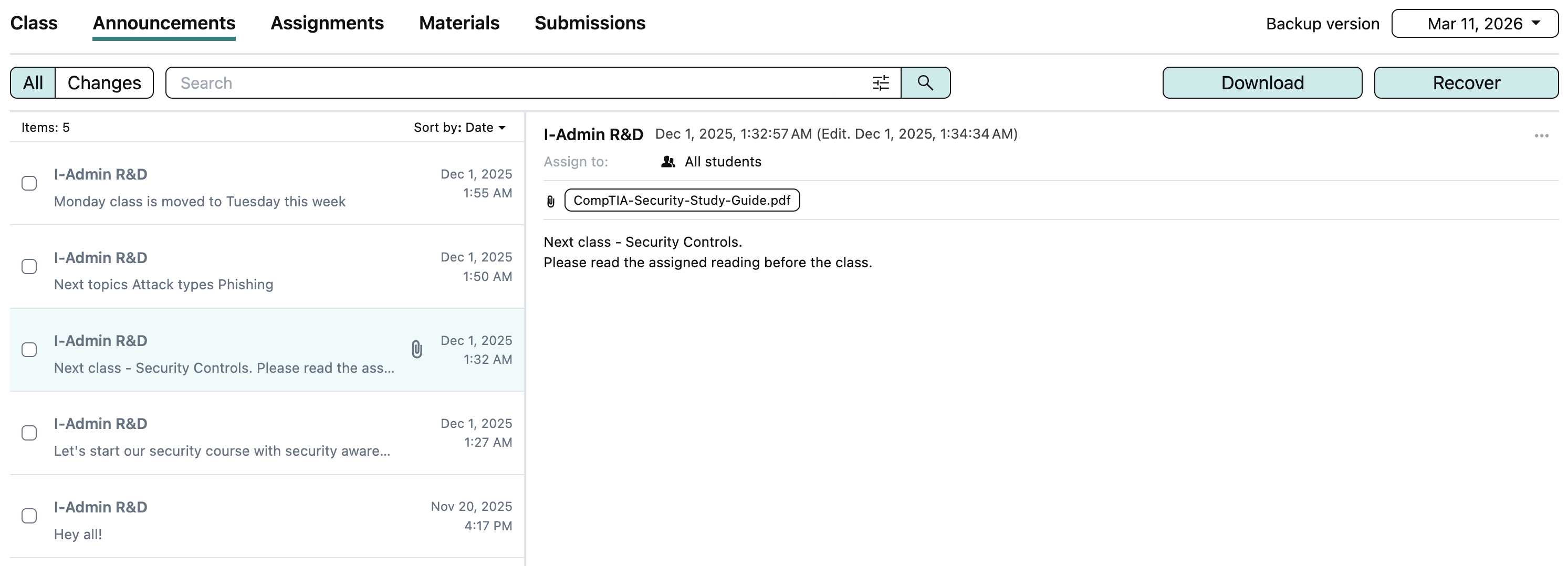
The Announcements tab lists the announcements posted in the class, including their creation dates, content, attachments, and recipients.
Assignments
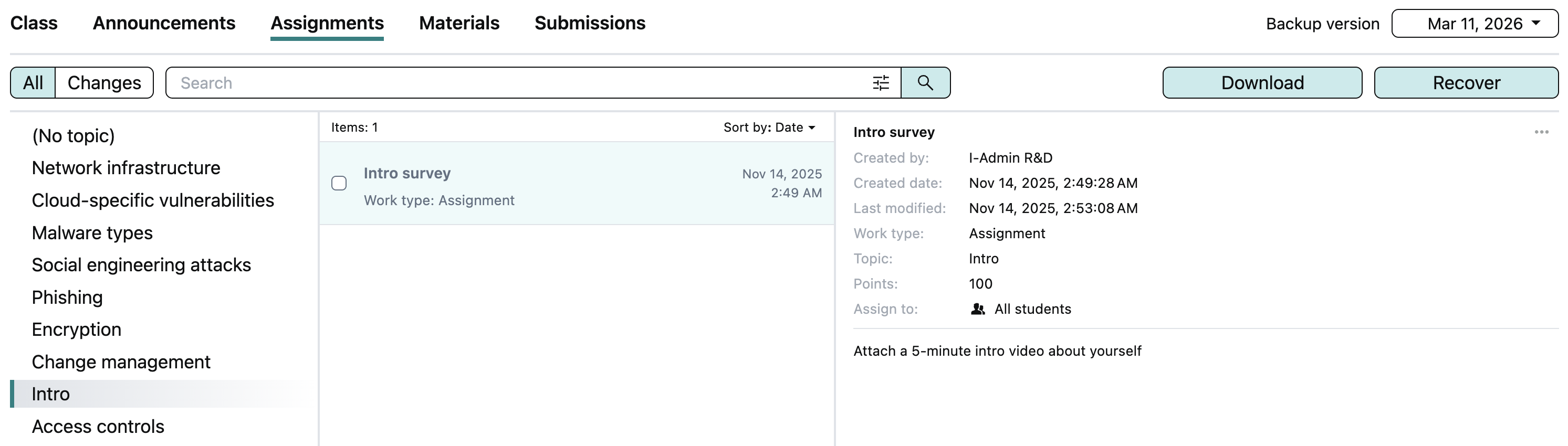
The Assignments tab shows the class assignments grouped by topic.
Materials
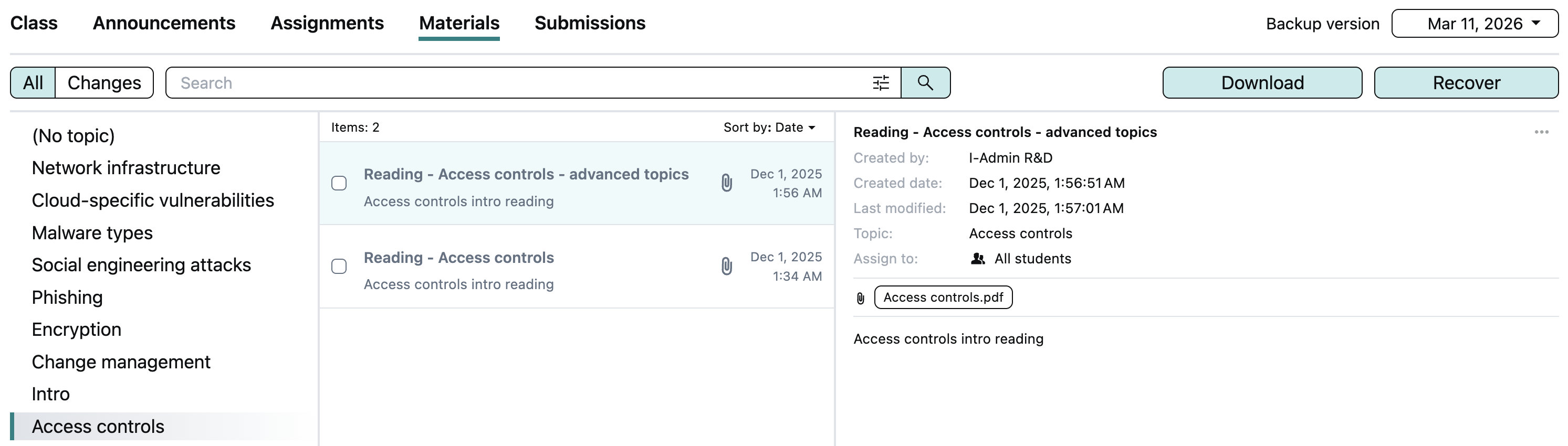
The Materials tab displays the class materials grouped by topic, including files, links, forms, and other content.
Submissions
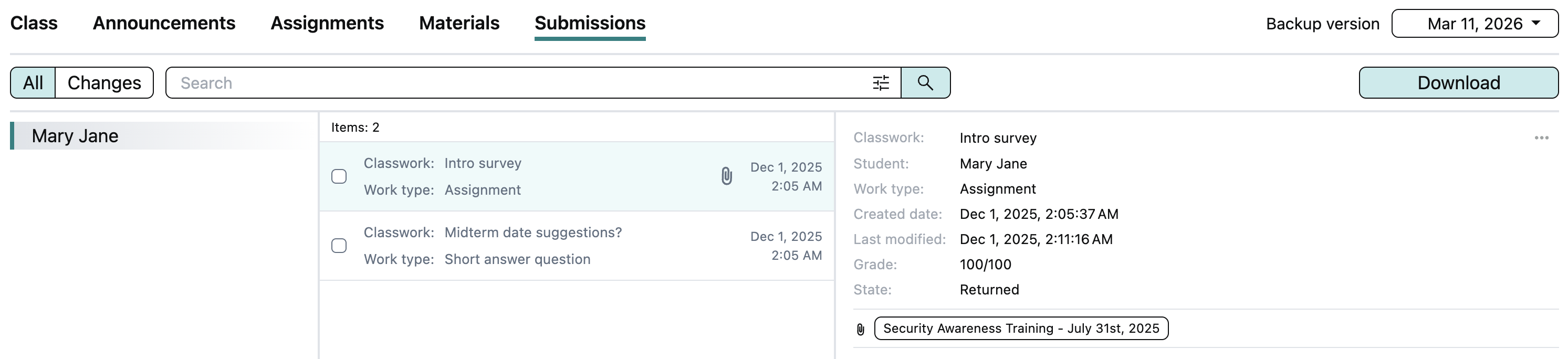
The Submissions tab shows student submissions grouped by student, including submission status and grades.
View object versions
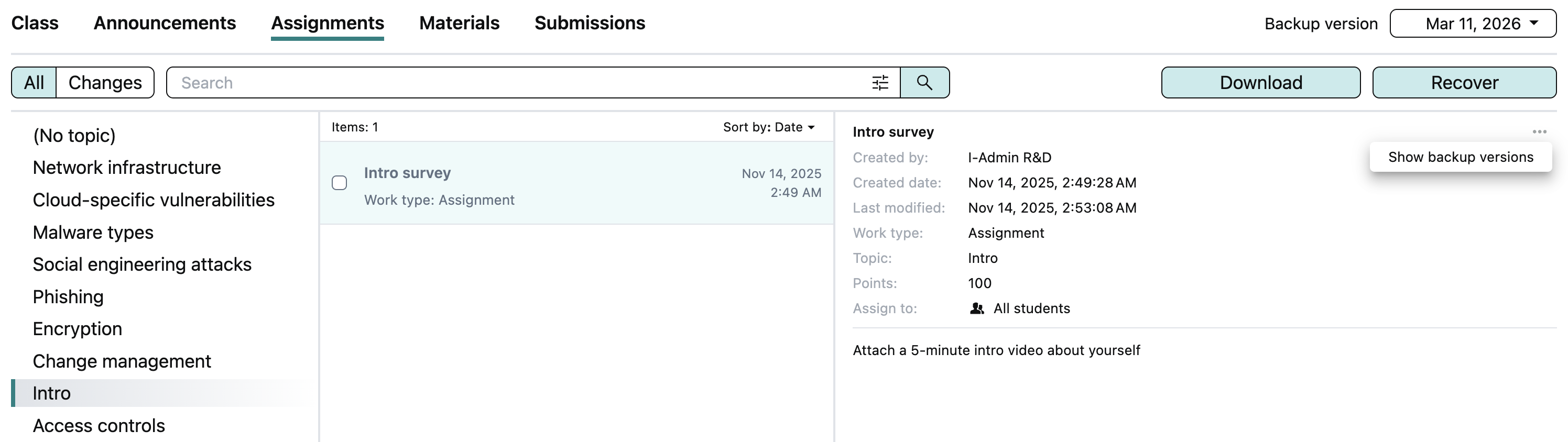
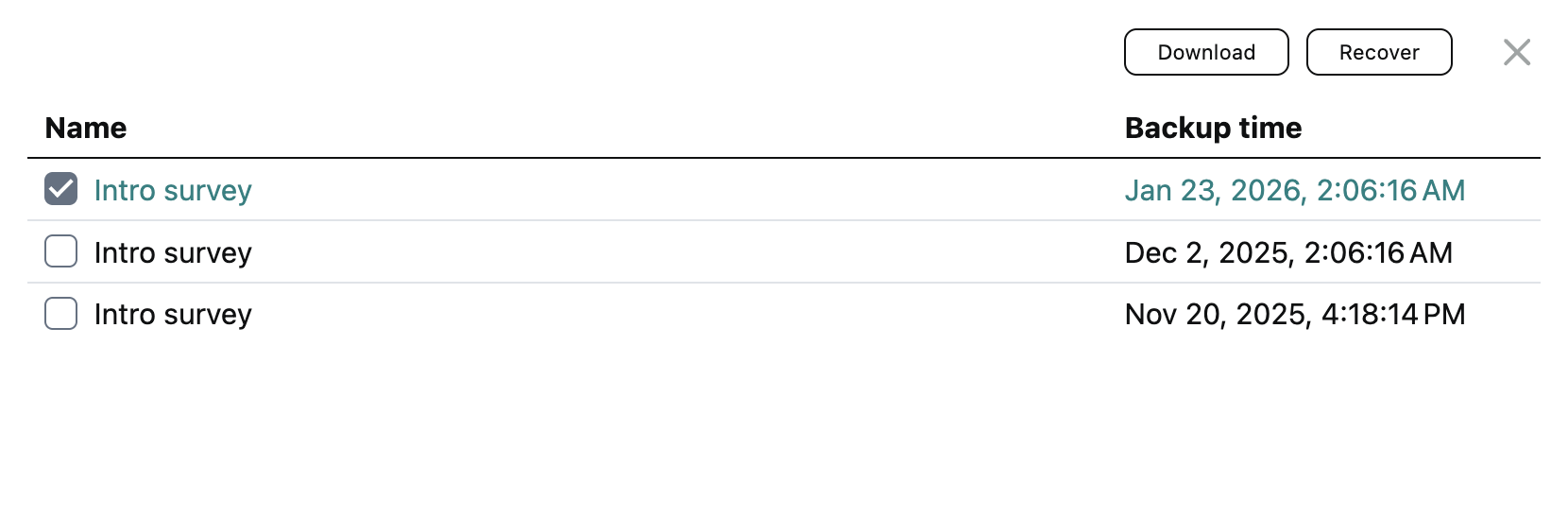
To view all versions kept by the service for an object inside the class's backup, click on the three-dot icon on the corresponding object tile, then click Show backup versions. The service opens a dialog listing all object versions, along with the backup snapshot times when each version was added. You can download selected object versions locally or restore any of them.
Search
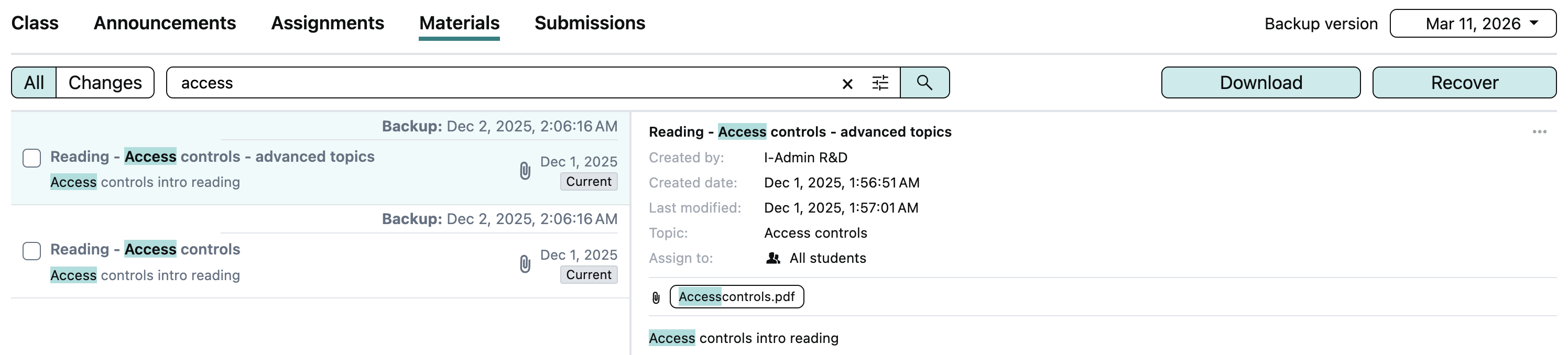
Afi allows you to search across each type of object in the class backup by title, content, topic, attachment name, creation time, and other searchable fields.
This example shows a basic search query that finds all materials in the class backup containing the term access in their titles, content, or metadata:
Export
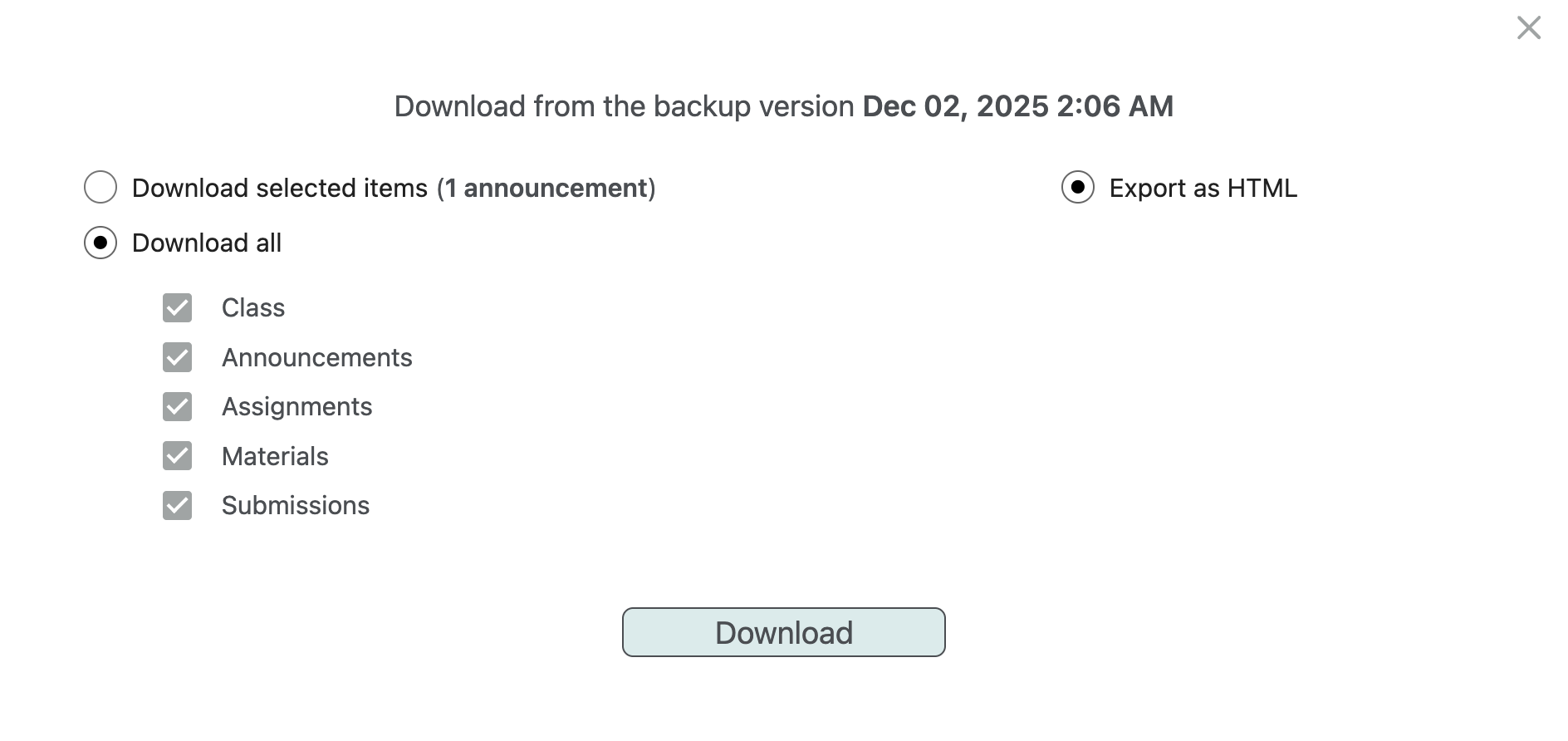
All Google Classroom objects backed up by Afi can be exported as HTML in a ZIP archive, together with all related metadata and attachments. You can export individual objects, such as a selected material, all objects associated with a specific topic or student, or the entire class content.
Recovery
Afi allows users to recover selected Google Classroom objects to the same class or restore the entire class content to a new class.
Recovery to the same class
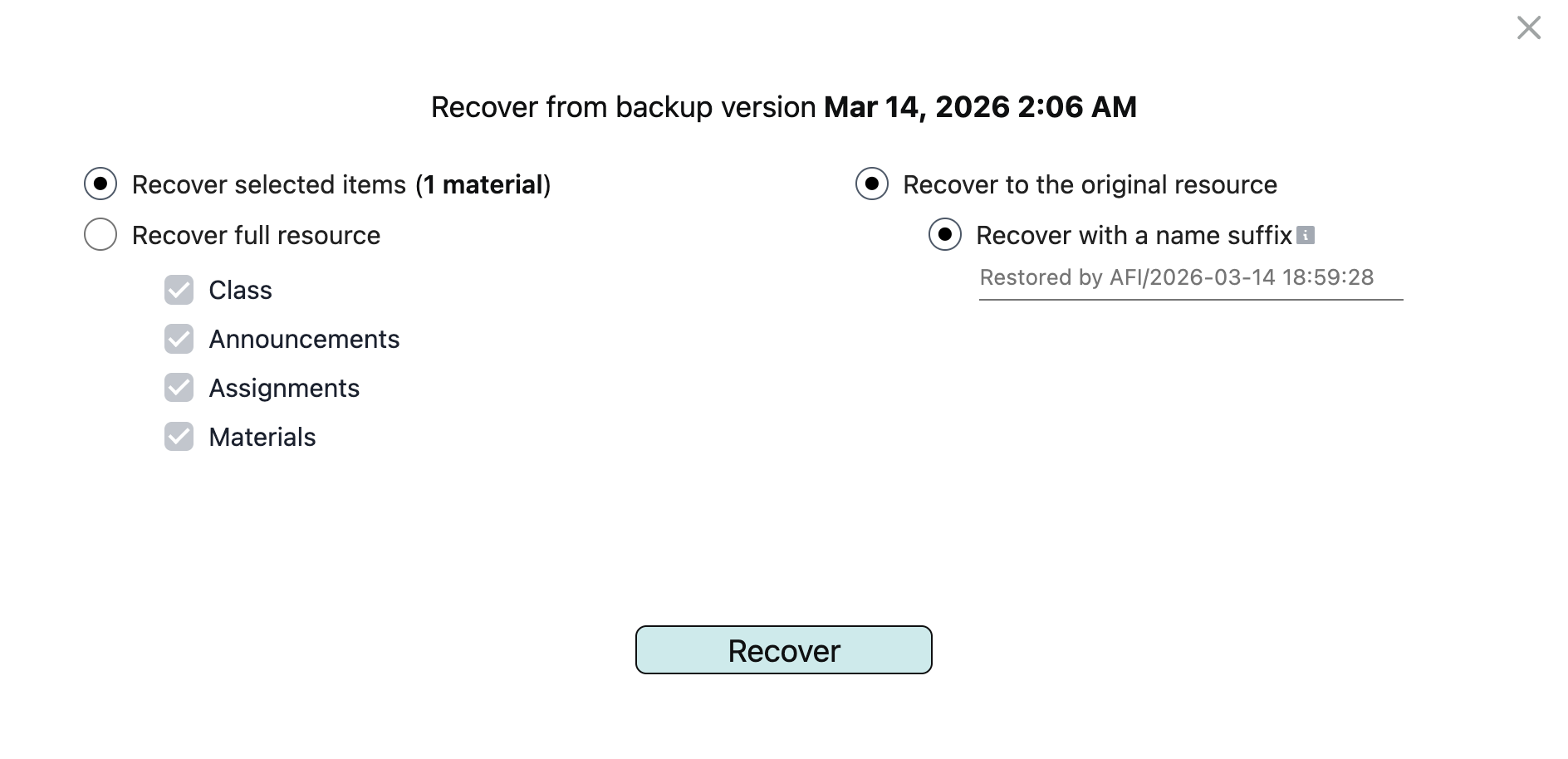
To restore individual announcements, assignments, or materials to the same class, select them on the corresponding tab in the backup browse view and click Recover. In the recovery dialog, you can specify a custom suffix for the restored items or keep the default one, then click Recover again to start the recovery task.
Recovery to a new class
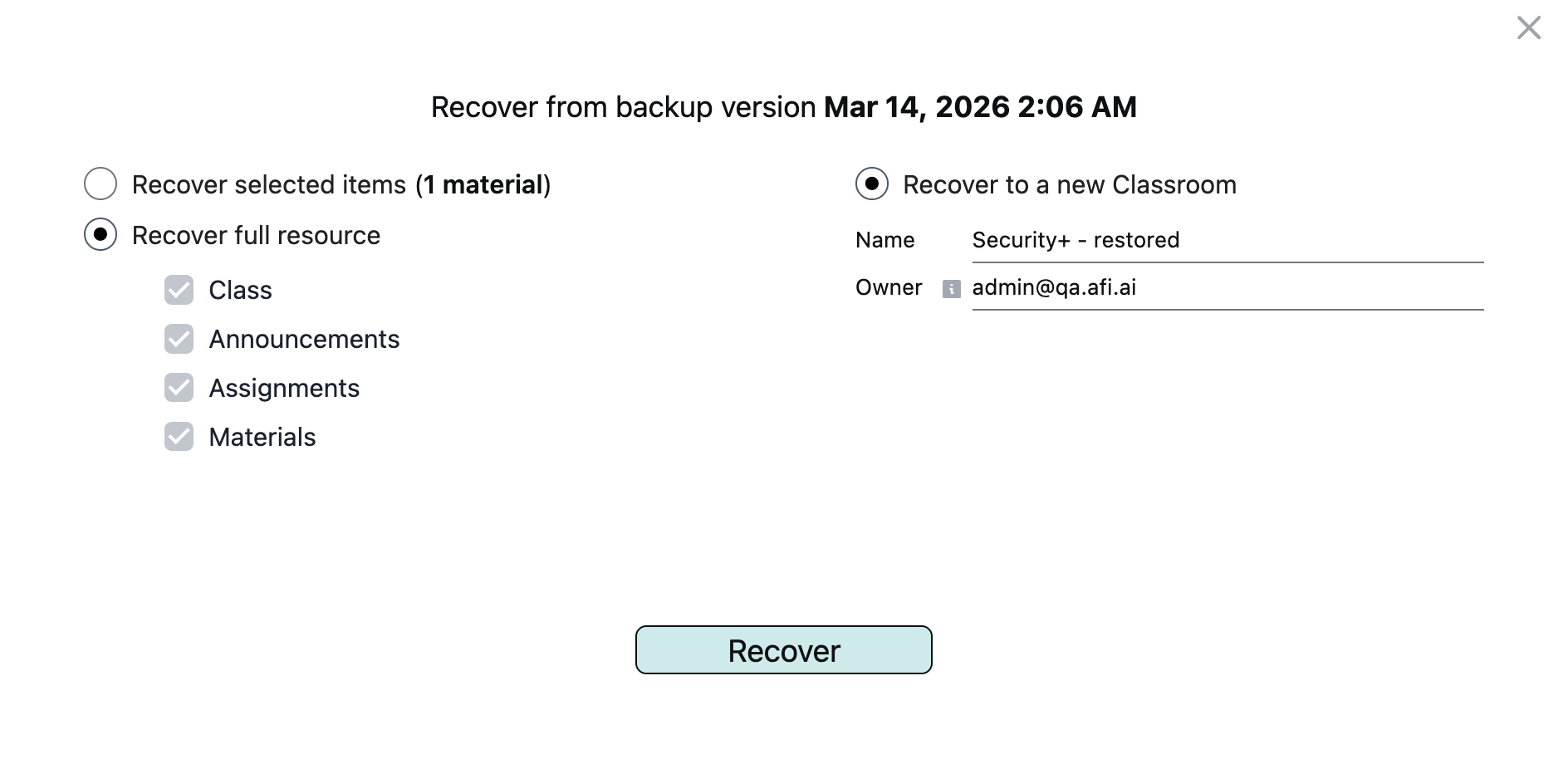
To restore the entire class content to a new class, select the Recover full resource option in the recovery dialog and specify the name of the class to be created and the email address of its owner. The class owner should belong to the same Google Workspace tenant as the class itself.