Afi Platform Update - Oct 2026
This update introduces Salesforce backup and recovery support and brings many new features and significant improvements to the Afi platform, expanding support for Microsoft 365, Google Workspace, Microsoft Azure, and Amazon Web Services backup.
Update summary
Platform
- Added AND, OR, exclusion filters, and nested filter groups for building complex search queries in backup browsing view and global search
- Supported individual resource selection as a search scope in global search
- Redesigned the search interface in the backup browsing view
- Introduced AI-powered support chat in the Afi portal
- Improved initial backup, search, and browsing performance across supported workloads
Salesforce backup
- Introduced backup and recovery support for Salesforce production organizations and sandboxes
Microsoft 365 backup
- Migrated Recoverable Items folders backup to Microsoft Graph API
- Improved backup and recovery stability
Google Workspace backup
- Improved backup and recovery stability
Amazon Web Services (AWS) backup
- Introduced backup and recovery support for Amazon RDS for SQL Server
Microsoft Azure backup
- Supported backup and recovery for Azure file shares with restricted network access via granular firewall configuration for the duration of backup or recovery operation
- Improved backup and recovery stability
Kubernetes backup
- Improved backup and recovery stability
Documentation
- Product documentation is now available in French, German, and Spanish
Detailed update description
Platform
Search interface
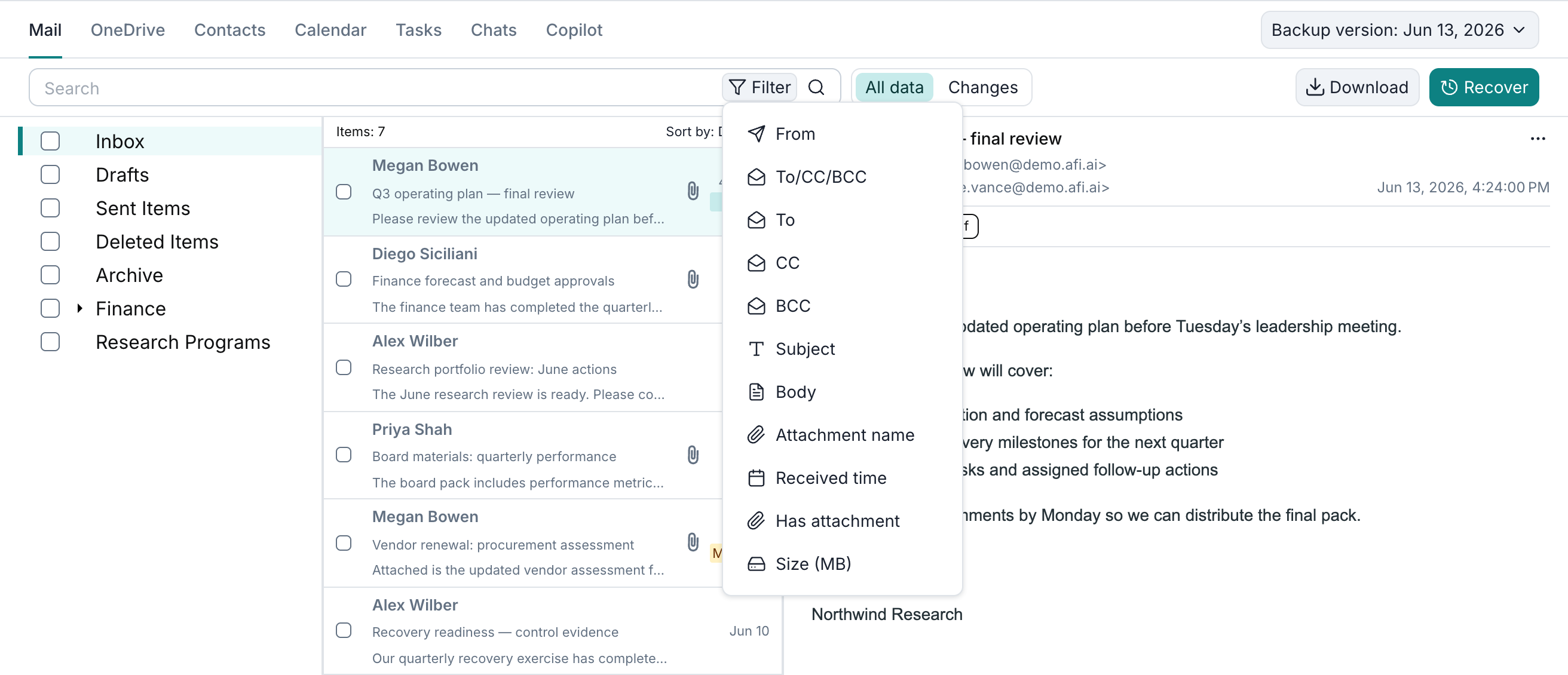
This update introduces a redesigned search interface in the backup browsing view and global search. You can enter a query in the search box to search across an item's text fields or use Filter to select individual fields, such as an email's sender or a file's last modified time.
The filter menu shows the fields available for the selected workload. To add a condition, select a field, choose an operator, and enter a value. You can combine a query across all text fields with additional field filters, for example, to find messages containing a keyword within a specified date range.
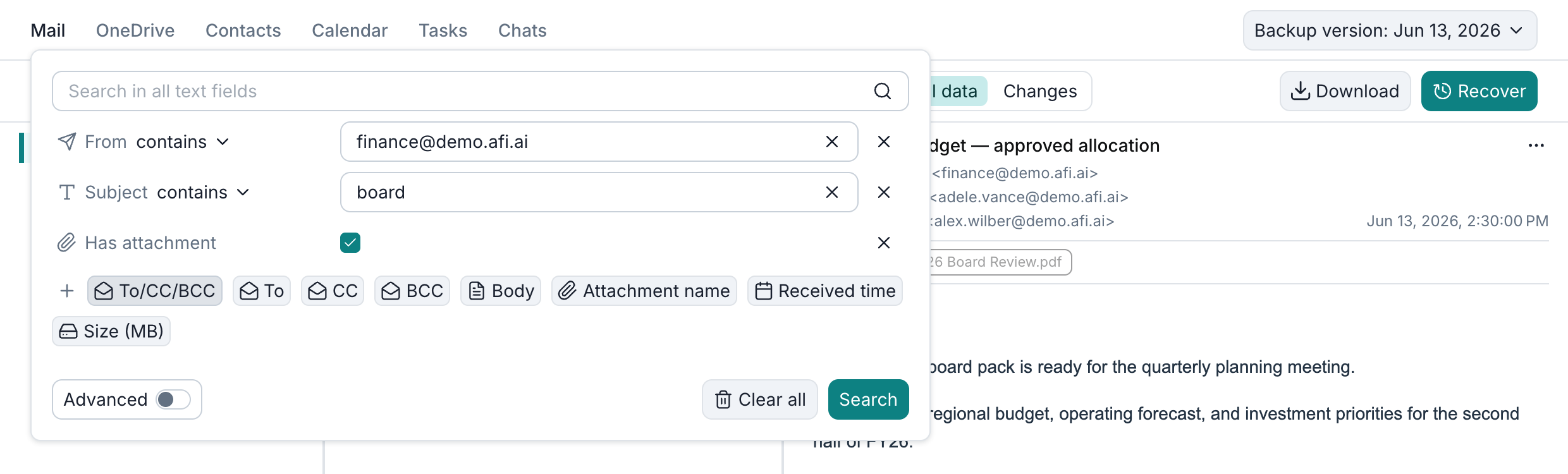
The example below combines From, Subject, and Has attachment to find emails from finance@demo.afi.ai with board in the subject and an attachment:
Advanced search
Afi now lets you combine filters with AND and OR, exclude unwanted results, and organize related filters into nested groups.
By default, an item must match every filter (AND). To allow a match on any one filter (OR), turn on Advanced and click the group's AND button. To exclude results (NOT), choose doesn't contain or doesn't equal from a filter's operator dropdown.
To use AND and OR together, click Add filter group. Each group has its own AND/OR setting, and you can place one group inside another.
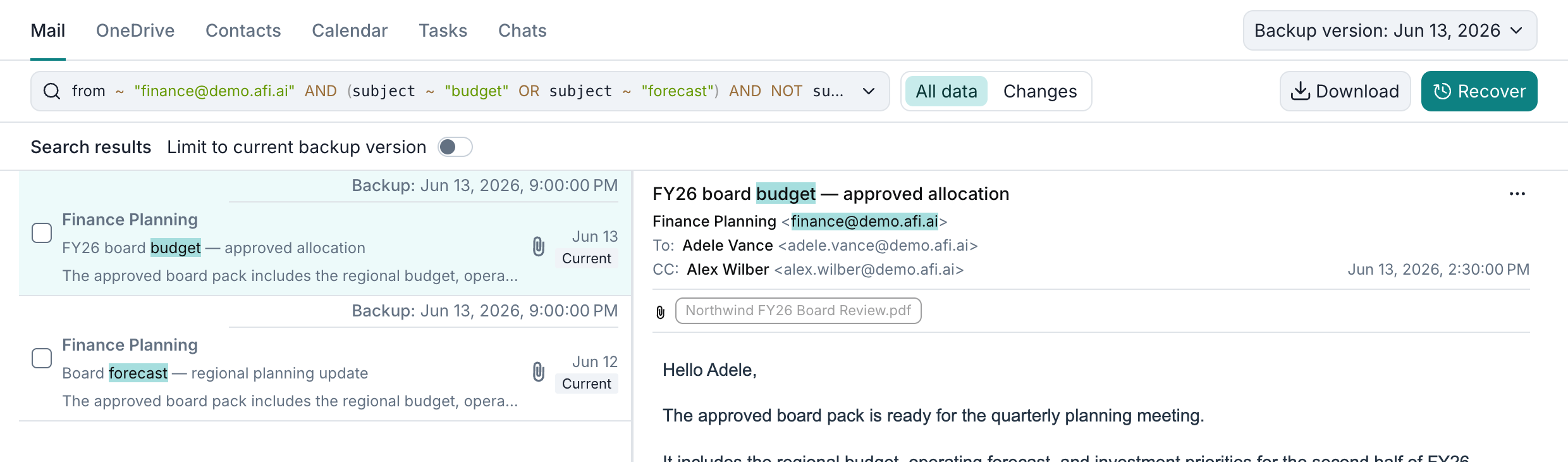
This example finds emails from finance@demo.afi.ai with budget or forecast in the subject, but without draft:
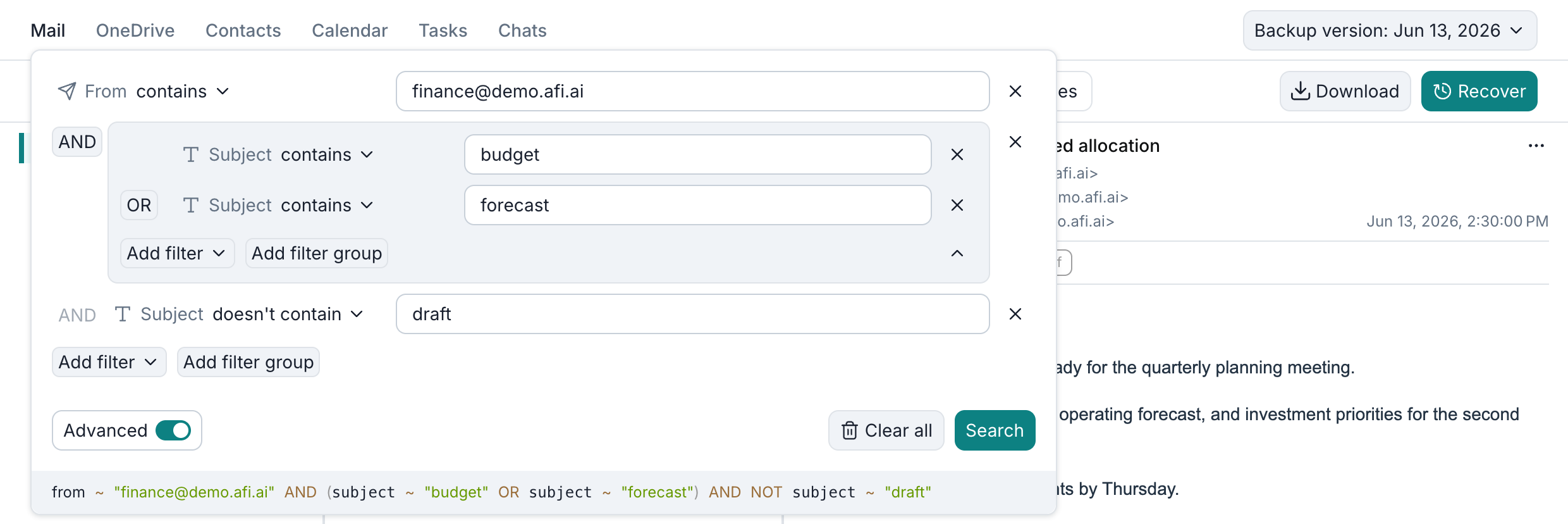
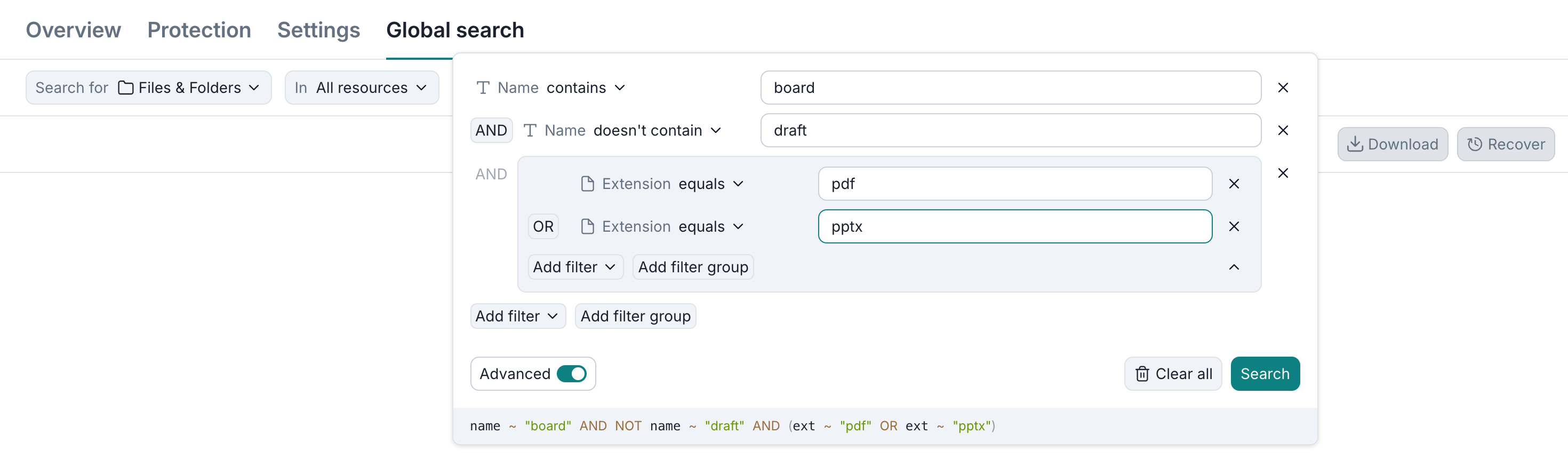
Afi displays your search query in a formal query language below the filters, so you can check it before searching. It also appears in the search bar when you close the panel. To change the query, click it to reopen the filters.
Info
Advanced search mode is available for tenants added after May 6, 2023. To enable this feature for tenants onboarded in Afi before May 6, 2023, please contact the Afi Support.
Global search
The updated Global search now supports nested filter groups and exclusion conditions.
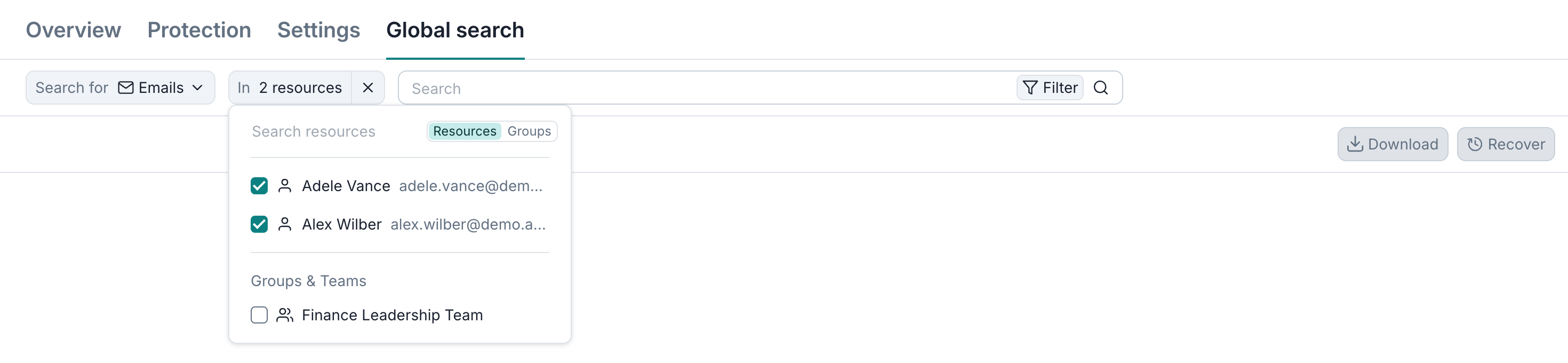
You can search across backups in a Microsoft 365, Google Workspace, Microsoft Azure, or AWS tenant, or narrow the scope to individual resources, resource kinds, or groups. To choose individual backups, open the In dropdown and select the resources on the Resources tab. The example below searches only the backups of Adele Vance and Alex Wilber:
Another example finds files with board in their names in either PDF or PowerPoint format, excluding files with draft in their names. The extension conditions are combined with OR, while both name conditions apply to every result:
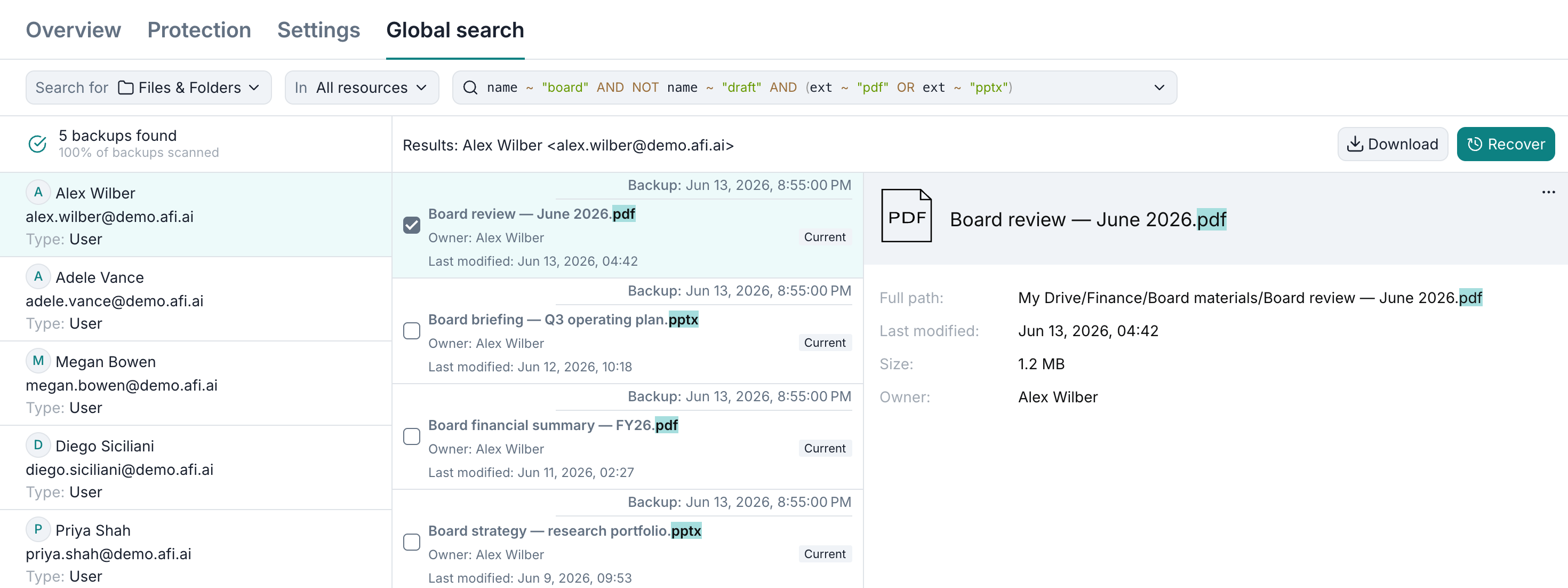
To inspect matching items, select a backup in the results list. You can preview the items and select them for export or recovery directly from the search results.
AI-powered support chat
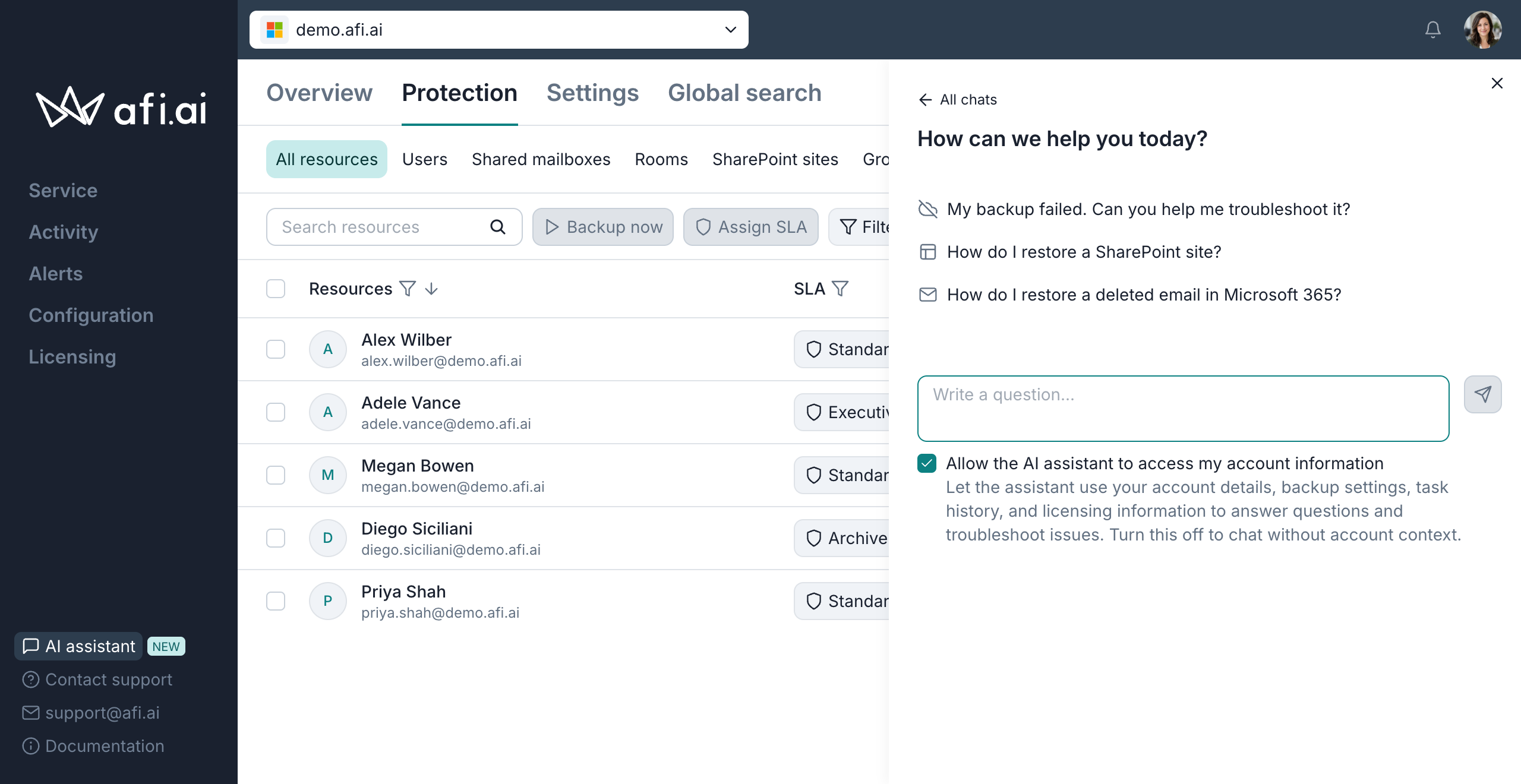
This update introduces AI-powered support chat directly in the Afi portal. The assistant can answer questions about Afi features and help with backup configuration, recovery procedures, and troubleshooting. Using the AI assistant is optional — you can always contact Afi Support directly. We'll be happy to help.
To start a conversation, click AI assistant in the left menu and enter your question or choose one of the suggested questions. You can return to previous conversations through All chats.
With Allow the AI assistant to access my account information enabled, the assistant can use your account details, backup settings, task history, and licensing information to help answer your questions. You can turn this option off to ask general questions without sharing account context.
Info
The AI assistant never accesses your backup data, even when access to account information is enabled.
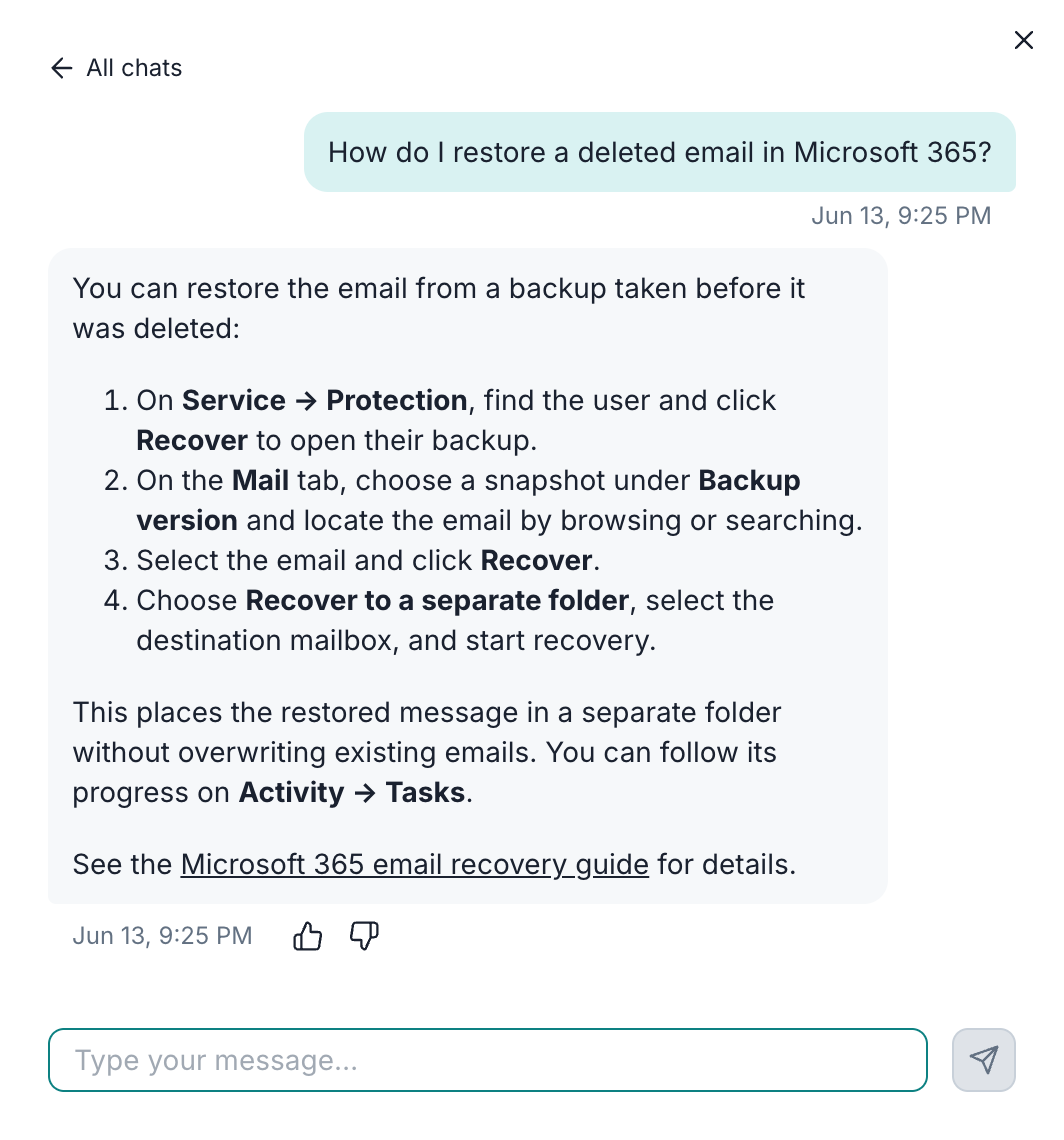
The example below shows the assistant explaining how to recover a deleted Microsoft 365 email:
Info
AI-generated answers may be incomplete or lack important context. For decisions involving security or data management, we recommend contacting Afi Support directly. We'll be happy to help with these or any other questions.
Salesforce
Salesforce backup and recovery
This update introduces comprehensive Salesforce backup and recovery for production organizations and sandboxes. Afi protects standard and custom SObjects, including eligible objects from installed managed packages, along with Salesforce Files, legacy attachments, and object and field metadata.
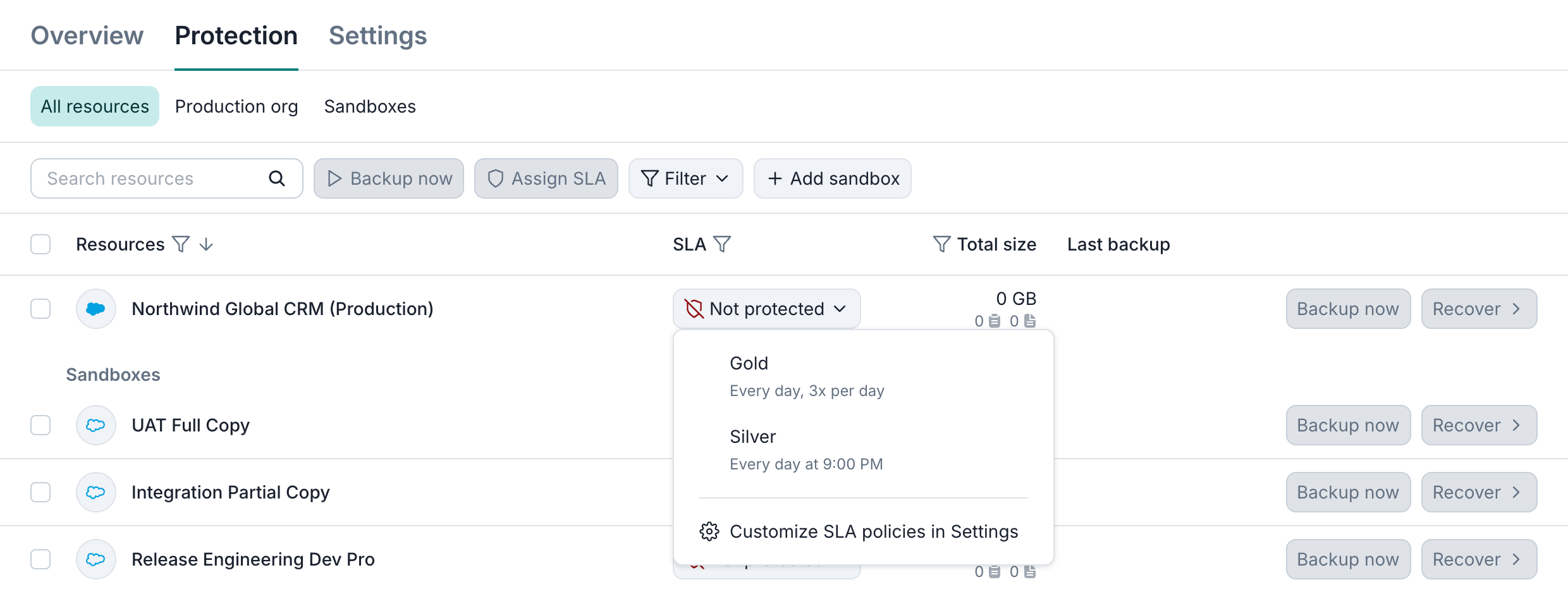
To start protecting Salesforce data, please follow the onboarding guide to connect your production organization or sandbox, then assign a backup SLA policy on the Service → Protection tab.
Data browsing and search
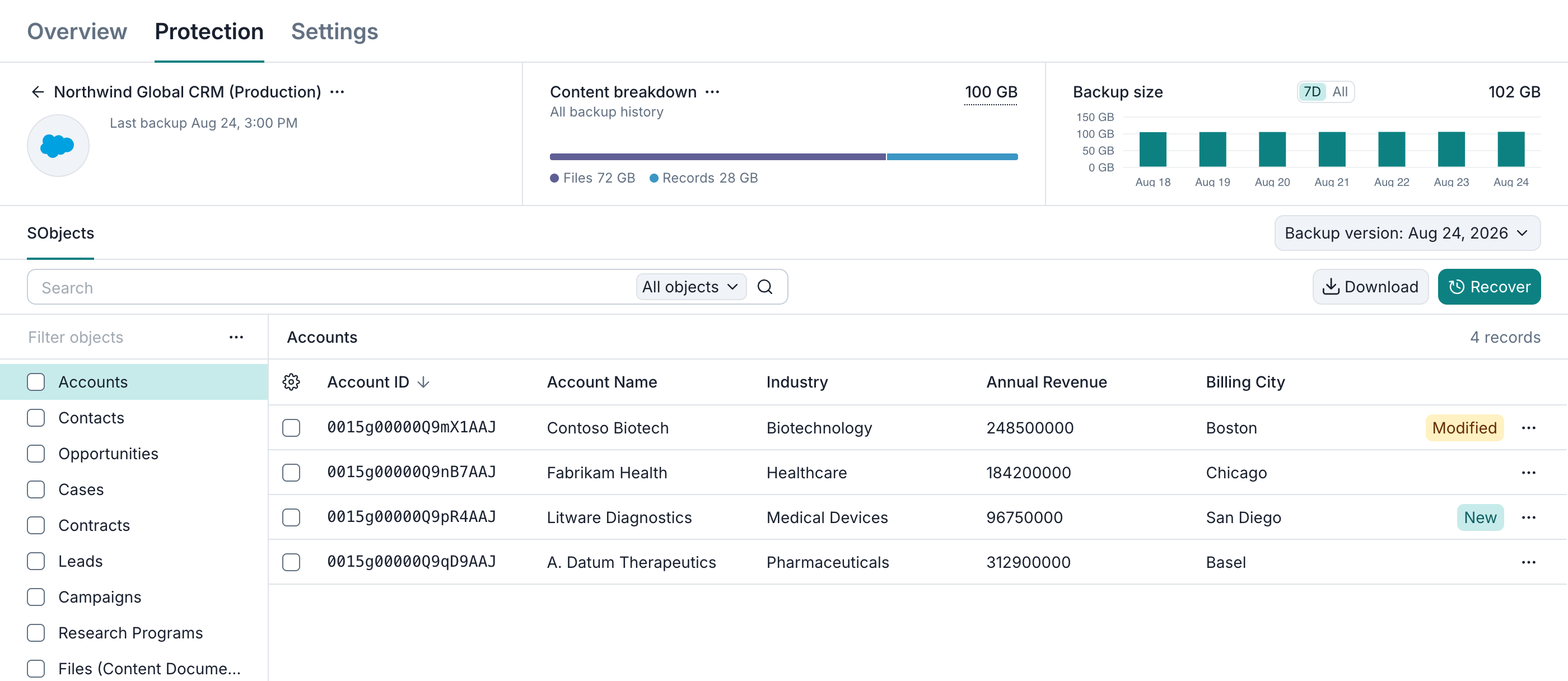
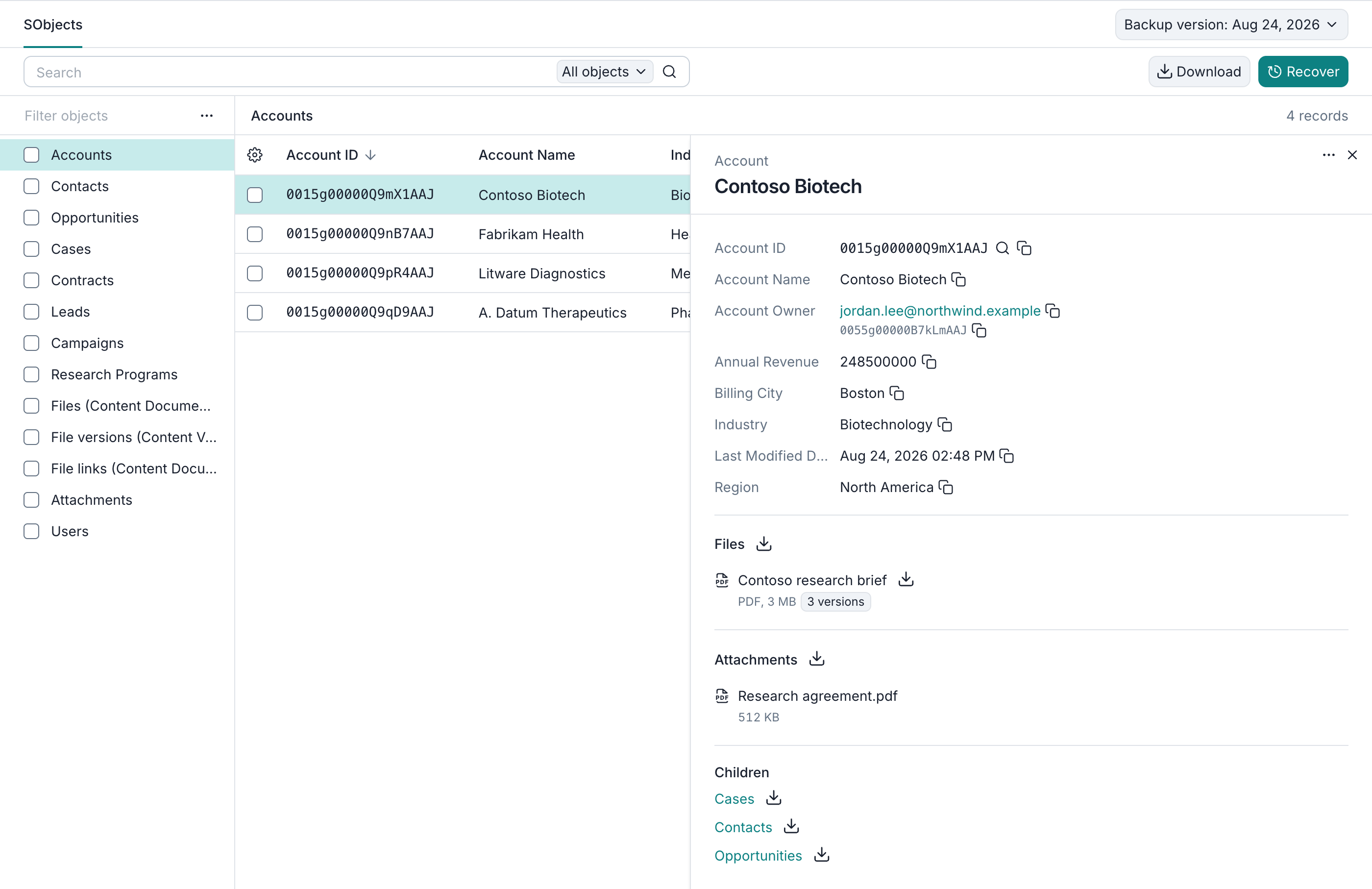
On the SObjects tab, you can select an object type on the left to view its records on the right. You can also customize the displayed columns.
Clicking a record opens a preview with its field values. You can follow links to parent records or browse related records under Children, such as the Contacts and Opportunities linked to an Account.
The Files and Attachments sections let you download linked files and legacy attachments. Under Files, you can also view each file's backed-up versions.
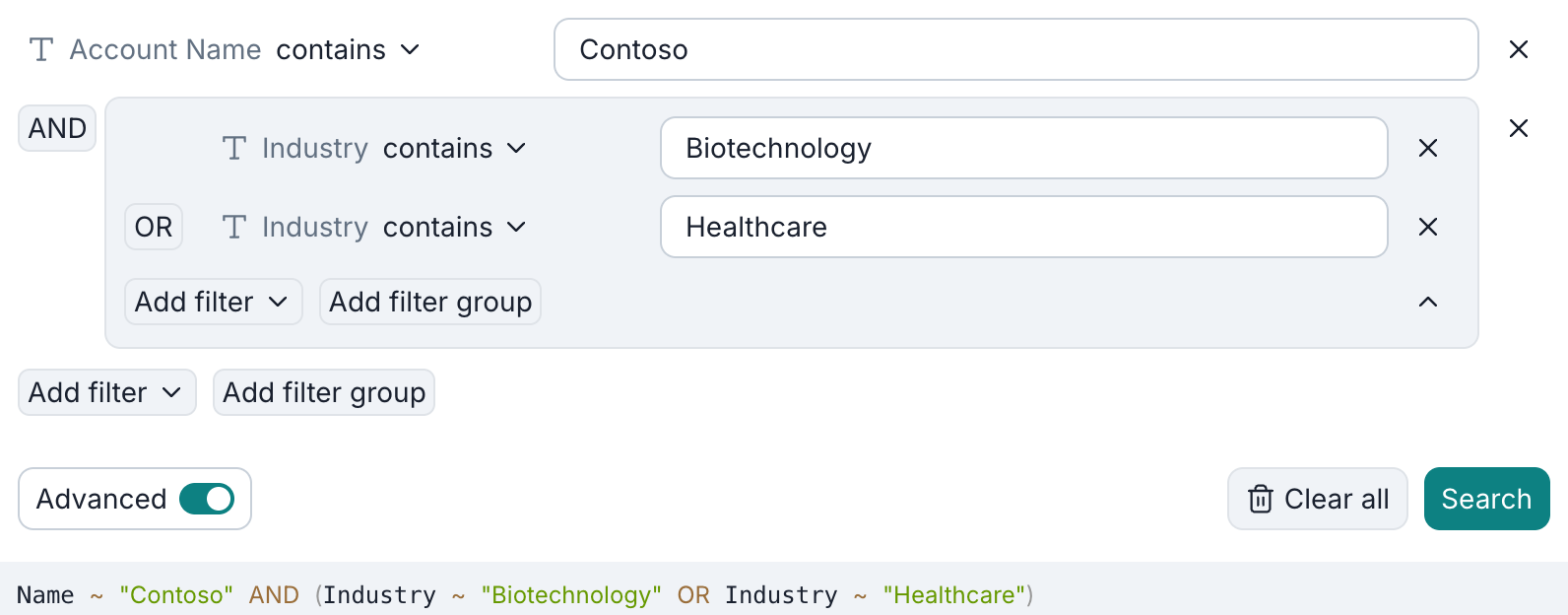
Afi supports keyword search across all SObject types as well as filters for a selected type's fields. You can combine conditions with AND, OR, and nested groups. The example below finds Accounts whose names contain Contoso and whose Industry field contains either Biotechnology or Healthcare:
Search uses the selected backup snapshot by default. To find record versions across all retained snapshots, turn off Limit to current backup version. For more details, please see the browsing and search guides.
Data export
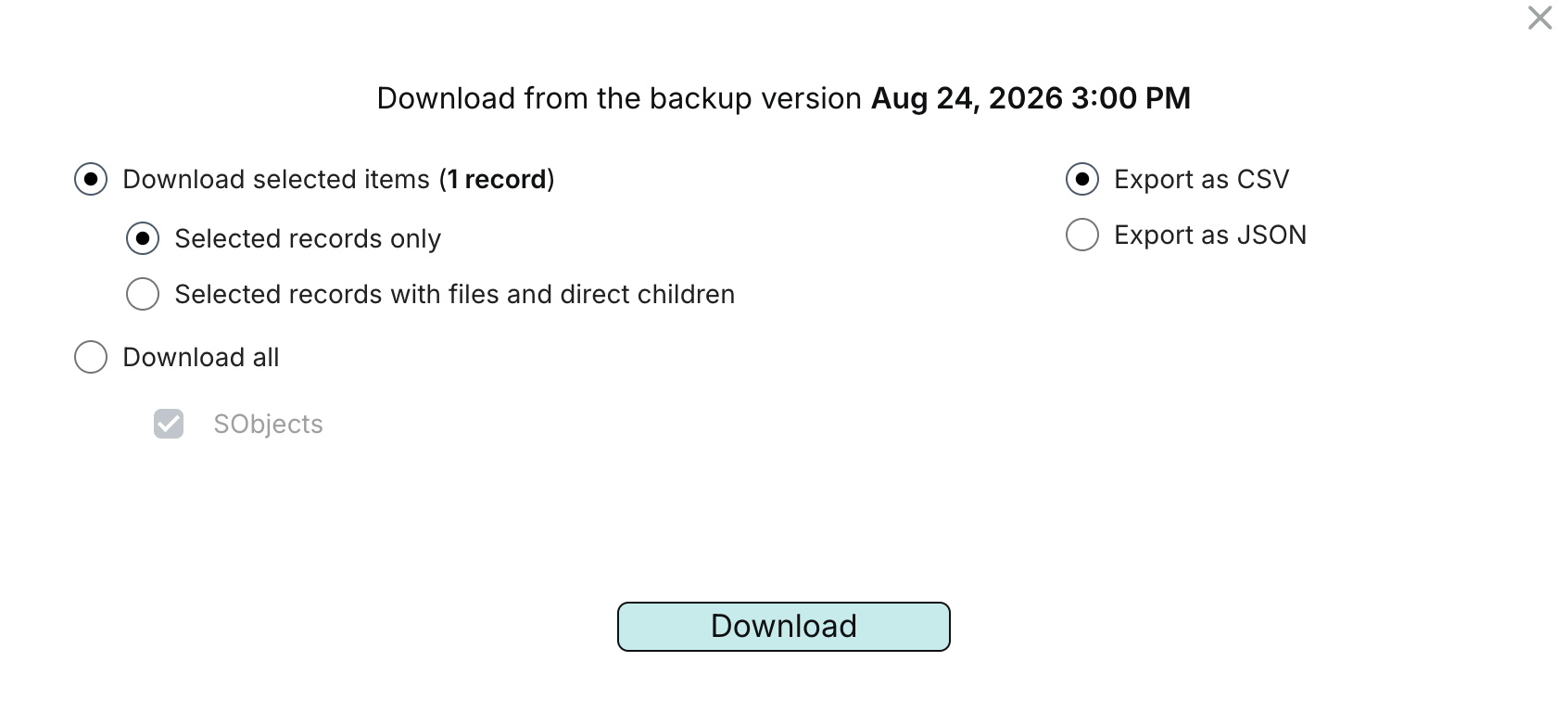
You can export the entire resource, all records of selected SObject types, or individual records as CSV or JSON Lines (.jsonl). Exports of selected records can also include their files and direct child records. Object definitions are available separately as XML.
Data recovery
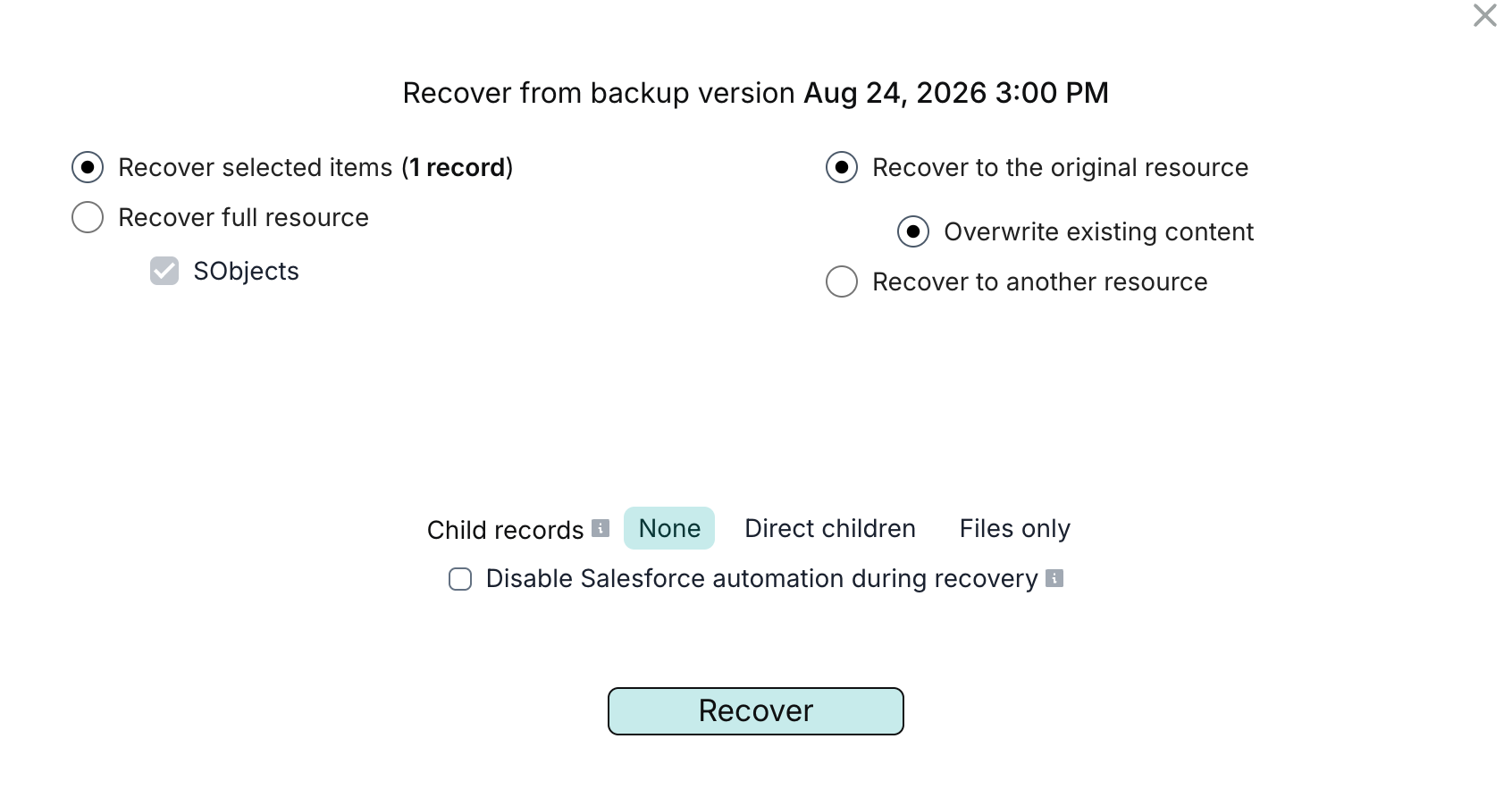
Afi supports recovery of the entire resource, all records of selected SObject types, or individual records. You can recover data to its original location or to another Salesforce organization or sandbox connected to Afi and choose whether to include child records and files.
Afi updates matching records and recreates missing ones, preserving supported relationships between recovered records. If a custom SObject type is missing from the destination, Afi recreates it from its backed-up metadata before restoring its records.
Microsoft 365
Recoverable Items backup with Microsoft Graph
Afi migrated Recoverable Items folders backup to Microsoft Graph API before Microsoft began phasing out Exchange Web Services (EWS) in Exchange Online on October 1, 2026.
Afi now uses Graph API for all supported Exchange-related workloads except In-Place (Online) Archive backup, which continues to use EWS.
To keep protecting In-Place (Online) Archive data, follow the instructions for keeping EWS enabled for Afi.
AWS
Amazon RDS for SQL Server backup and recovery
The update introduces comprehensive protection for Amazon RDS for SQL Server, including instance configuration, database schema, and table data backup to the Afi cloud, and provides the ability to recover databases and individual tables back to the AWS cloud.
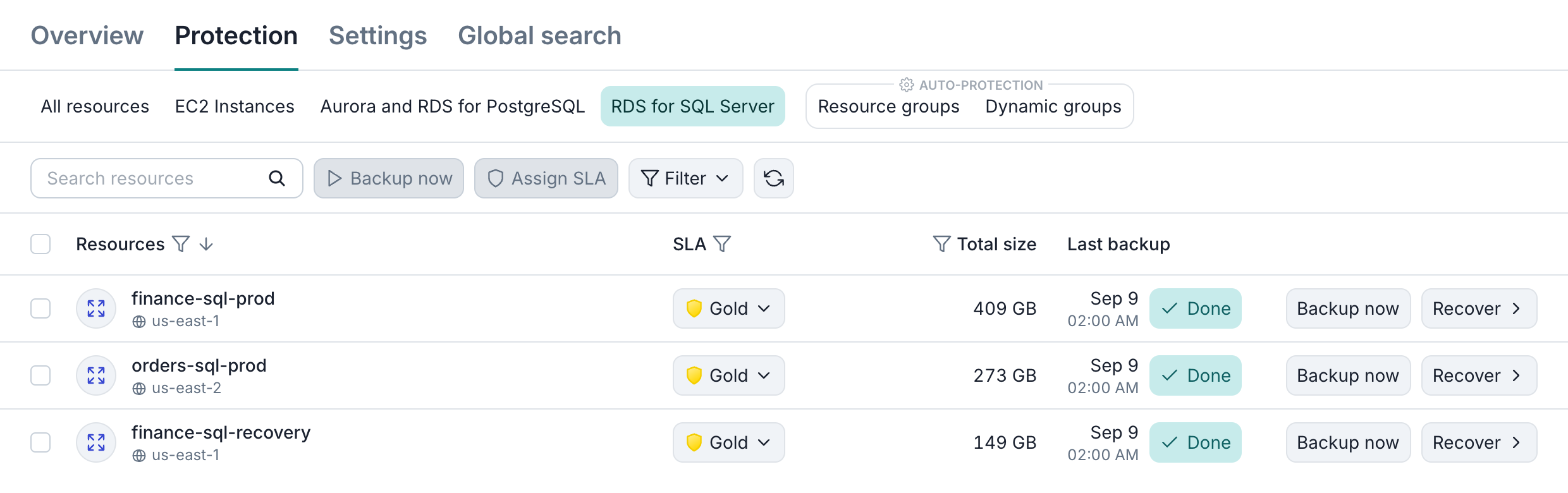
To provide convenient database data navigation and backup management, Afi supports an extensive set of features, including:
- The ability to preview and download instance configuration as AWS-native JSON
- The ability to view the history of database configuration changes
- The ability to browse and preview SQL schema scripts and their backup versions
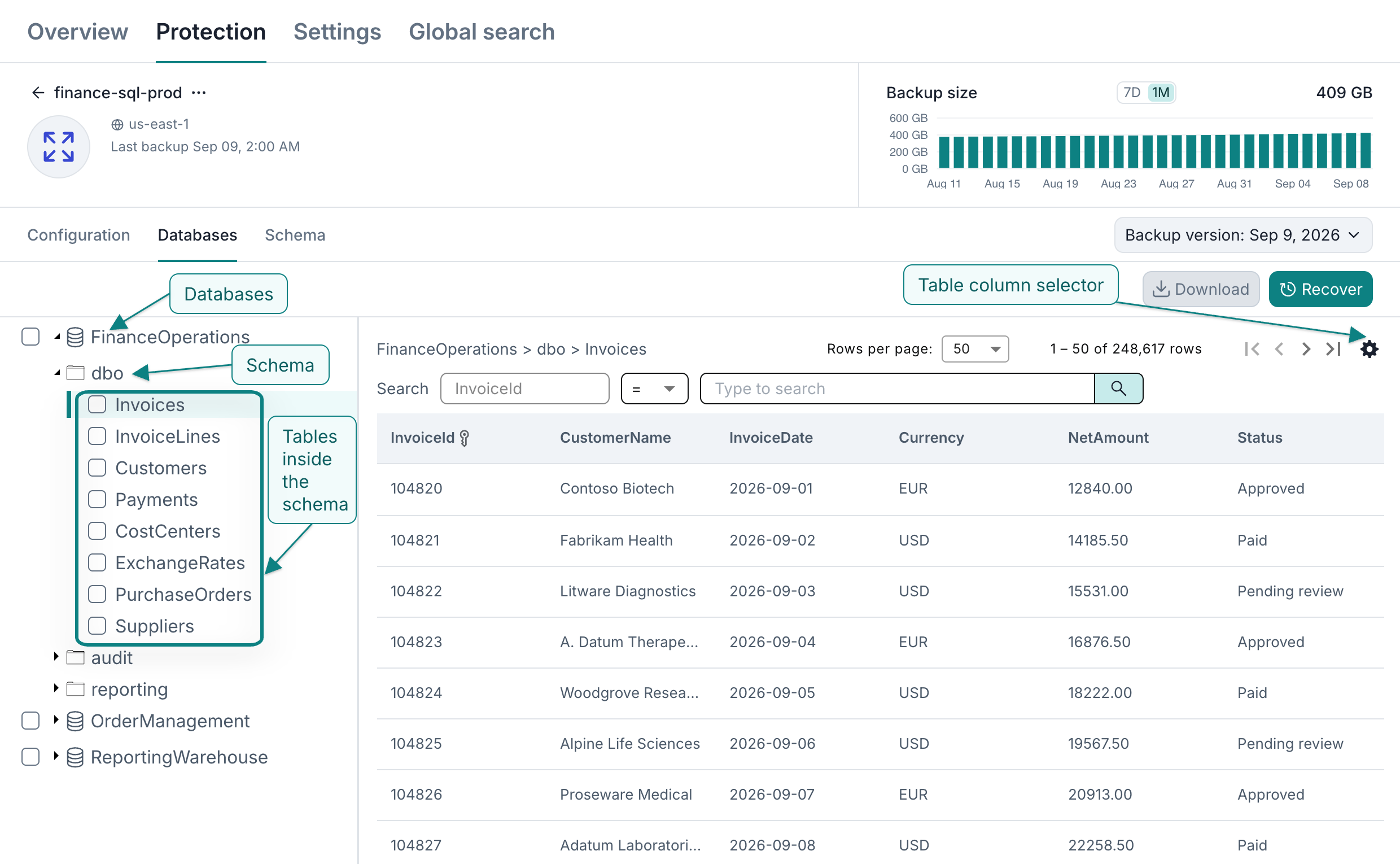
- The ability to browse table data and search by primary key value, including a range of values
- The ability to download selected tables or table search results as CSV
- Global search across all or a selected set of backups in a tenant that allows you to easily locate a backup by various properties (ID, name, tag, location, etc.)
- Annotation labels that highlight resource configuration and database schema changes
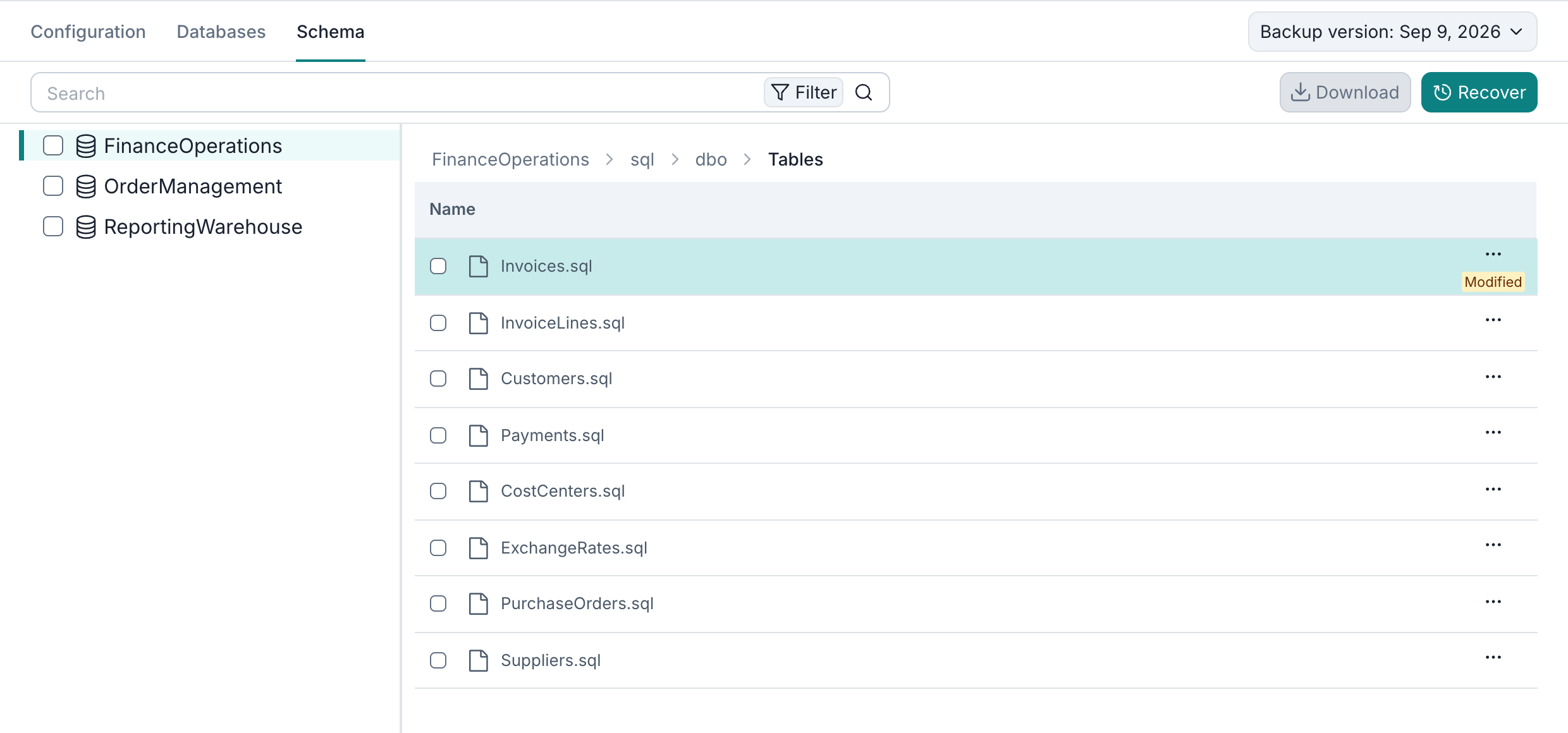
The screenshots below show the configuration, table data, and schema preview for a sample test database.
Configuration
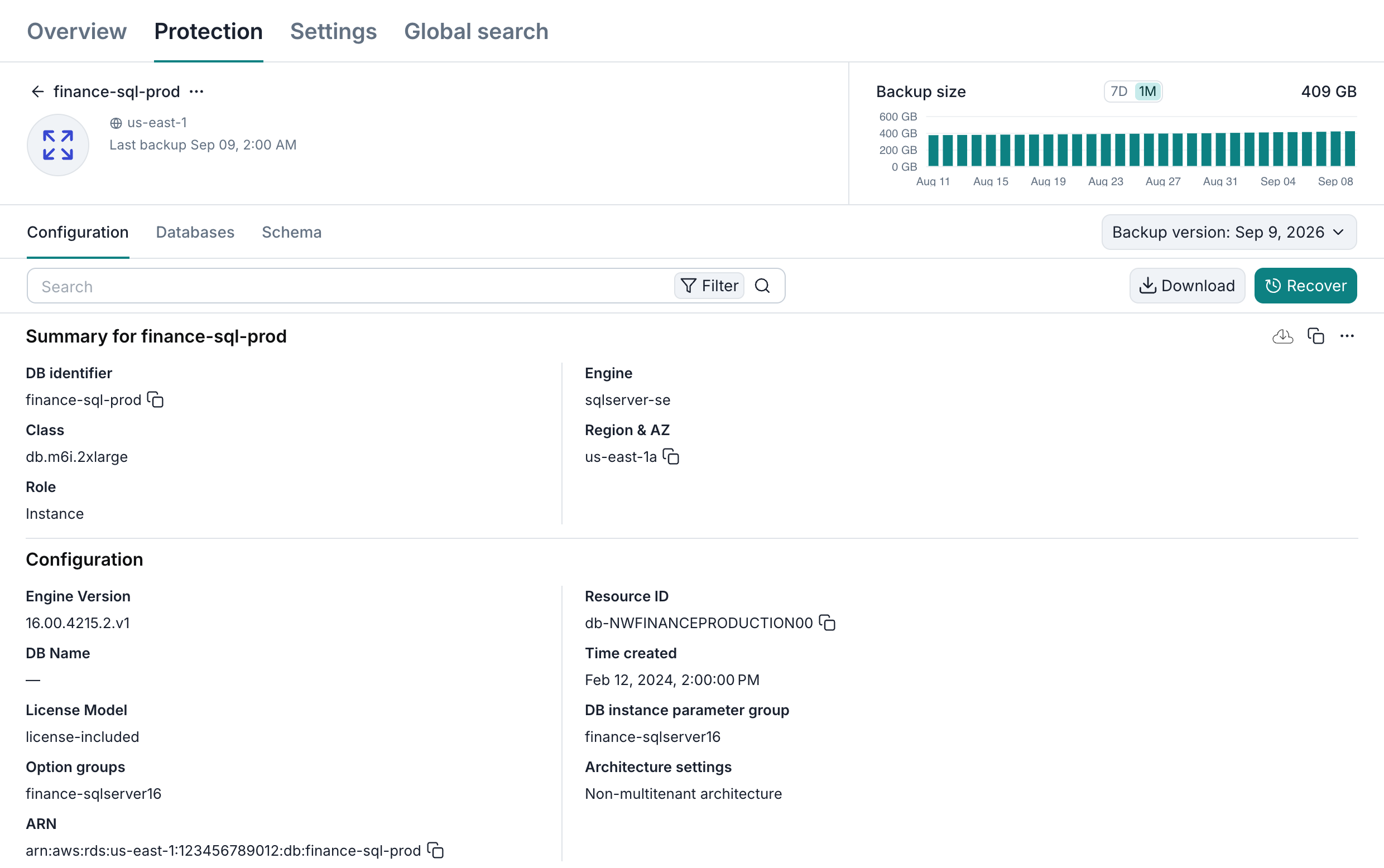
Table data
Schema