Afi Platform Update - Mar 2026
This update brings many new features and significant improvements to the Afi platform, expanding support for Google Workspace, Microsoft Azure, Microsoft 365, Amazon Web Services, and Kubernetes backup.
Update summary
Google Workspace backup
- Introduced backup and recovery support for Google Classroom
- Added the ability to search by Google file ID in global search
- Improved Google Drive permission recovery
Microsoft 365 backup
- Improved backup and recovery stability, including Copilot, Exchange, and SharePoint
Microsoft Azure backup
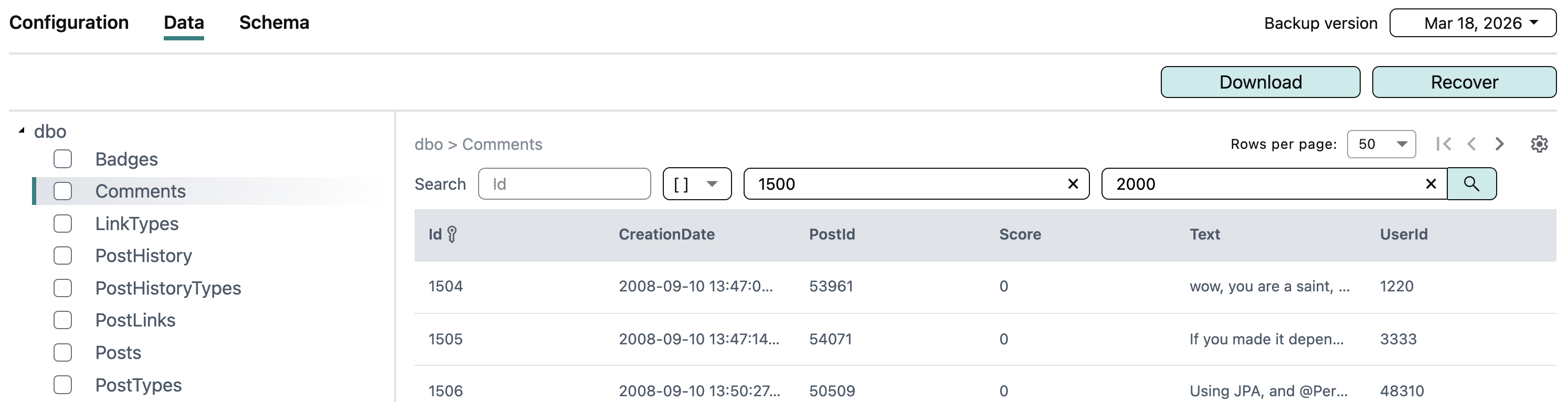
- Added the range (
[]) operator for database table data search - Added the ability to export database data matching a search query
- Improved backup stability for virtual machines and databases
Amazon Web Services (AWS) backup
- Introduced backup and recovery support for AWS RDS/Aurora PostgreSQL
- Supported file-system-consistent backup for EC2 Linux instances
- Added cross-tenant recovery support for AWS instances and databases
Kubernetes backup
- Improved backup and recovery stability
Platform
- Improved user experience on the Protection screen for Google Workspace and Microsoft 365 tenants
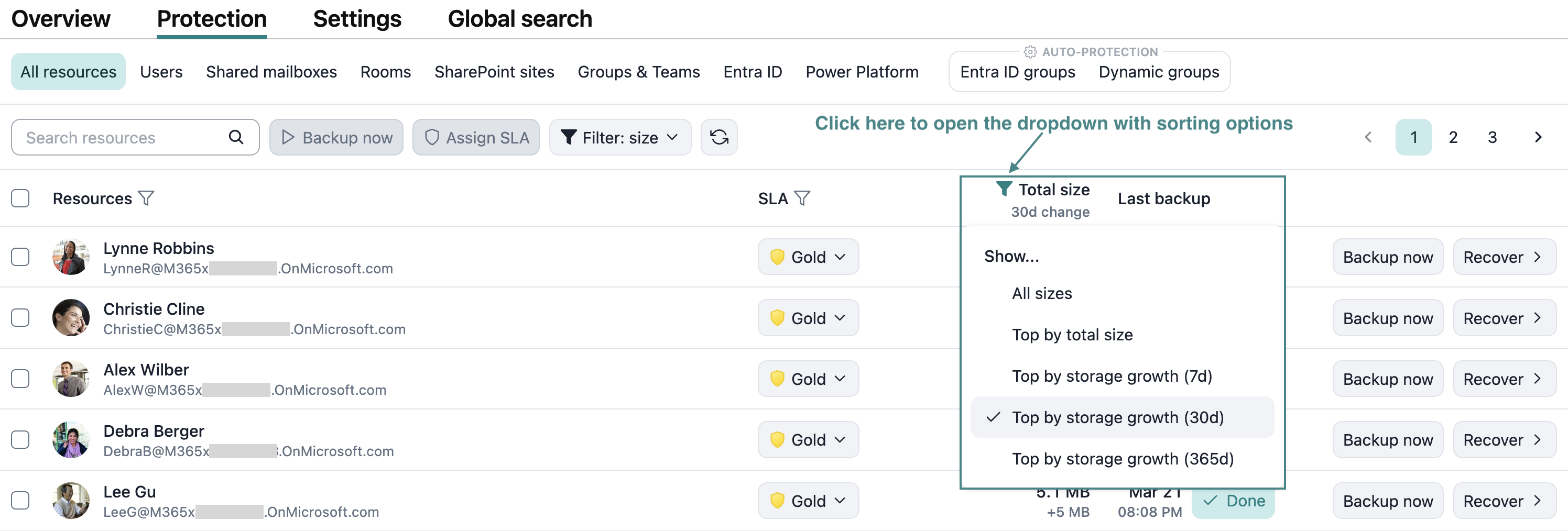
- Introduced the ability to sort resources by backup storage size and by backup storage change for Google Workspace and Microsoft 365 tenants
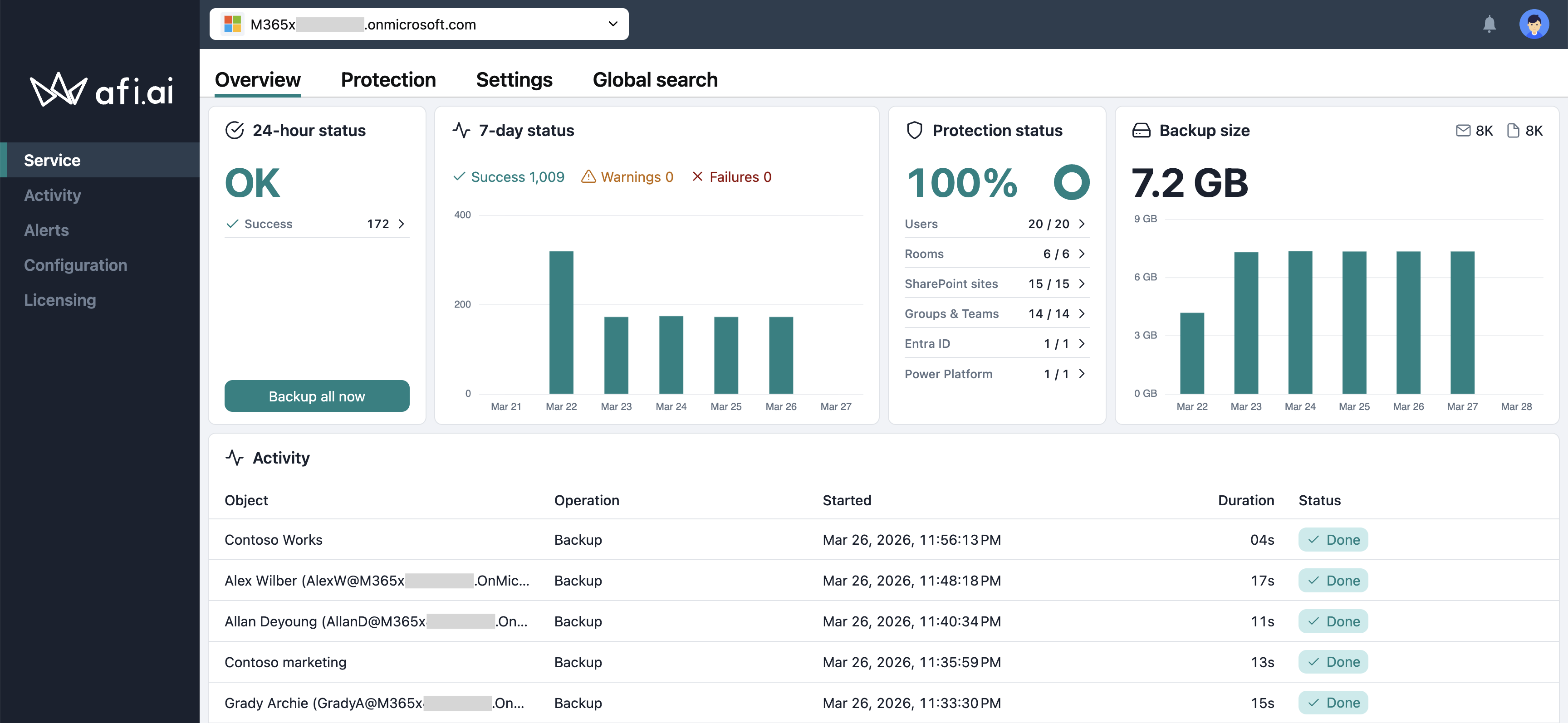
- Enhanced the Overview screen to better highlight protection and activity statuses
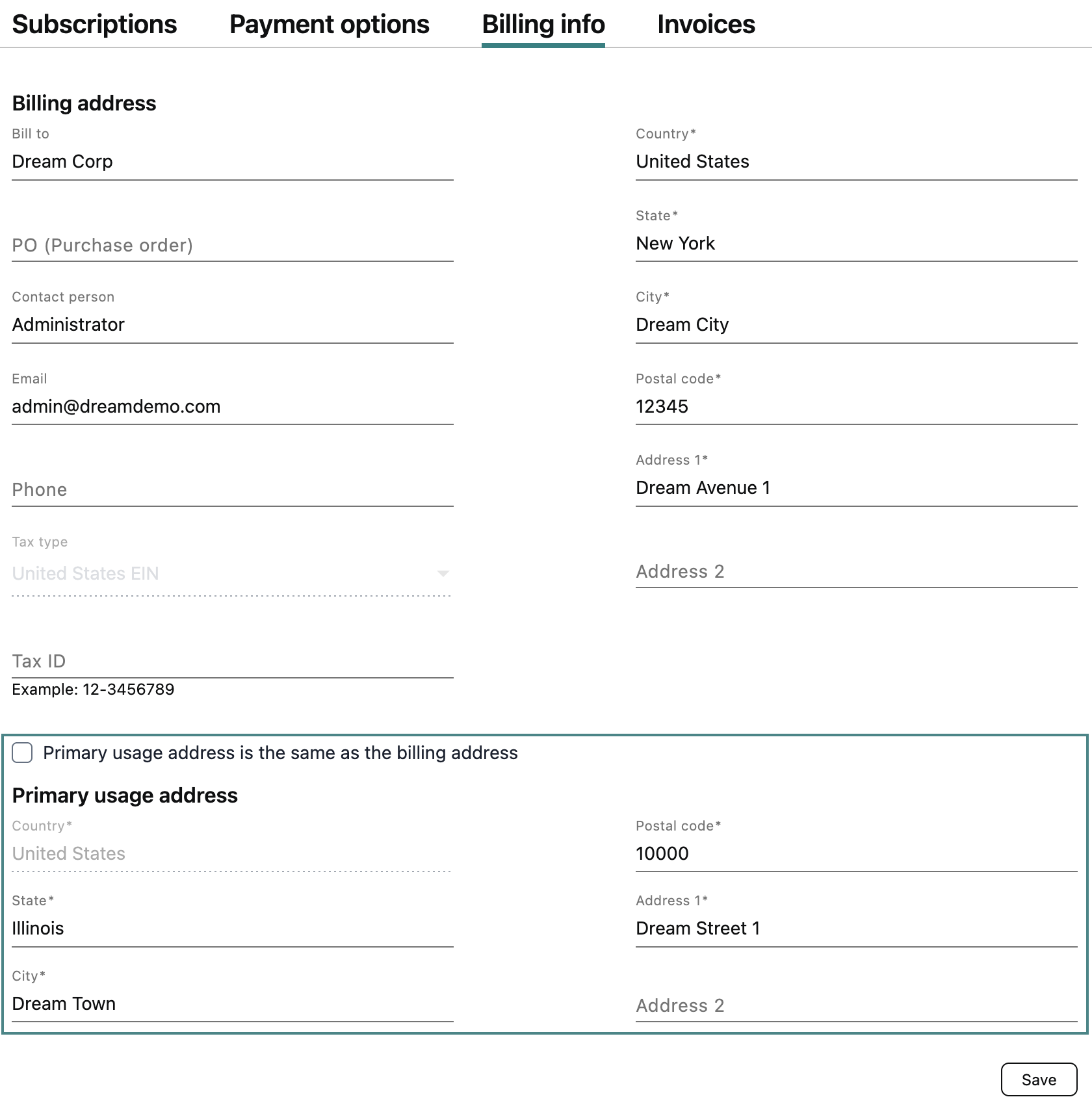
- Added the ability to specify a primary usage address along with billing information
- Improved browsing performance in the Afi web application
- Refreshed styles across the Afi web application
Detailed update description
Google Workspace
Google Classroom
This update introduces comprehensive backup and recovery for Google Classroom, including class configuration, announcements, assignments, materials, and student submissions.
To set up Google Classroom backup for your tenant, please follow this guide.
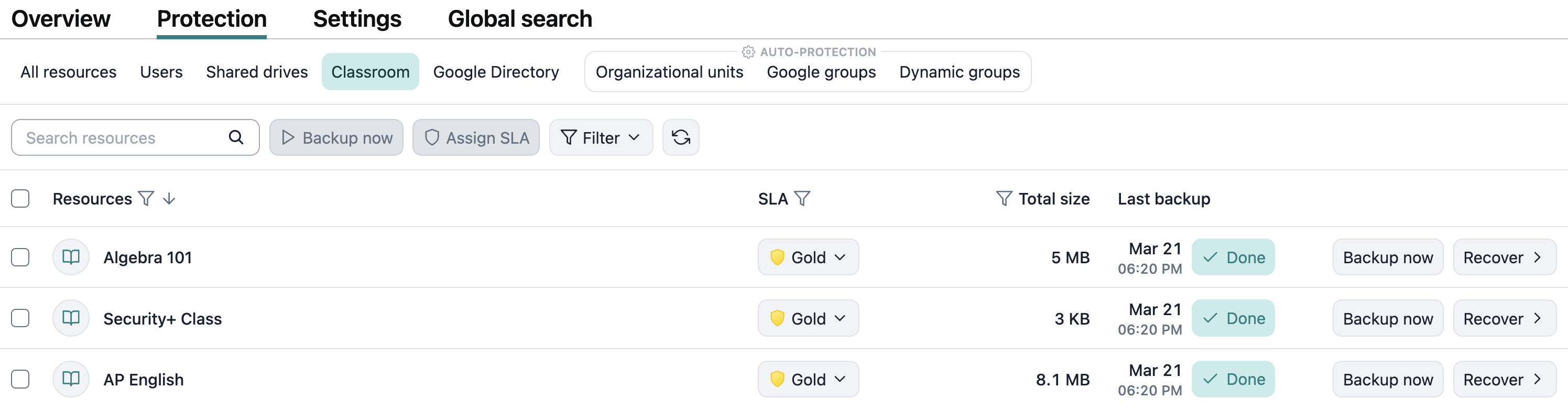
When Google Classroom backup is enabled, you can protect and back up individual classes on the Protection tab or configure automatic protection for all classes in your tenant on the Service → Protection → Organizational units tab by protecting the Classroom resource group.
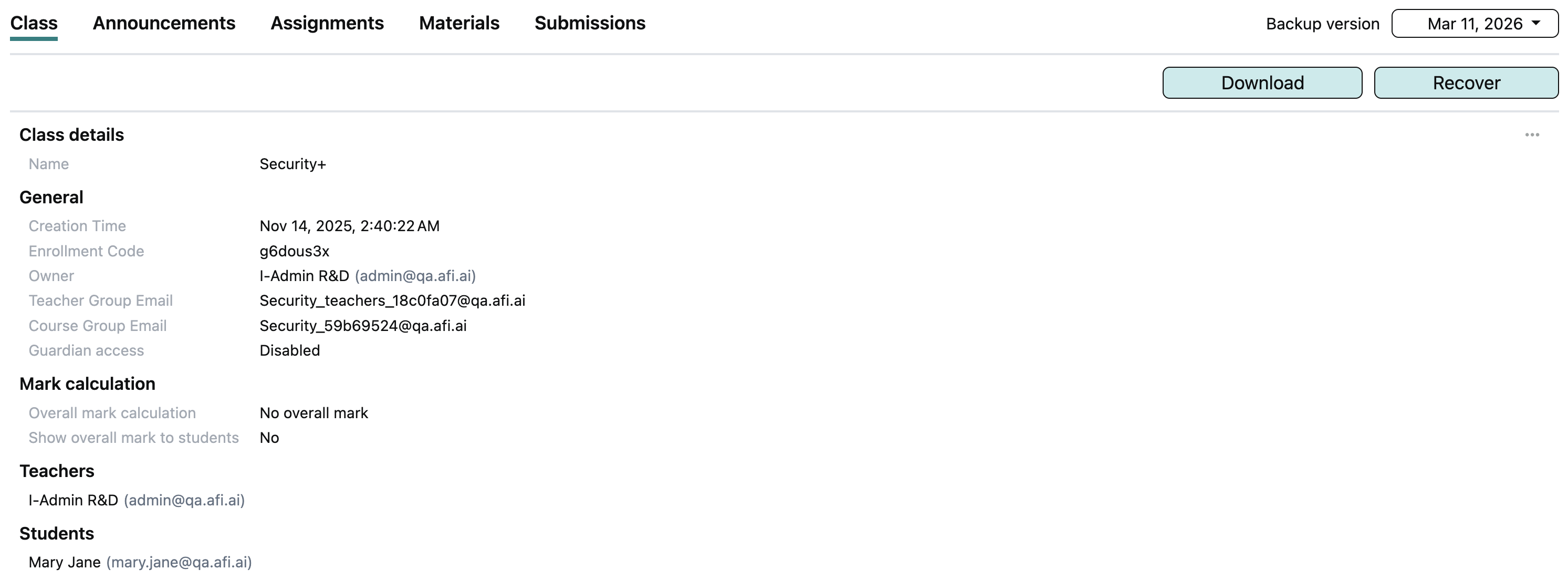
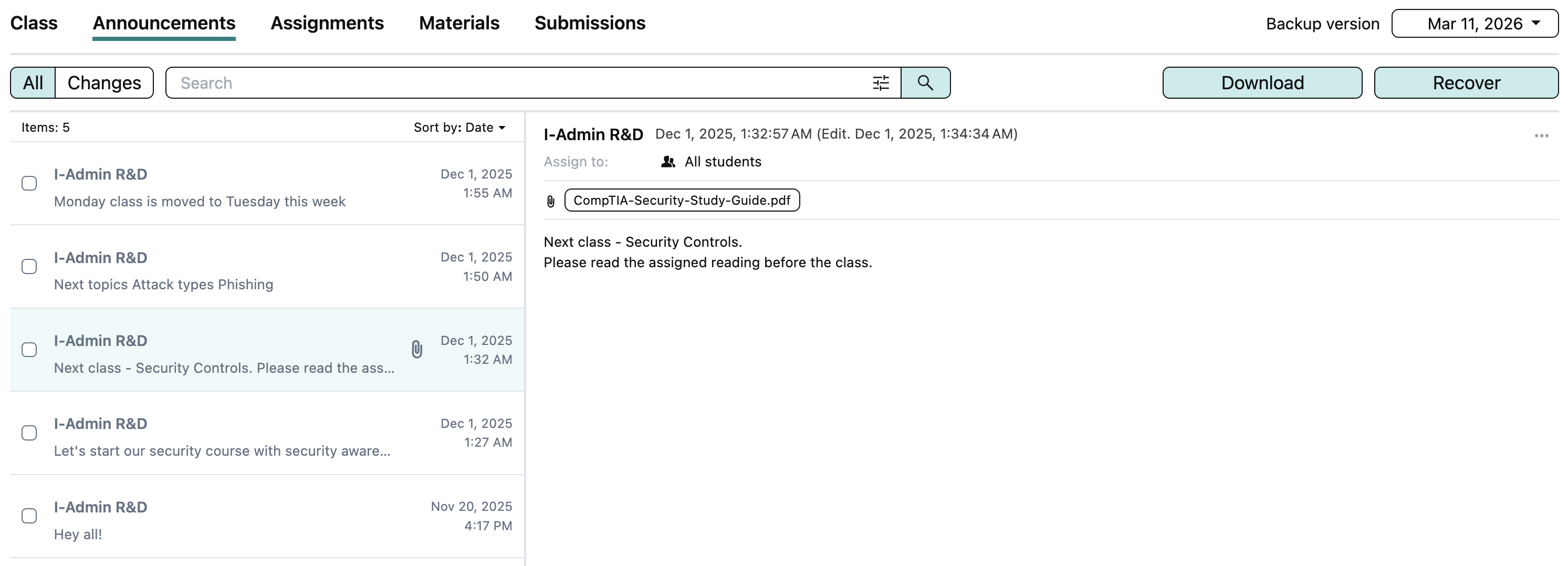
The class backup browse view is organized into sections and includes class configuration, announcements, assignments, materials, and student submissions.
Global search by Google file ID
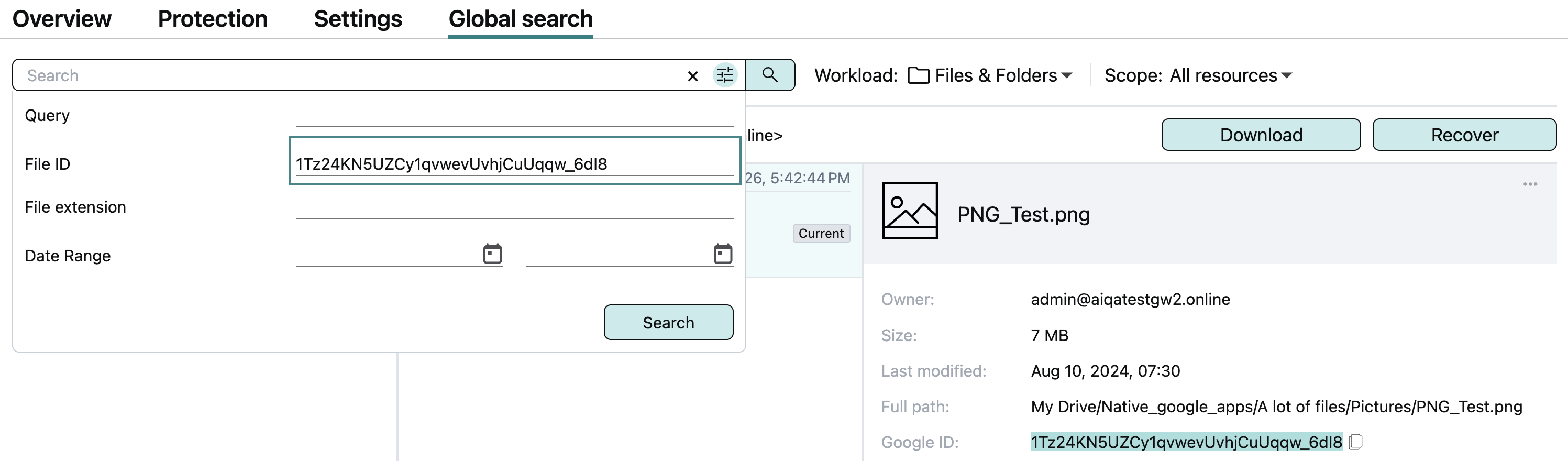
For Google Workspace tenants, you can now search using a Google file ID in global search, making it easy to locate the backup where the file resides:
Azure
Table data export from search results
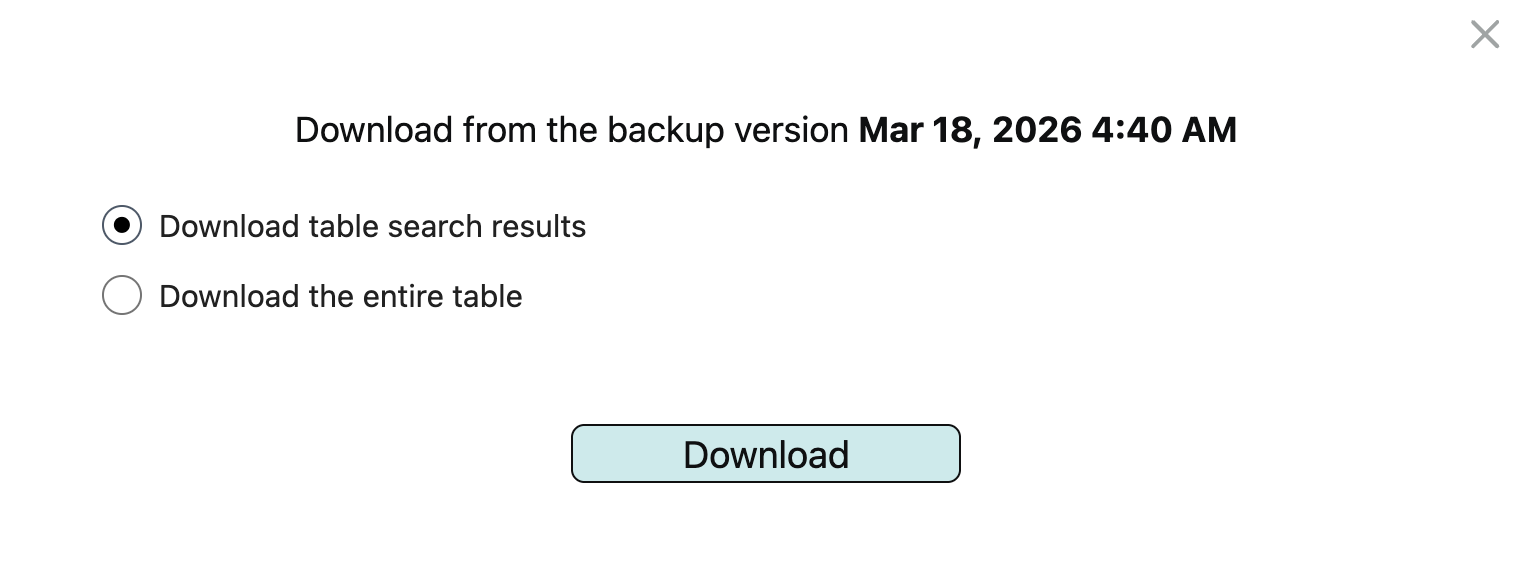
You can export all table rows matching a search query to a CSV file. To do this, run the search query, click Download, ensure that Download table search results is selected, and then start the export.
AWS
Amazon RDS/Aurora for PostgreSQL backup and recovery
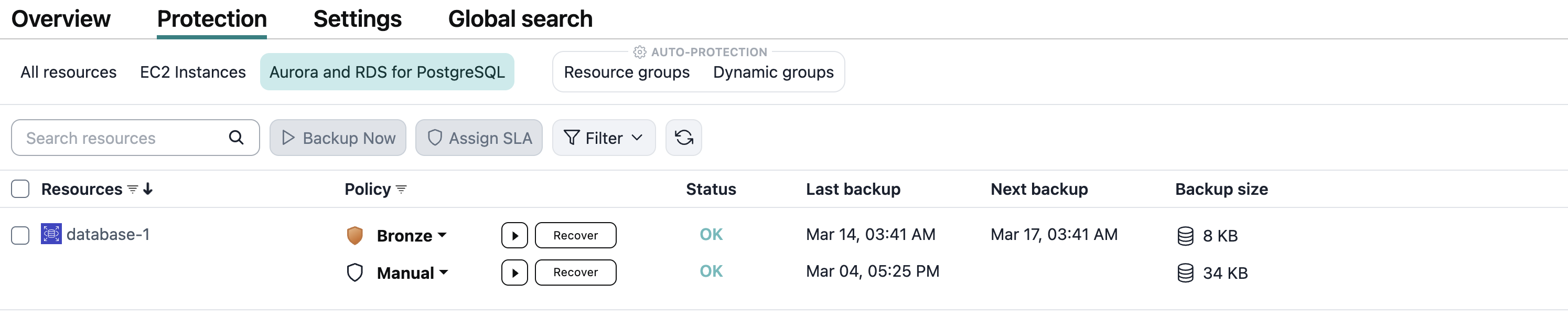
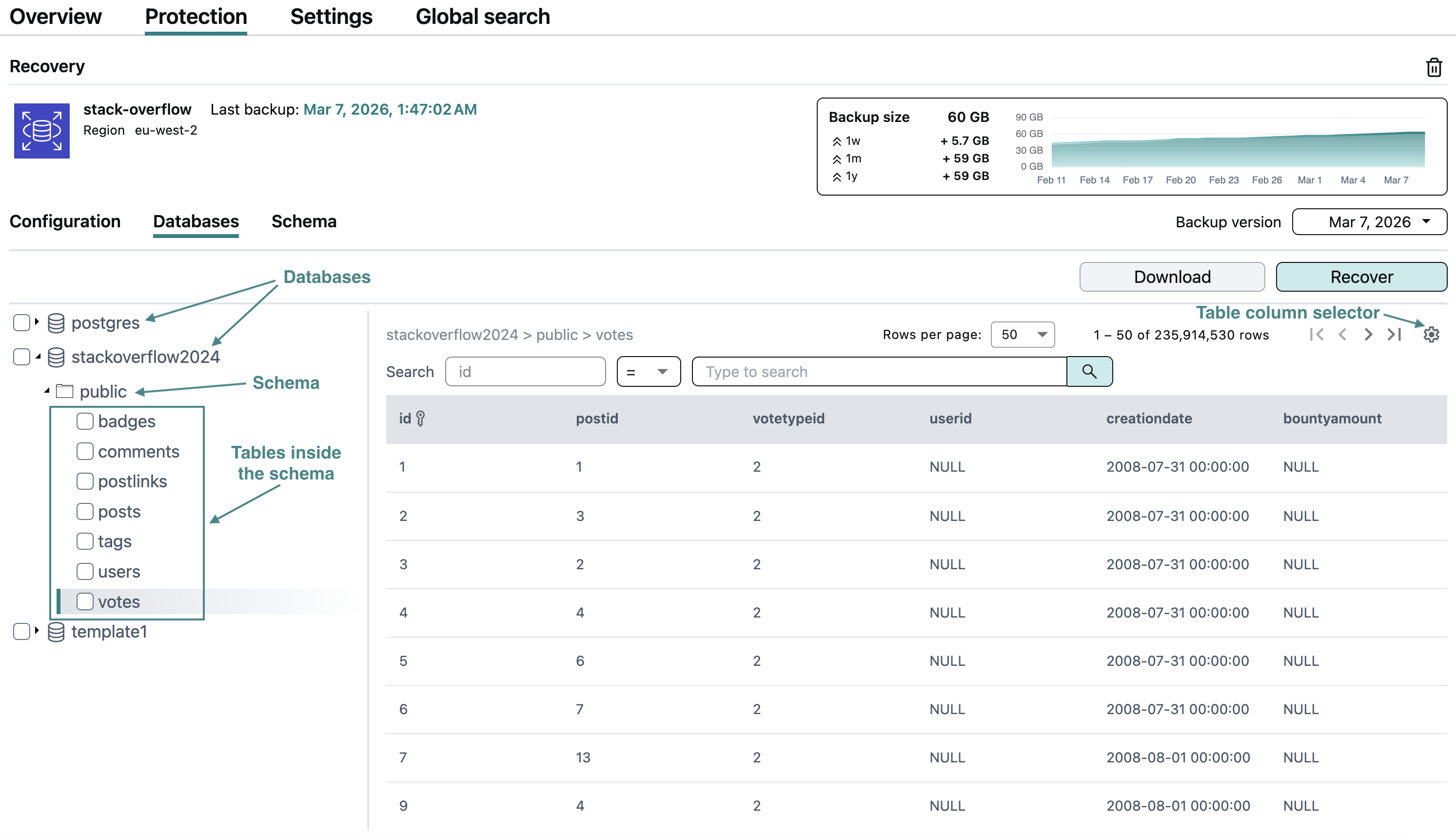
The update introduces comprehensive protection for Amazon RDS/Aurora for PostgreSQL, including database configuration, schema, and data backup to the Afi cloud, and provides the ability to recover databases back to the AWS cloud.
To provide convenient database data navigation and backup management, Afi supports an extensive set of features, including:
- The ability to preview and download database configuration as AWS-native JSON
- The ability to view the history of database configuration changes
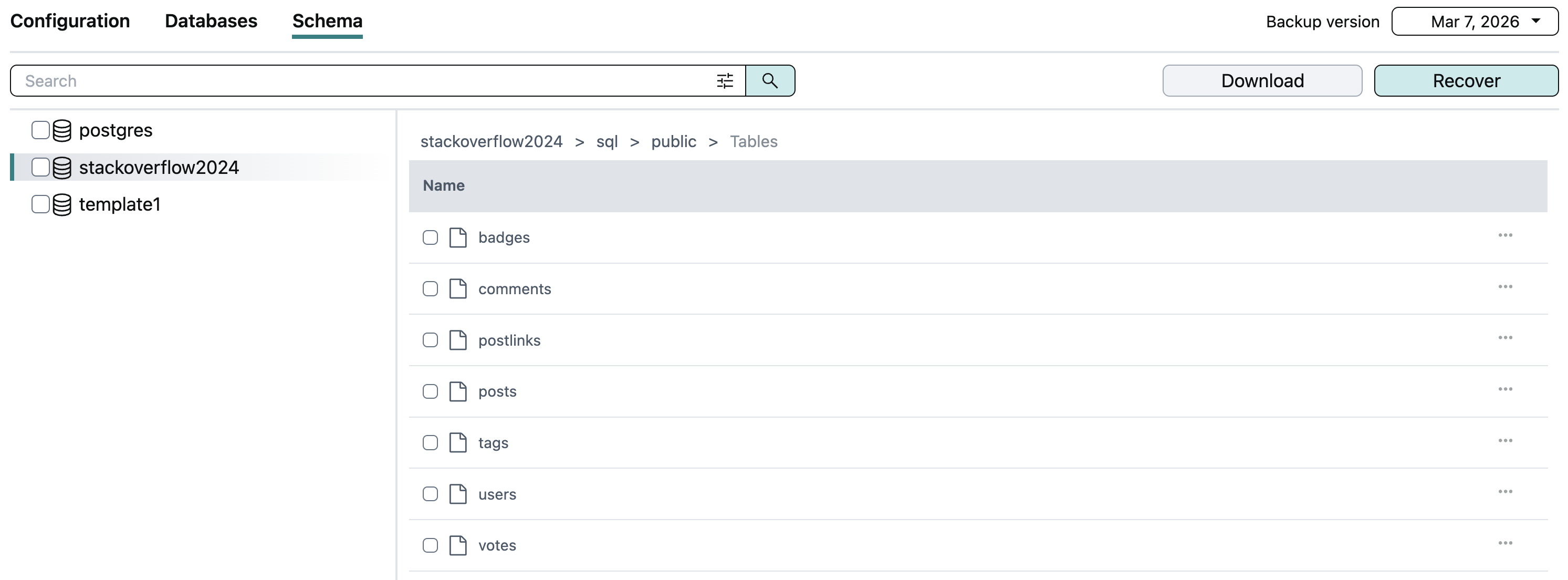
- The ability to browse and preview SQL schema and table data as well as download selected SQL tables as CSV
- Global search across all or a selected set of backups in a tenant that allows you to easily locate a backup by various properties (ID, name, tag, location, etc.)
- Annotation labels that highlight resource configuration and database schema changes
The screenshots below show the configuration, table data, and schema preview for a sample test database.
Configuration
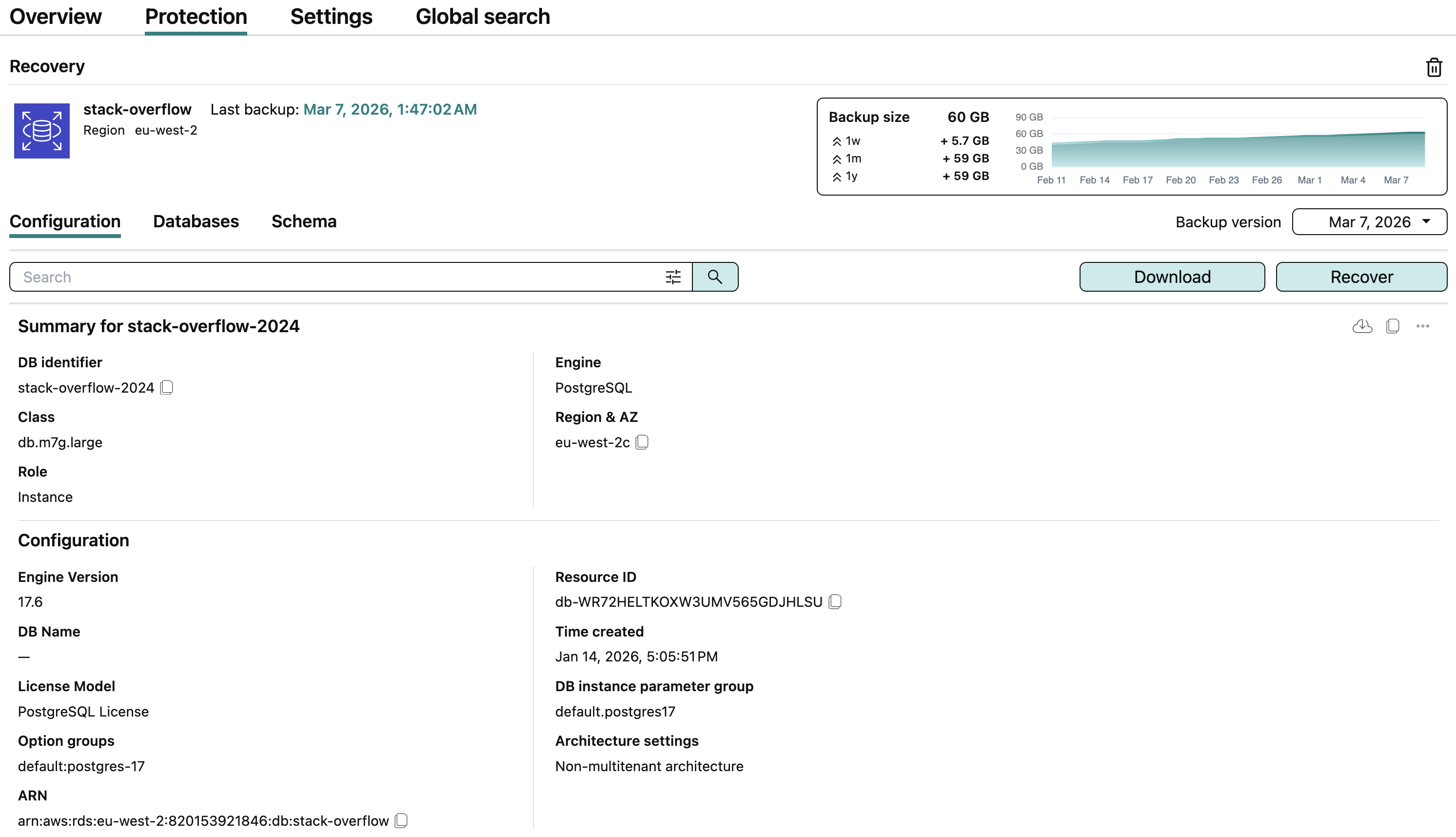
Table data
Schema
File-system-consistent backup for EC2 Linux instances
Afi now supports file-system-consistent backups for EC2 Linux instances by installing the afi-vm-agent package through AWS System Manager. The agent is installed automatically and requires no additional configuration from AWS administrators.
Before creating a backup snapshot, the Afi VM agent freezes the file systems for all block-device-backed mount points on the instance. After the snapshot is created, the agent unfreezes the file systems, ensuring a file-system-consistent backup.
Currently, Afi supports file-system-consistent backups for the following Linux distributions: Amazon Linux, Red Hat Enterprise Linux (RHEL), CentOS, SUSE, openSUSE, openSUSE Leap, Oracle Linux, Debian, Ubuntu, AlmaLinux, and Rocky Linux. For all other Linux distributions, Afi performs crash-consistent backups.
Warning
If your AWS tenant was onboarded to Afi before March 28, 2026, update the permissions for the Afi AWS IAM role on the Service → Settings → AWS connection tab to enable file-system-consistent backups for EC2 Linux instances in that tenant.
Info
For Windows EC2 instances, Afi provides application-consistent backups for applications that support VSS.
Platform
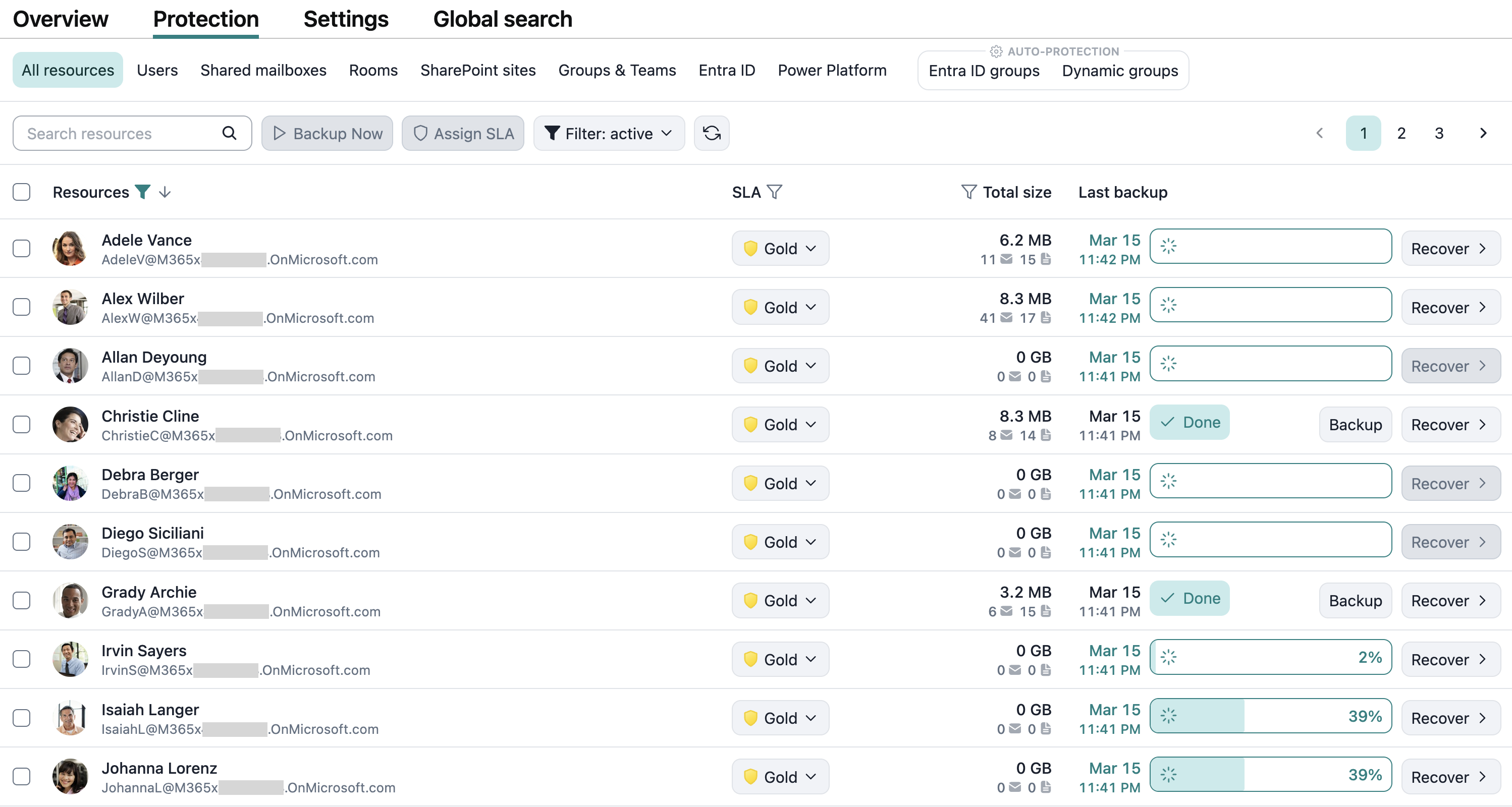
Protection screen for Google Workspace and Microsoft 365 tenants
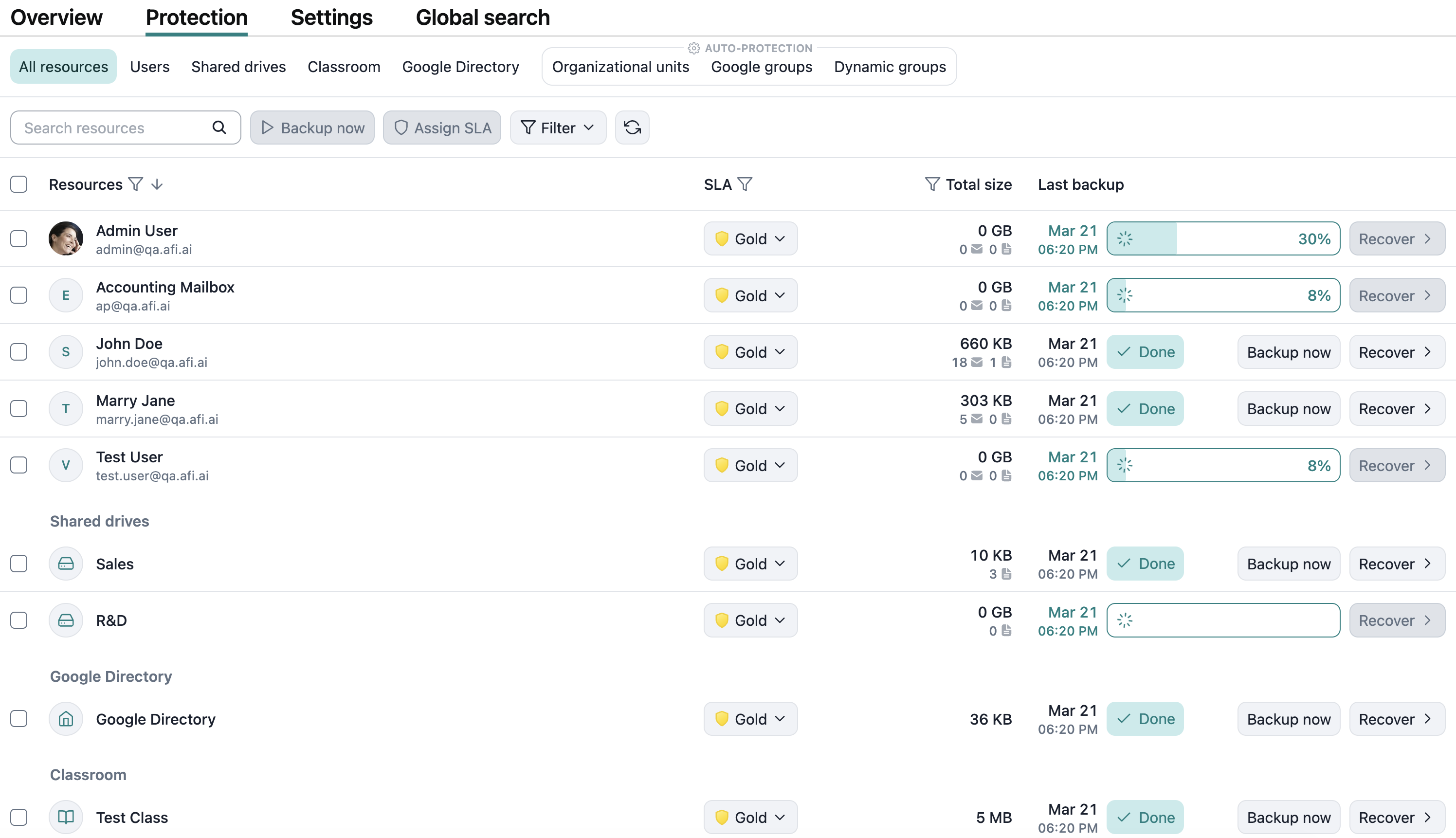
This update introduces a redesigned tenant Protection screen for Google Workspace and Microsoft 365 tenants.
Google Workspace
Microsoft 365
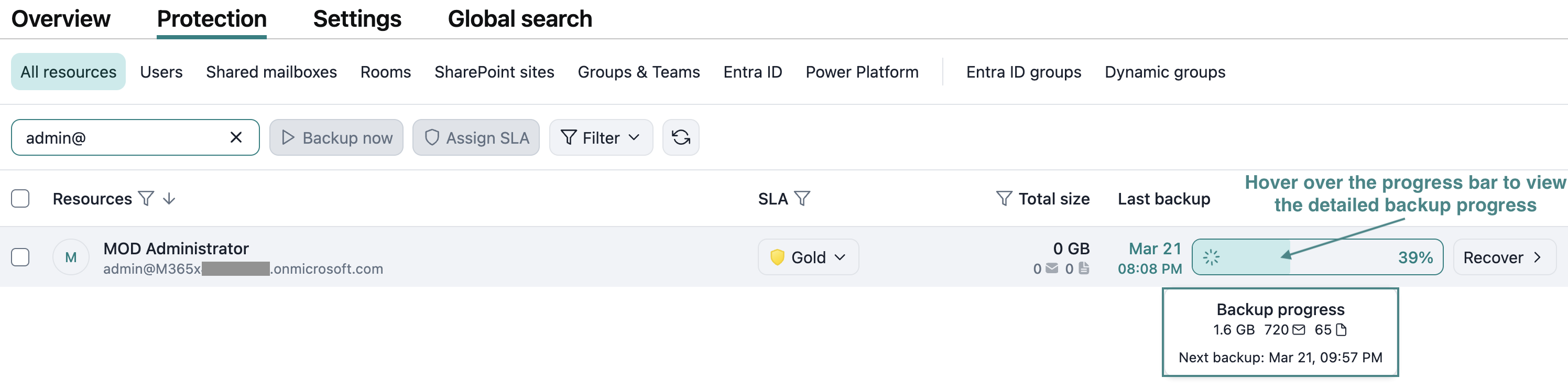
Viewing progress for a backup task
You can view the progress for a backup task by hovering over the progress bar for the corresponding resource.
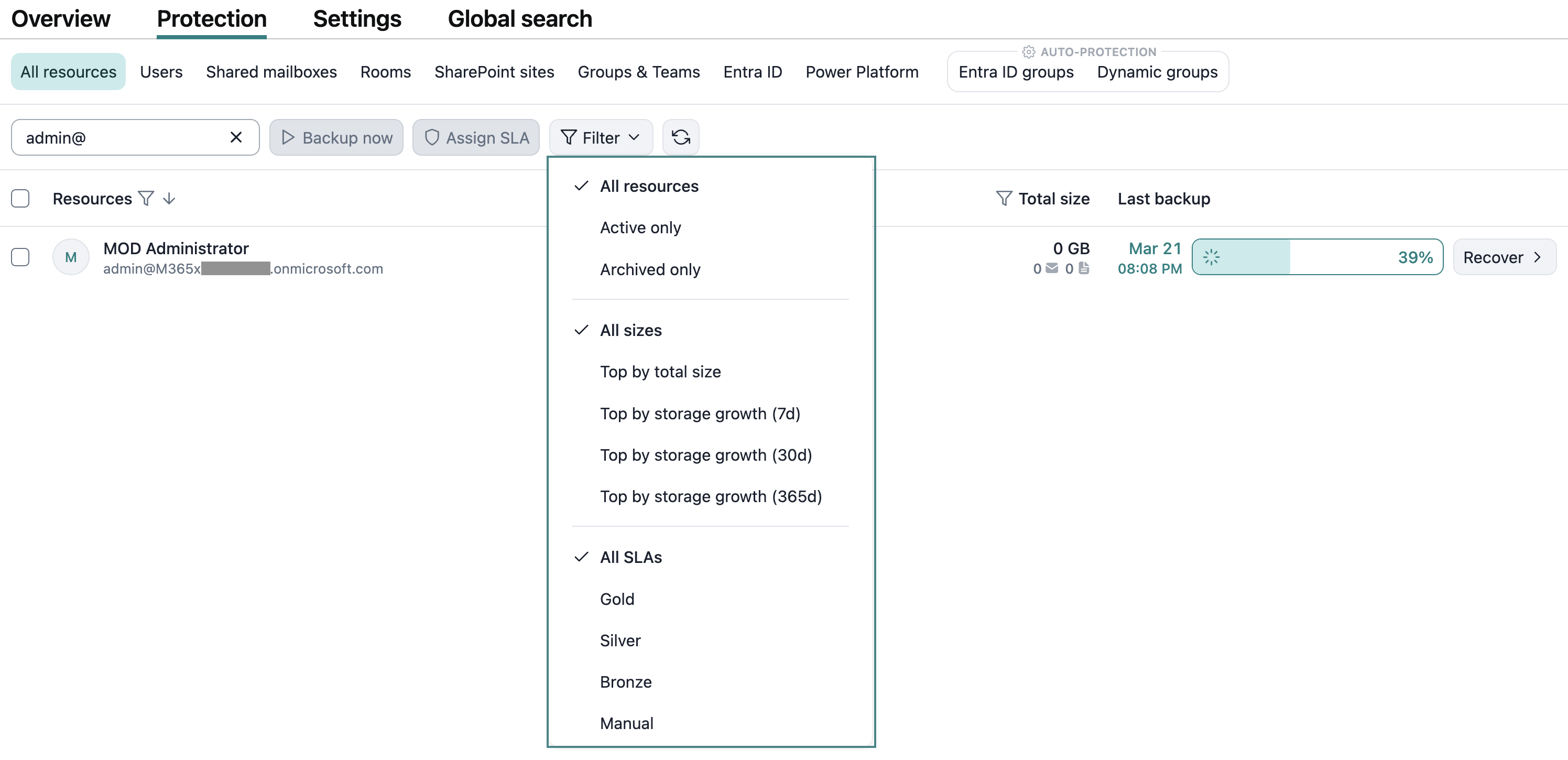
Filter control for easy filtering
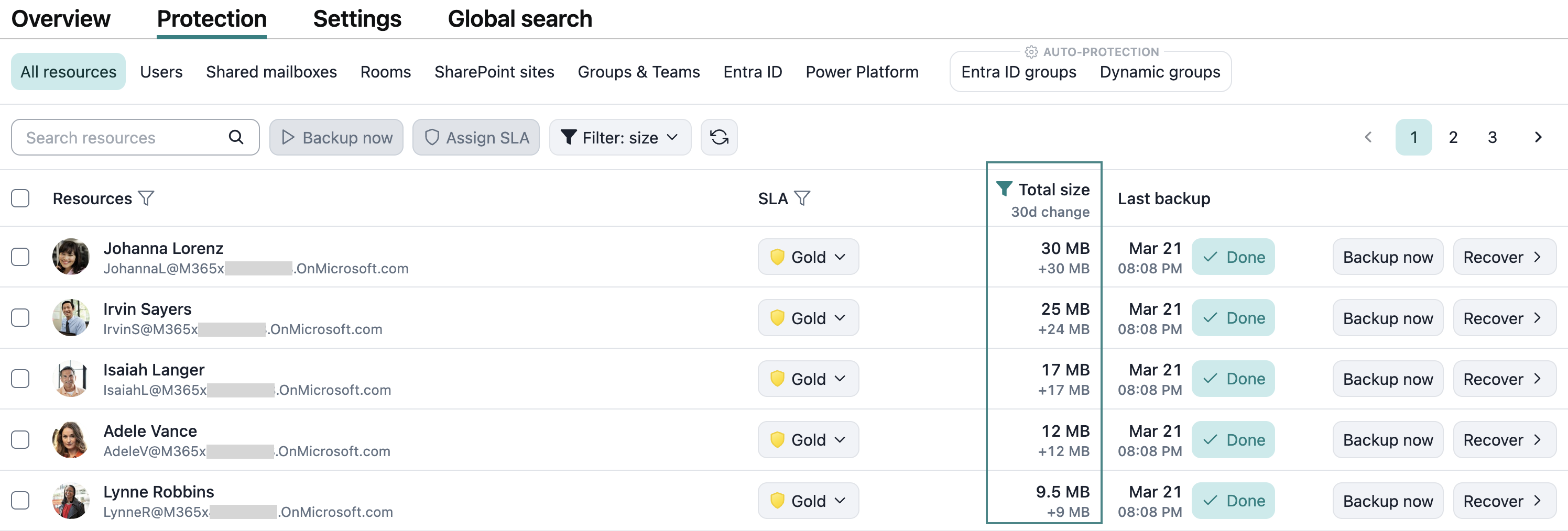
The new Protection screen provides a dropdown control to easily filter resources by status (active/archived) and SLA as well as sort them by backup storage size or by backup storage size change over a selected period.
Sorting resources by storage size and storage change
You can now sort resources on the Protection screen by the amount of backup storage that they occupy or by the backup storage change over a selected period (7 days, 30 days, and 365 days). To do this, select the corresponding option from the Total size column dropdown. The storage sorting option can be combined with other filters.
Info
When sorting resources by size or by size change, the resulting view is limited to 100 resources.
Overview screen
The Overview screen has been further redesigned to better highlight protection and activity statuses.
Primary usage address configuration
Afi now allows customers in the United States to specify a primary usage address if it differs from the billing address.