Setting up an account
With Afi Backup for AWS, you can configure periodic backups of your EC2 instances and PostgreSQL RDS/Aurora databases in a few easy steps.
Info
Afi plans to extend AWS infrastructure support in the next product updates, including EFS file storage, AWS cloud configuration, and other workloads.
Info
You can also add and protect your AWS Kubernetes clusters (both EKS and self-managed) with Afi as described in the Afi Kubernetes installation guide.
Create an Afi account
Please follow the Afi onboarding guide to set up your Afi account. After an account is created and your AWS tenant is added, you can proceed with protecting EC2 instances and databases, and running your first backups.
Protect resources
To start protecting your data, go to the Service → Protection screen and choose resources which you want to back up and their protection policies (SLAs). A protection policy defines how often backups are scheduled and how long backup data is retained.
Afi Backup for AWS provides several predefined backup policies that you can use right away or modify/create new policies:
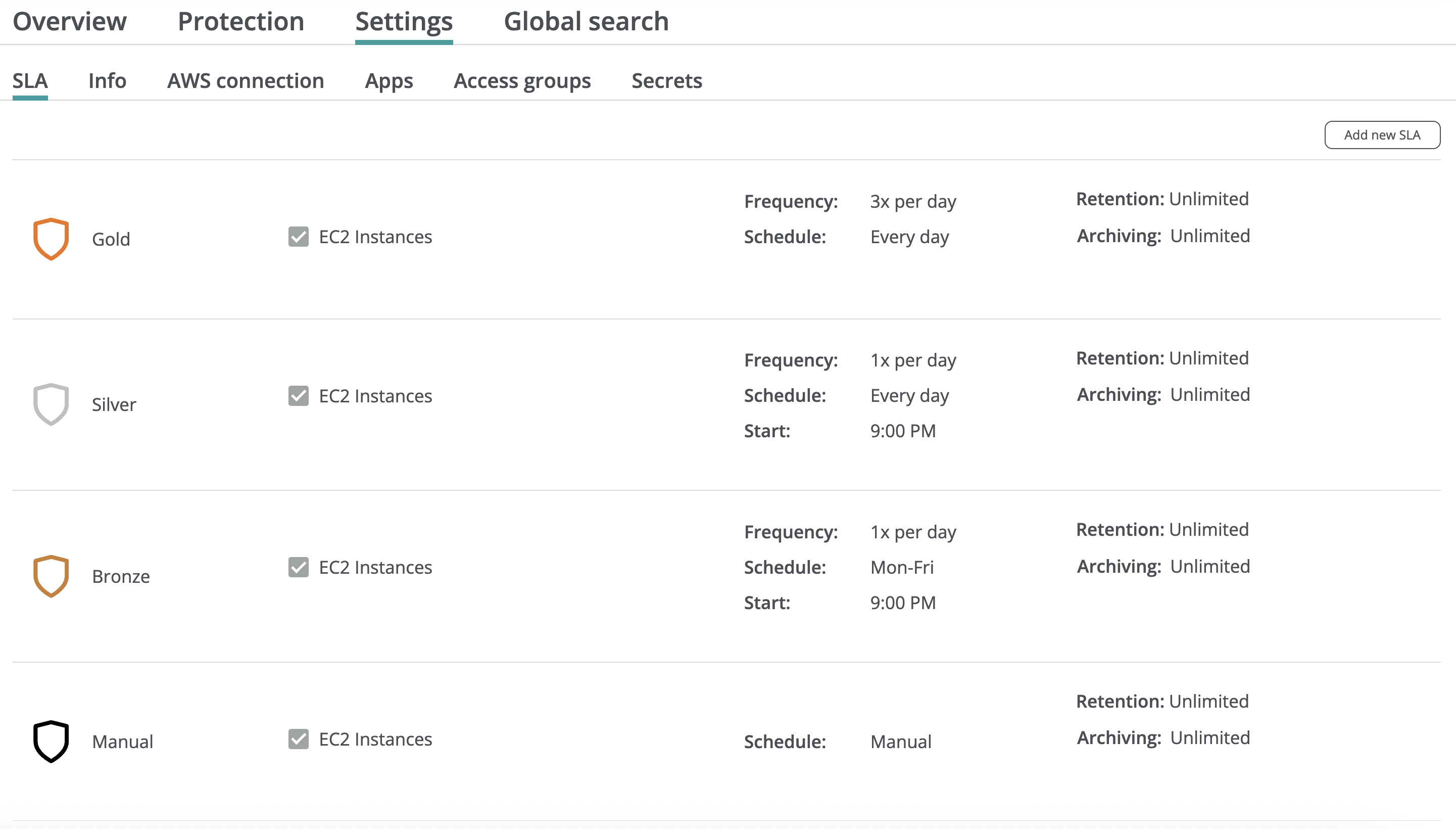
After that, you can assign protection policies to all resources in the AWS tenant or select specific resource groups to be protected.
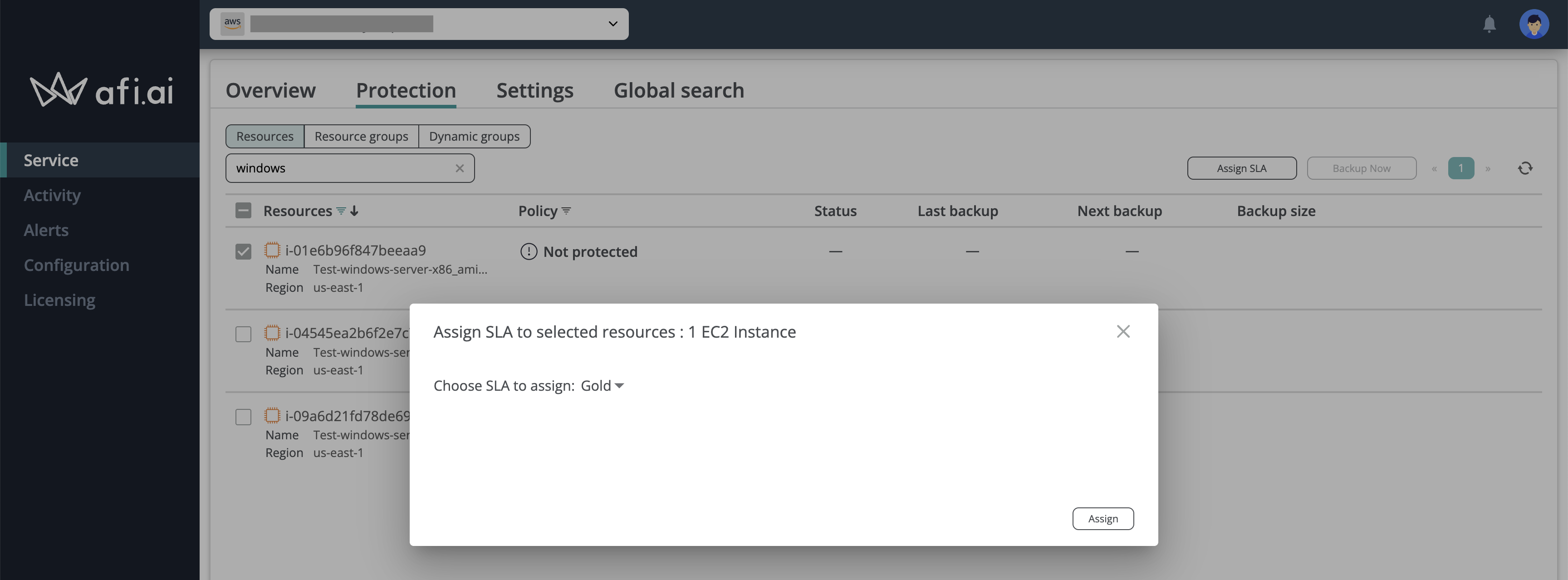
Assign SLA to a specific resource
Assign SLA to a resource group
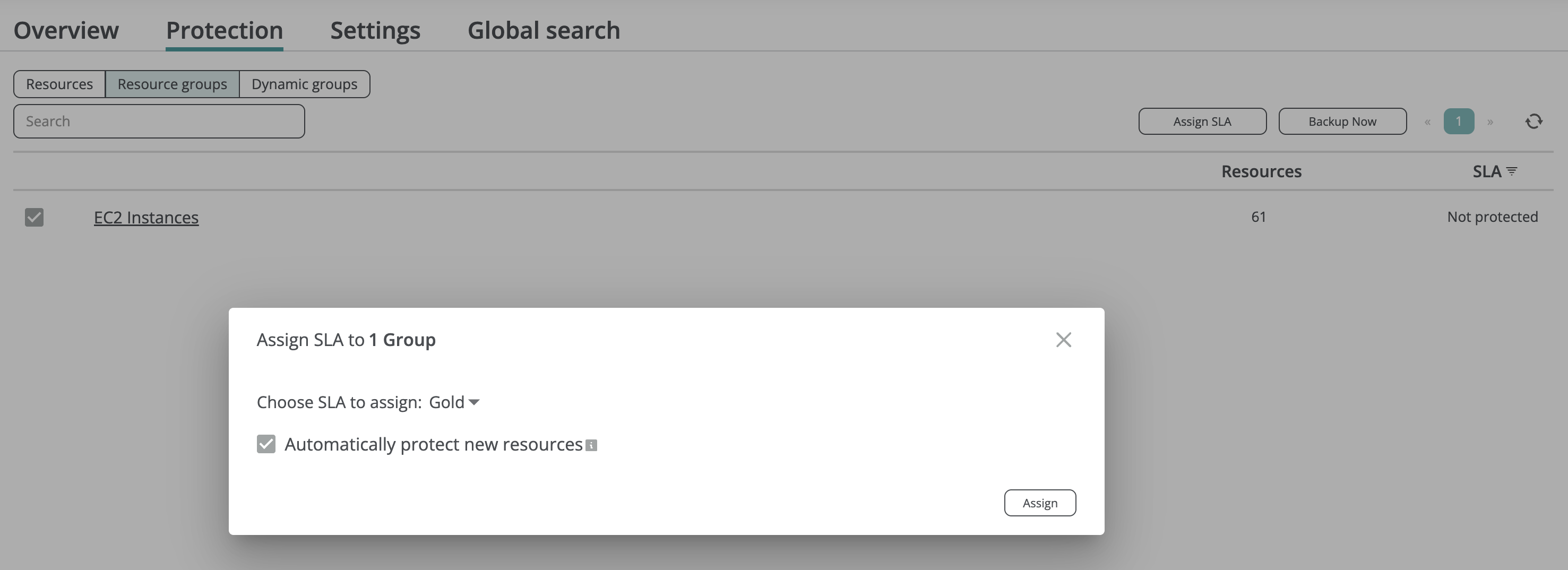
Afi allows you to easily protect and back up all EC2 instances and PostgreSQL RDS/Aurora databases, or a selected set of resources matching certain criteria, as well as ensure that new resources are automatically protected.
Protecting all resources
To protect all EC2 instances and databases in the AWS tenant, you can assign a backup SLA policy to the default EC2 Instances and Aurora and RDS for PostgreSQL resource groups on the Service → Protection → Resource groups tab.
Protecting all resources matching certain criteria
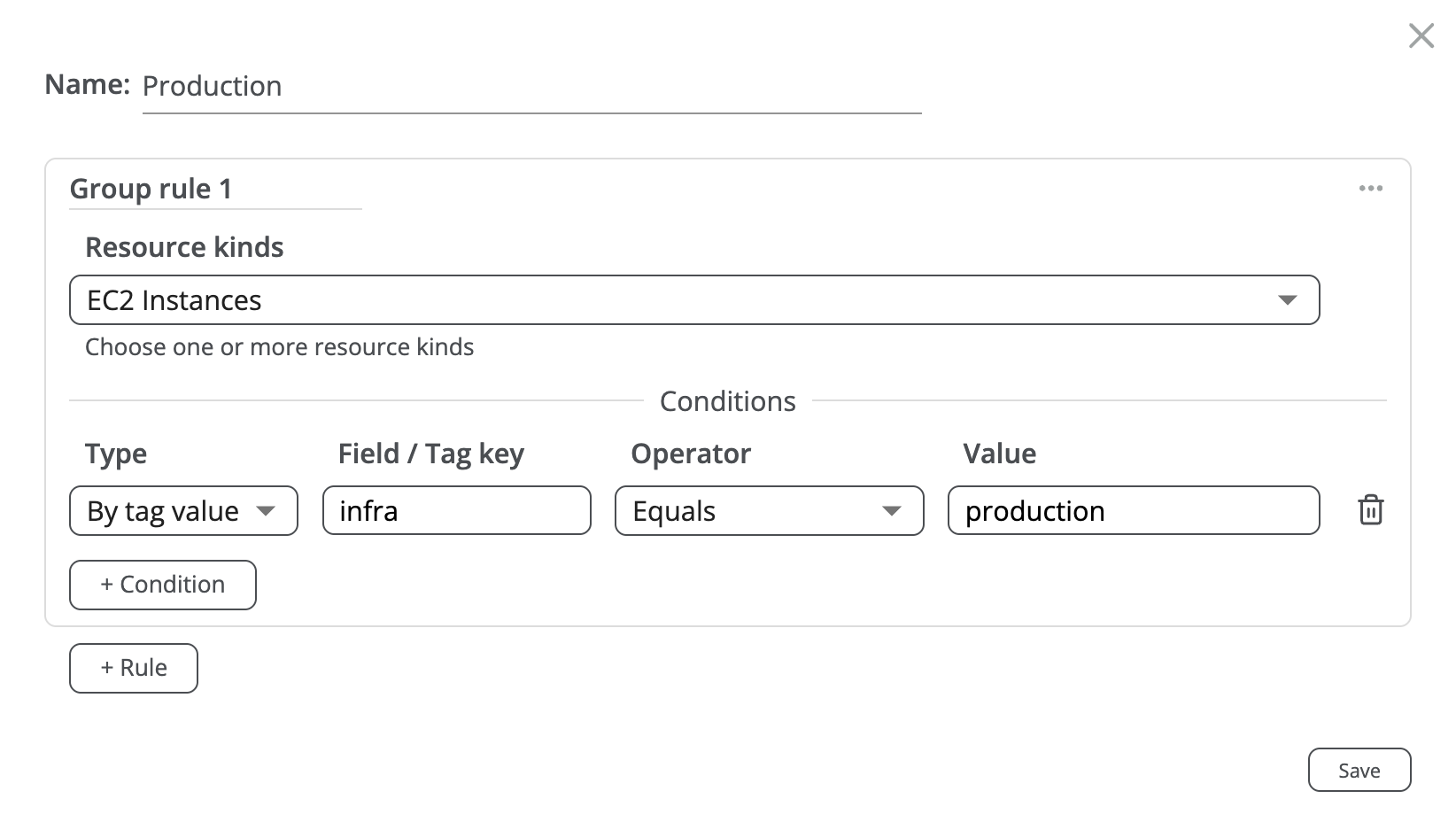
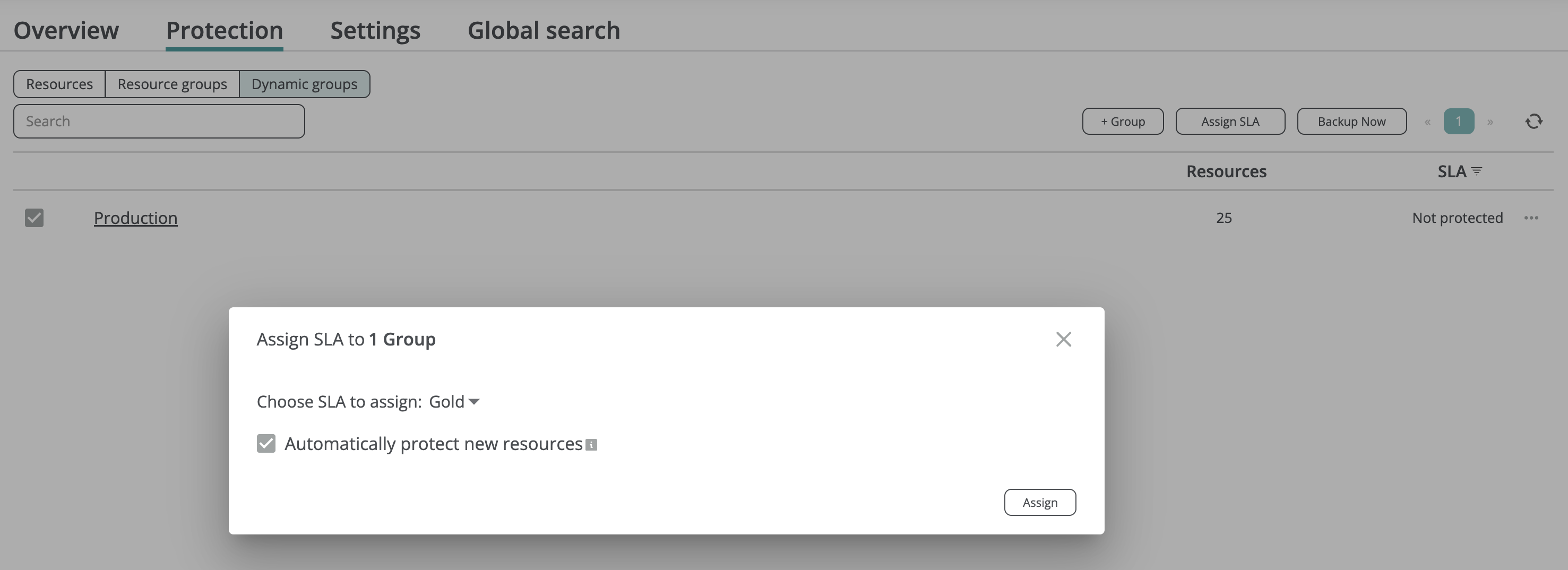
To protect all resources in the AWS tenant based on certain criteria (region, tag, etc.), you can create a dynamic resource group that will be populated based on the selected criteria on the Service → Protection → Dynamic groups tab and assign a backup SLA policy to the group.
Assigning multiple SLA policies to a resource
For AWS tenants, you can create multiple independent backup sequences for a resource (e.g., an EC2 instance or a PostgreSQL database) by protecting it multiple times using different backup SLA policies (e.g., Gold and Silver). This approach enables you to back up resource data to multiple backup storage locations in different regions (coming in H2 2026).
Please note that each backup sequence is linked to its corresponding backup SLA policy. If you assign a new backup SLA to a resource and initiate a backup, it will create a new backup sequence from scratch.

Backup
When using protection SLA policies with a periodic backup schedule (for example, the default Bronze, Silver, and Gold policies), backups are performed automatically according to the schedule defined in the corresponding SLA policies.
Afi displays the time of the next scheduled backup on the Service → Protection tab for each resource protection. With the Manual backup schedule (for example, the default Manual policy), backups are not performed automatically and should instead be triggered manually.
Run backup
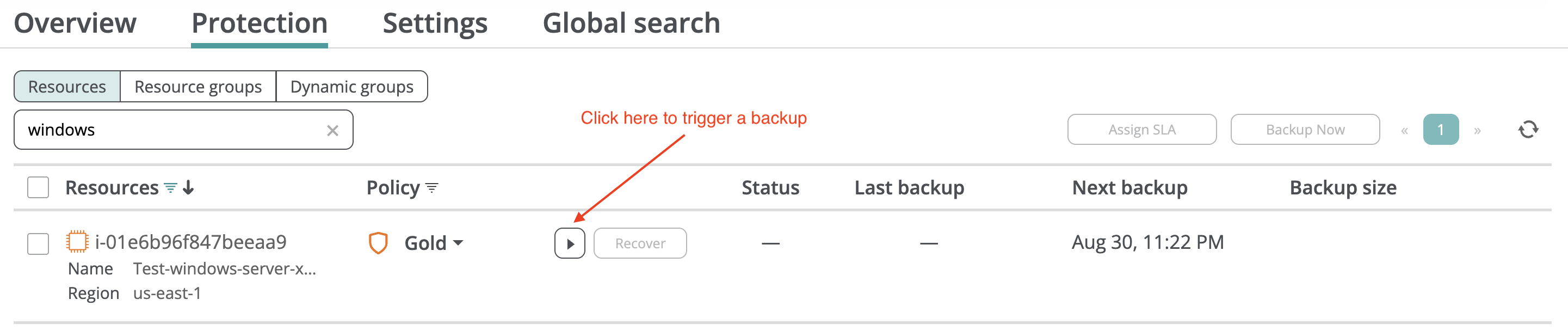
You can trigger an out-of-schedule backup for any protected resource, such as an EC2 instance or database, by clicking the Backup now button for the corresponding protection on the Protection tab. To run backups for all protected resources in the tenant, click Backup all now on the Overview tab.

Monitor backup progress
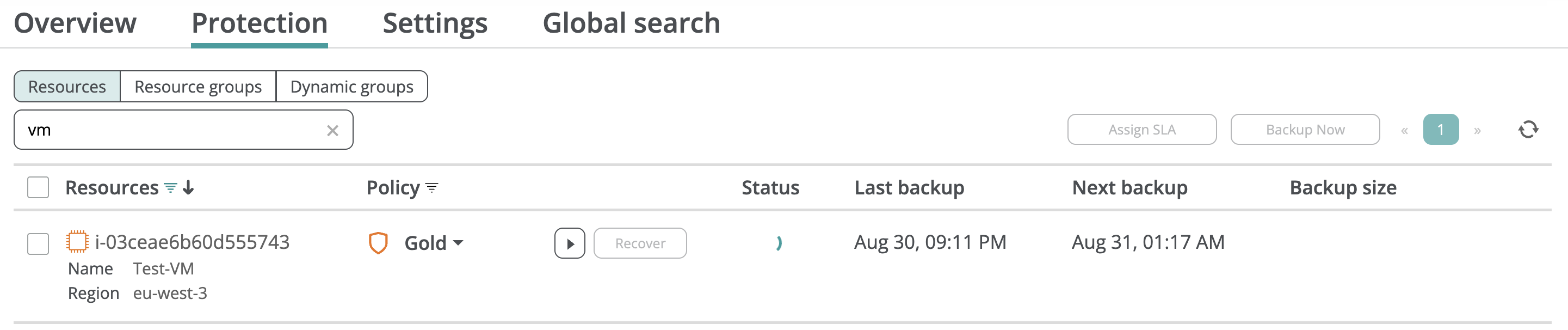
You can monitor the backup status on the Service → Protection screen (see the progress wheel in the Status column) or on the Activity → Tasks screen:

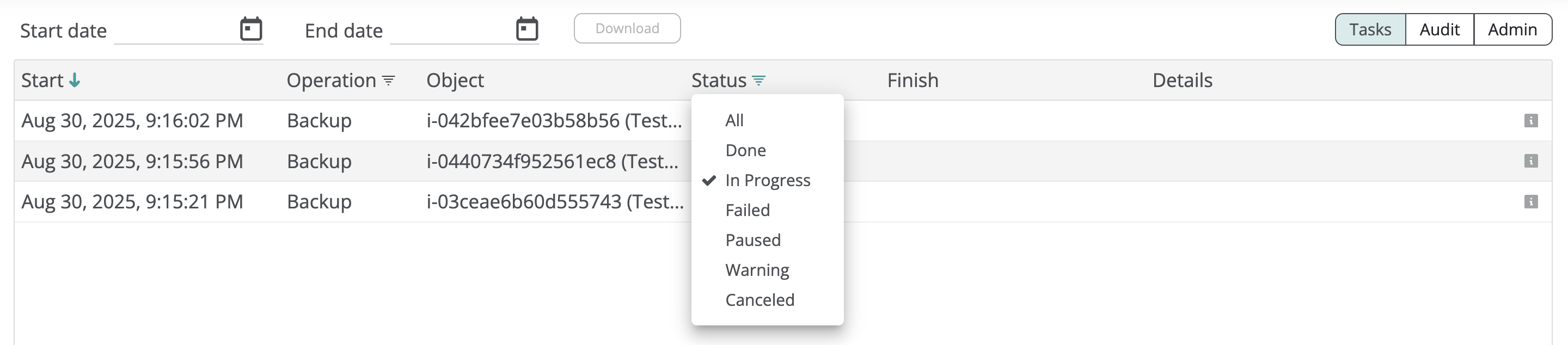
To simplify progress monitoring, you can filter tasks with the In Progress status on the Activity → Tasks tab:
After a backup is completed, you can access the backup data by clicking the Recover button for the corresponding resource and policy on the Service → Protection screen.
Data browsing and preview
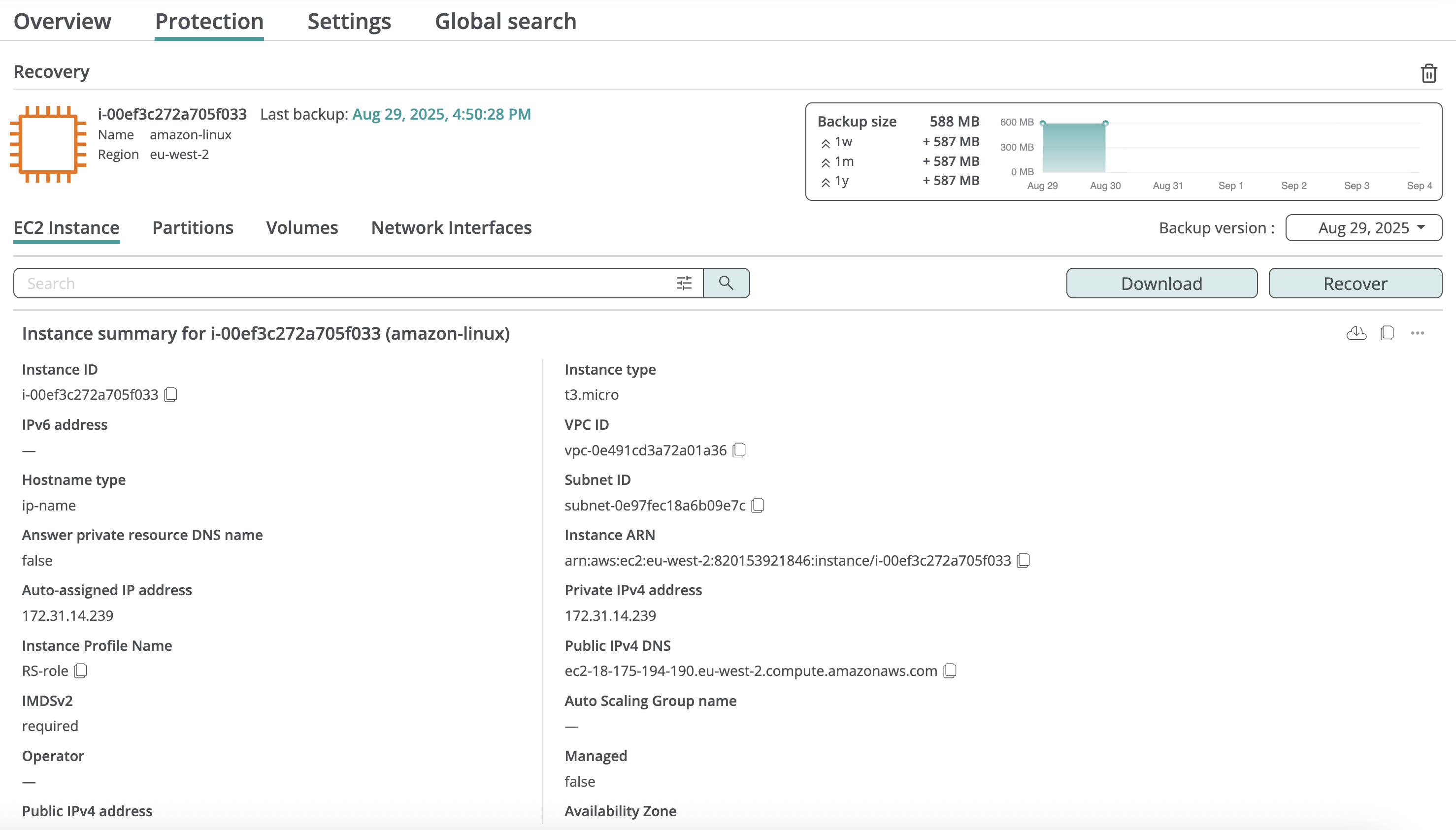
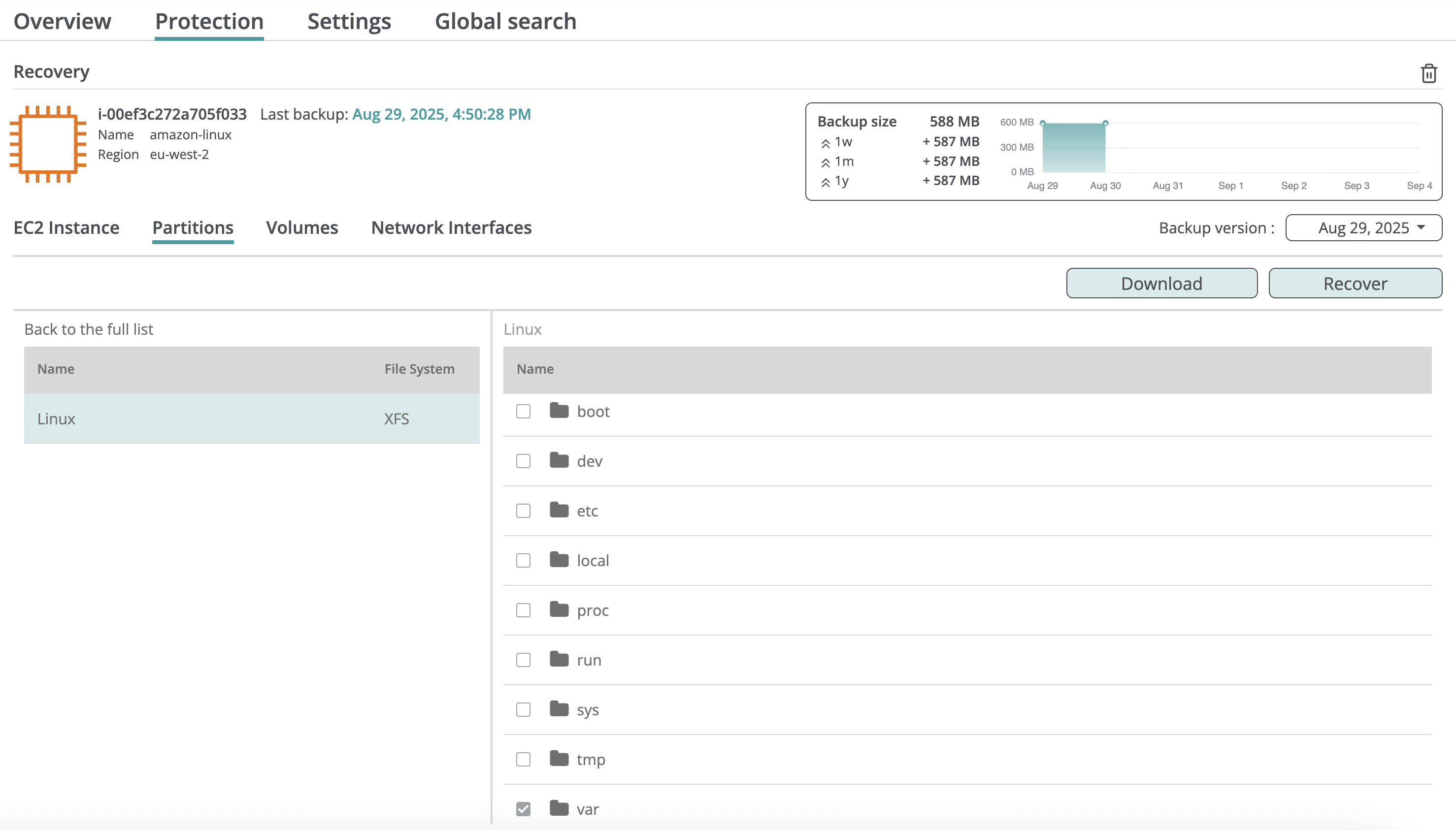
EC2 instances
Inside the instance backup, you can browse its configuration, data volumes, and volume content.
Databases
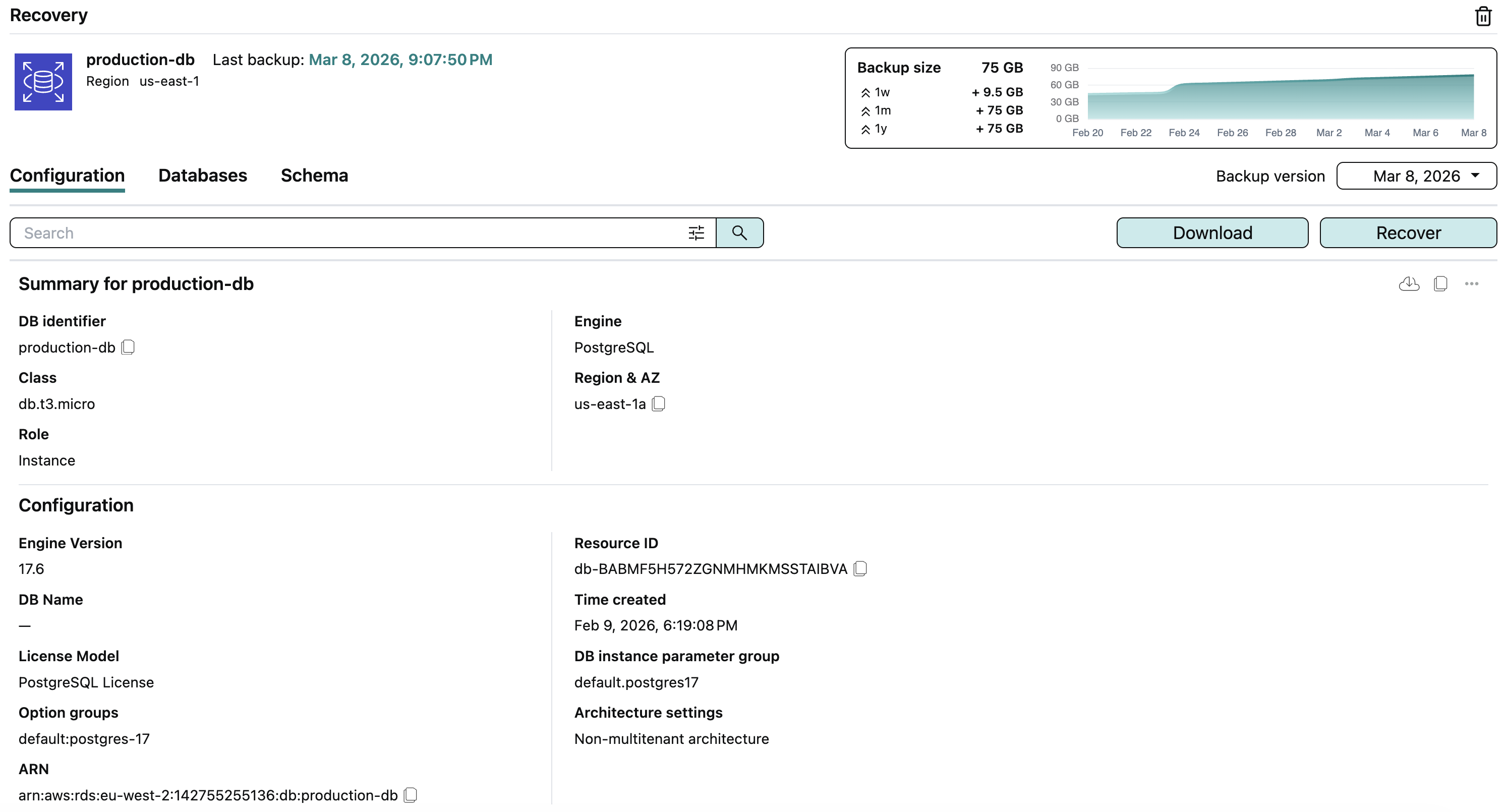
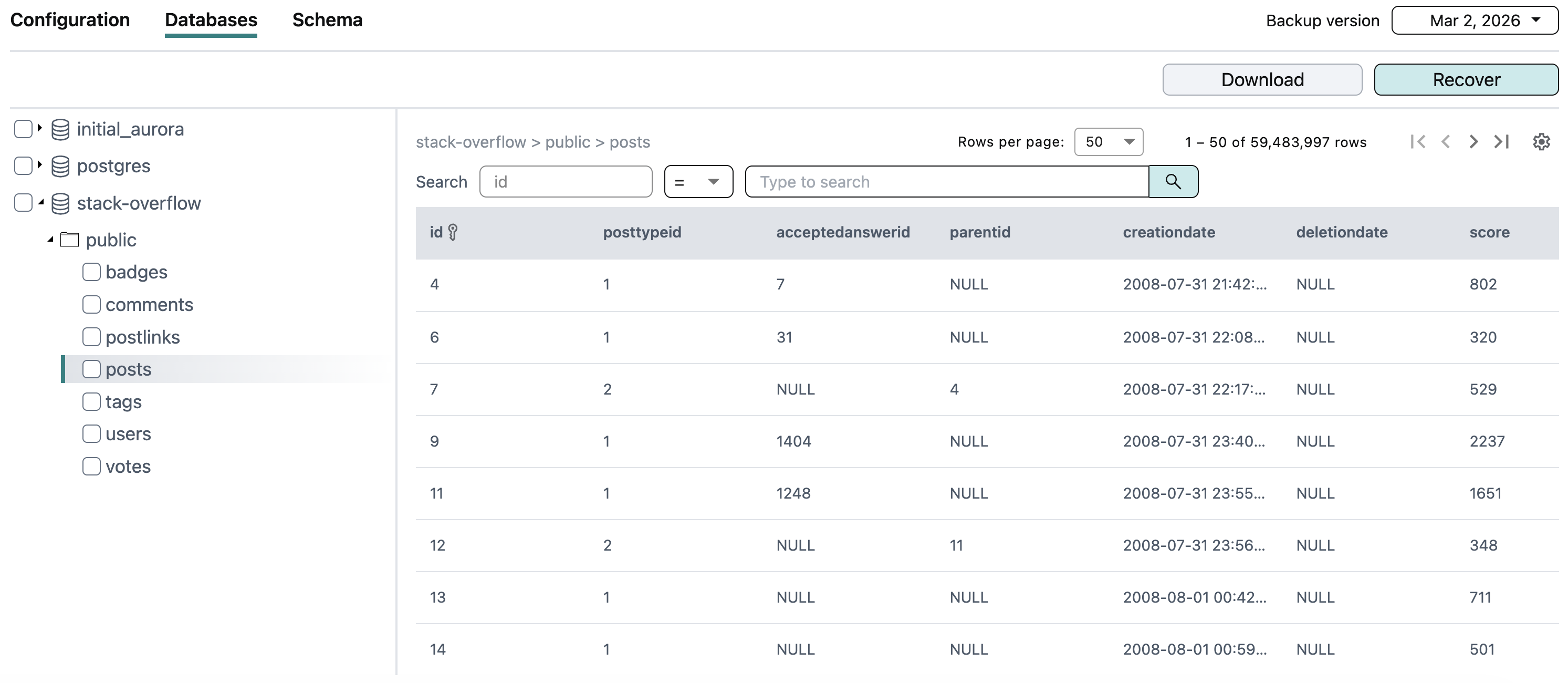
Inside the database backup, you can browse its configuration, schema, and table data.
Search
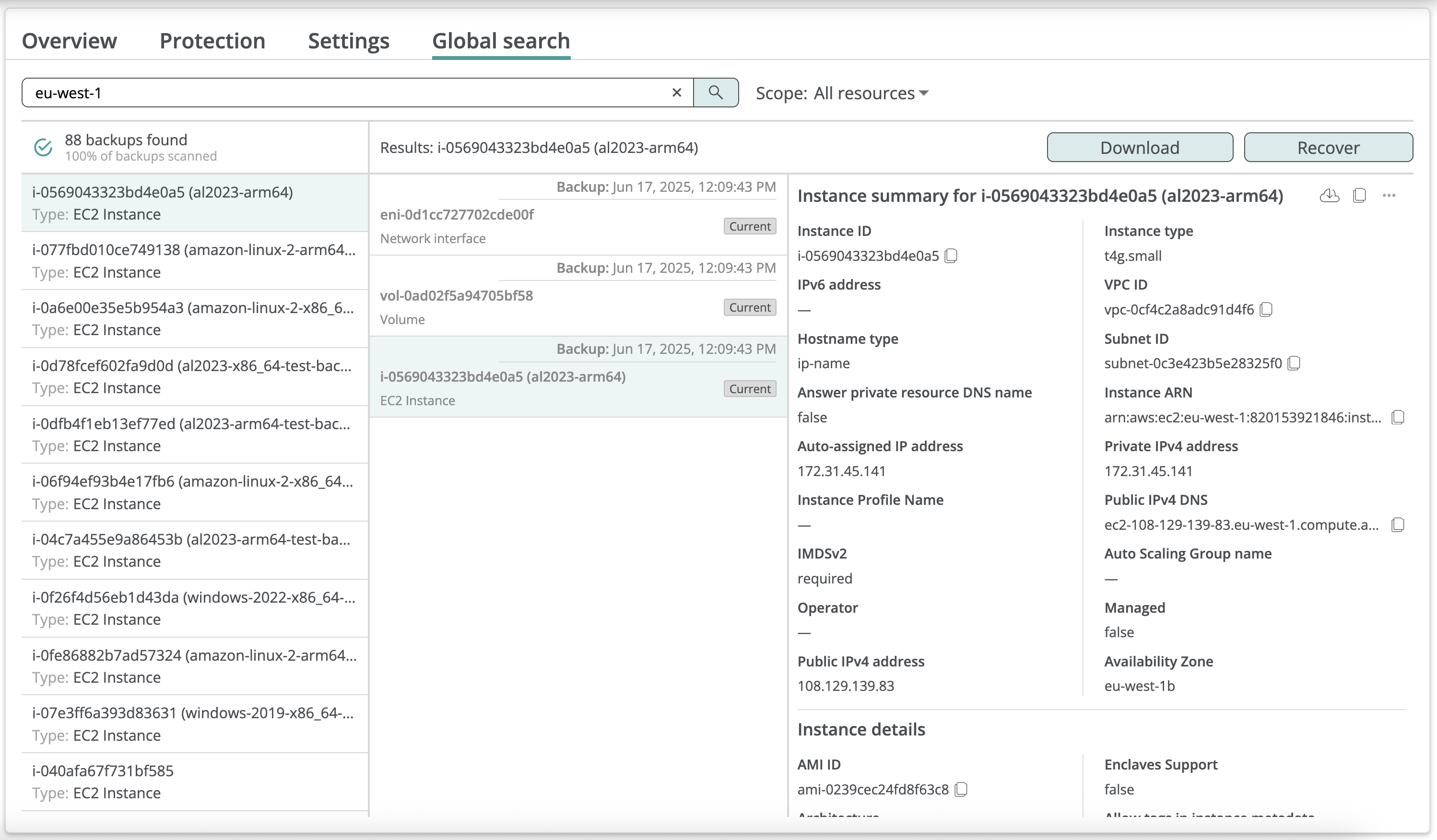
Afi indexes EC2 instance and database configuration, allowing you to easily locate backed up resources matching certain criteria (tag, IP address, etc.) via global search.
The example below shows a search query to match all backed up resources that reside in the eu-west-1 region:
Export
Afi allows you to export configuration and data for backed up AWS instances and databases locally:
- EC2 instance configuration download - export AWS configuration for the EC2 instances.
- EC2 instance data download - export files and folders from the instance volumes.
- AWS PostgreSQL database configuration and data download - export AWS PostgreSQL instance configuration, as well as database SQL schema and table data.
Data restore
Afi supports the following disaster recovery scenarios for AWS infrastructure:
- EC2 instance data recovery - restore an EC2 instance to a new EC2 instance.
- AWS PostgreSQL database data recovery - restore databases to a new database in a selected PostgreSQL instance.