Calendar
Afi backup for Exchange calendar includes all calendar groups and calendars owned by a mailbox and fully captures calendar and event data and metadata, including permissions, event subject and body, attendees, recurrence settings, locations, and attachments.
Browse
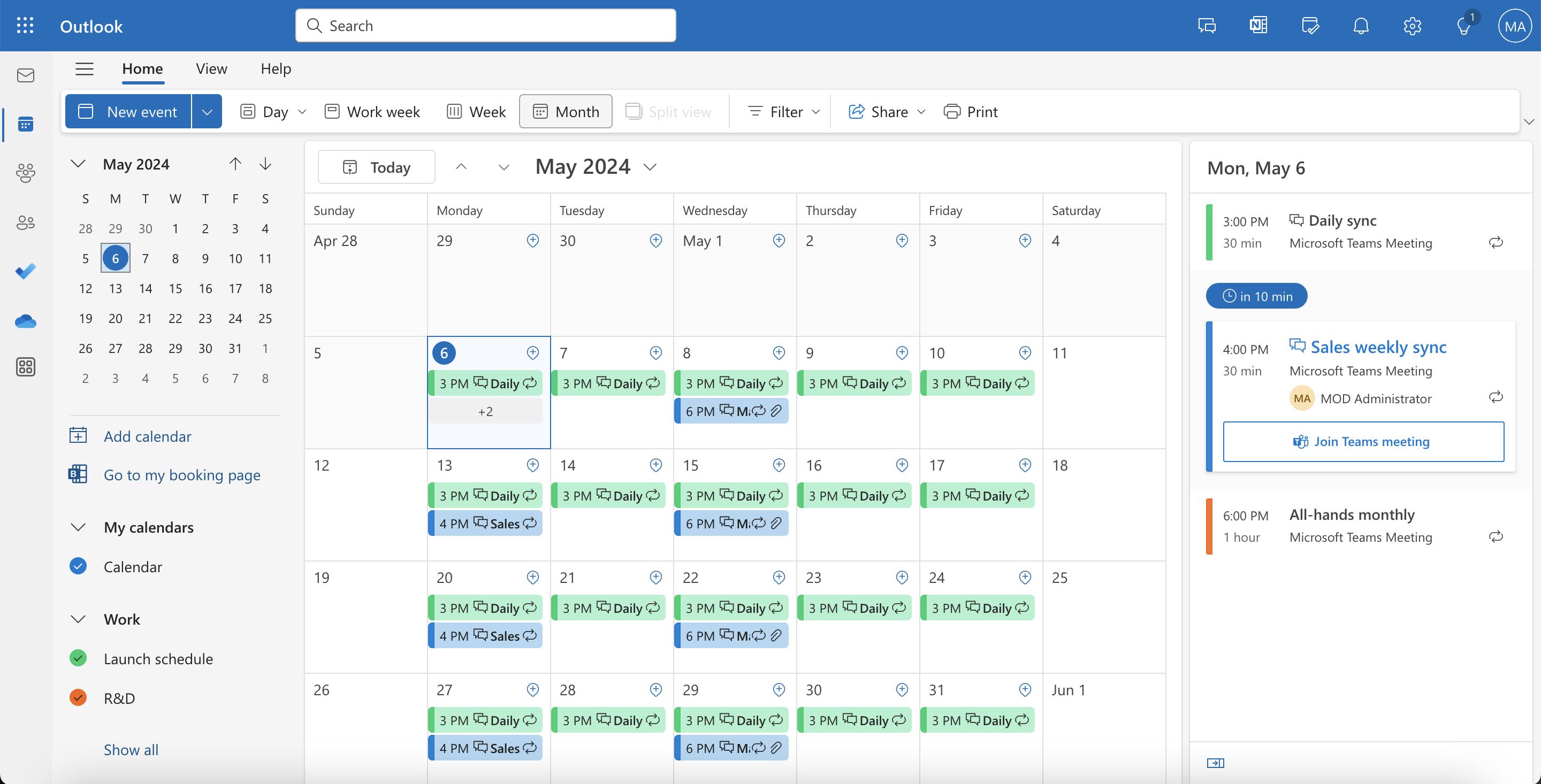
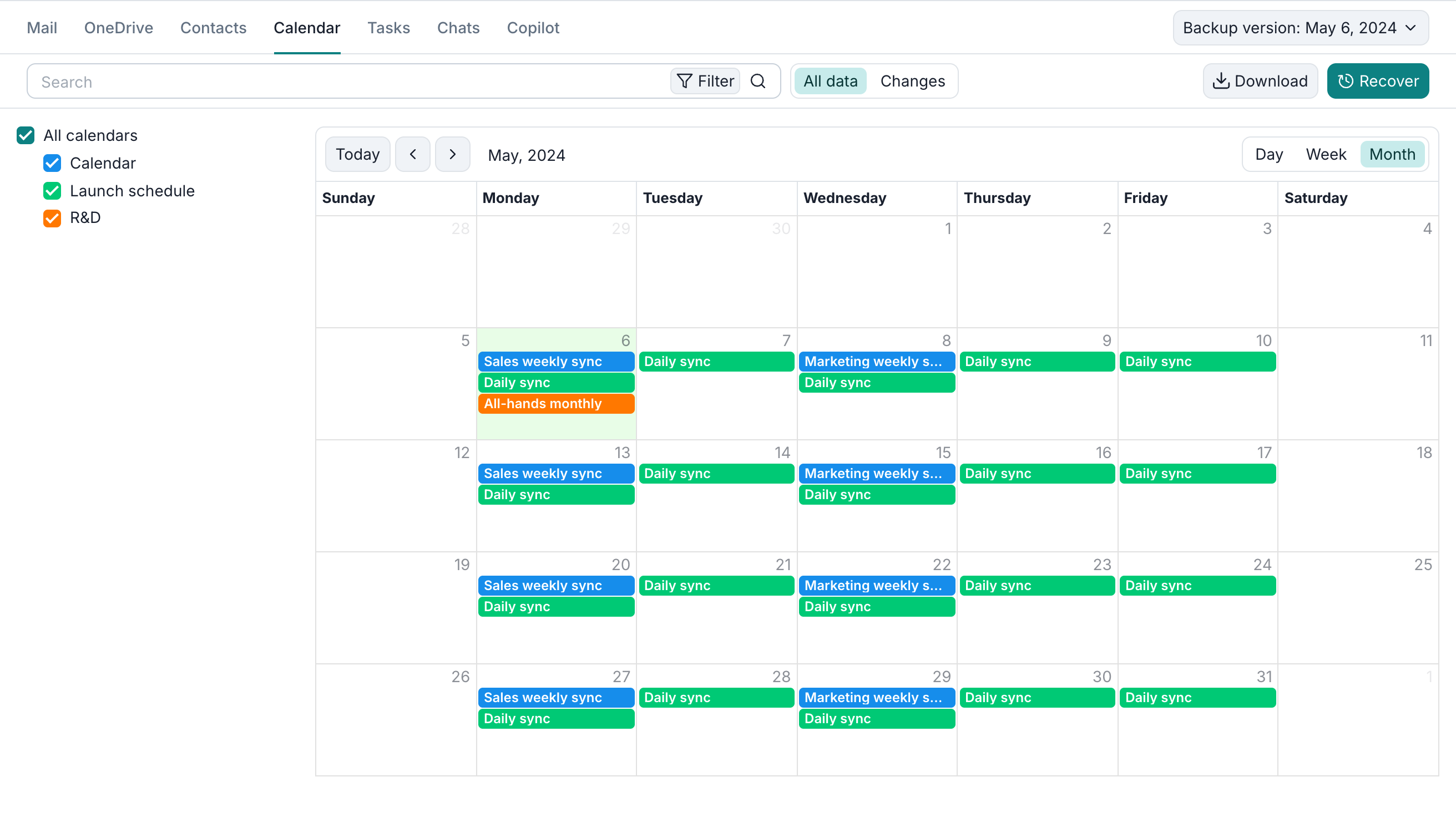
The screenshots below illustrate the native Exchange calendar interface and the Afi backup browse view.
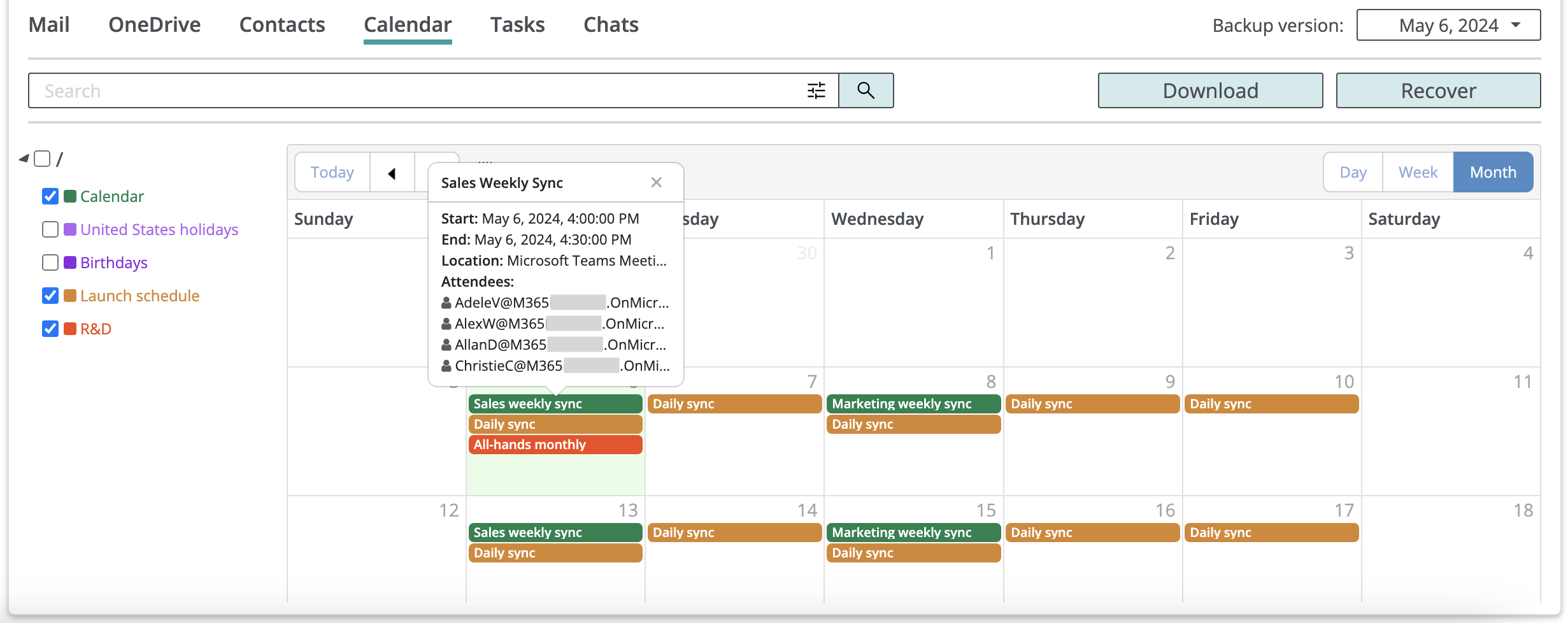
When browsing a calendar backup in Afi, you can switch between Day, Week, and Month views, move back and forth in time to view event occurrences during different time periods, as well as click on any event to view its details, recover, or export locally.
Search
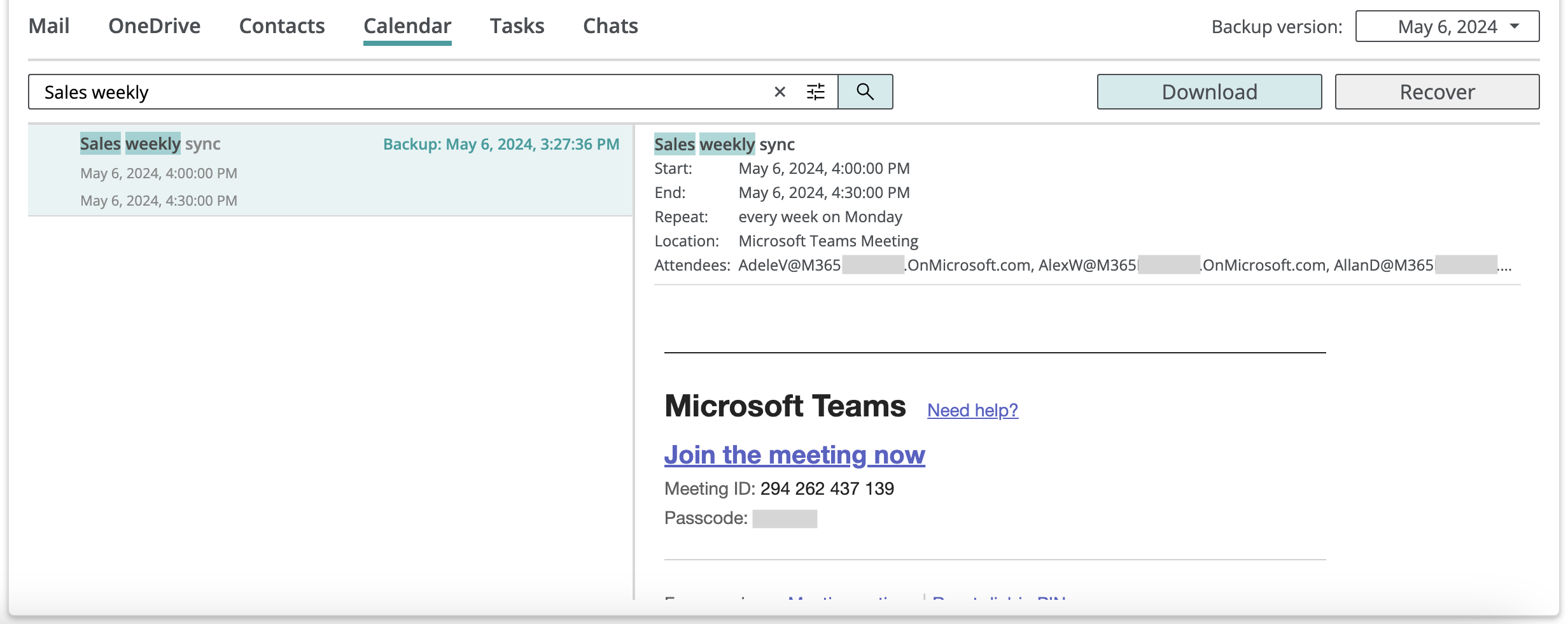
You can use the search box to search all event fields, including subjects, recipients, attachment names, and body text.
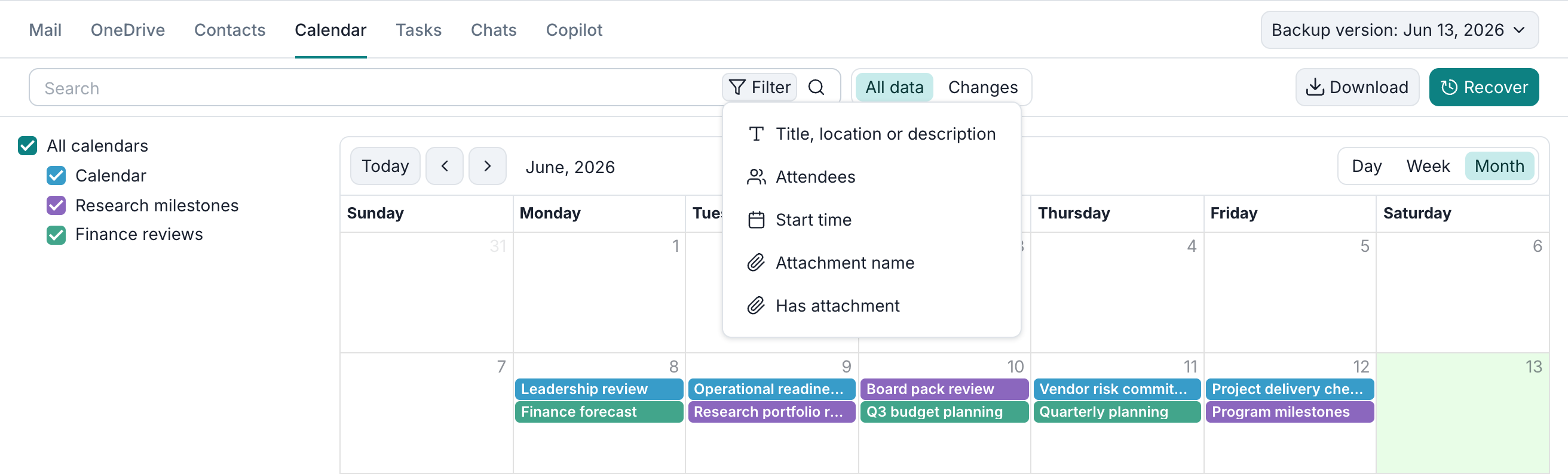
This example finds events containing review:
To search a specific field, open Filter and select it from the list.
Export
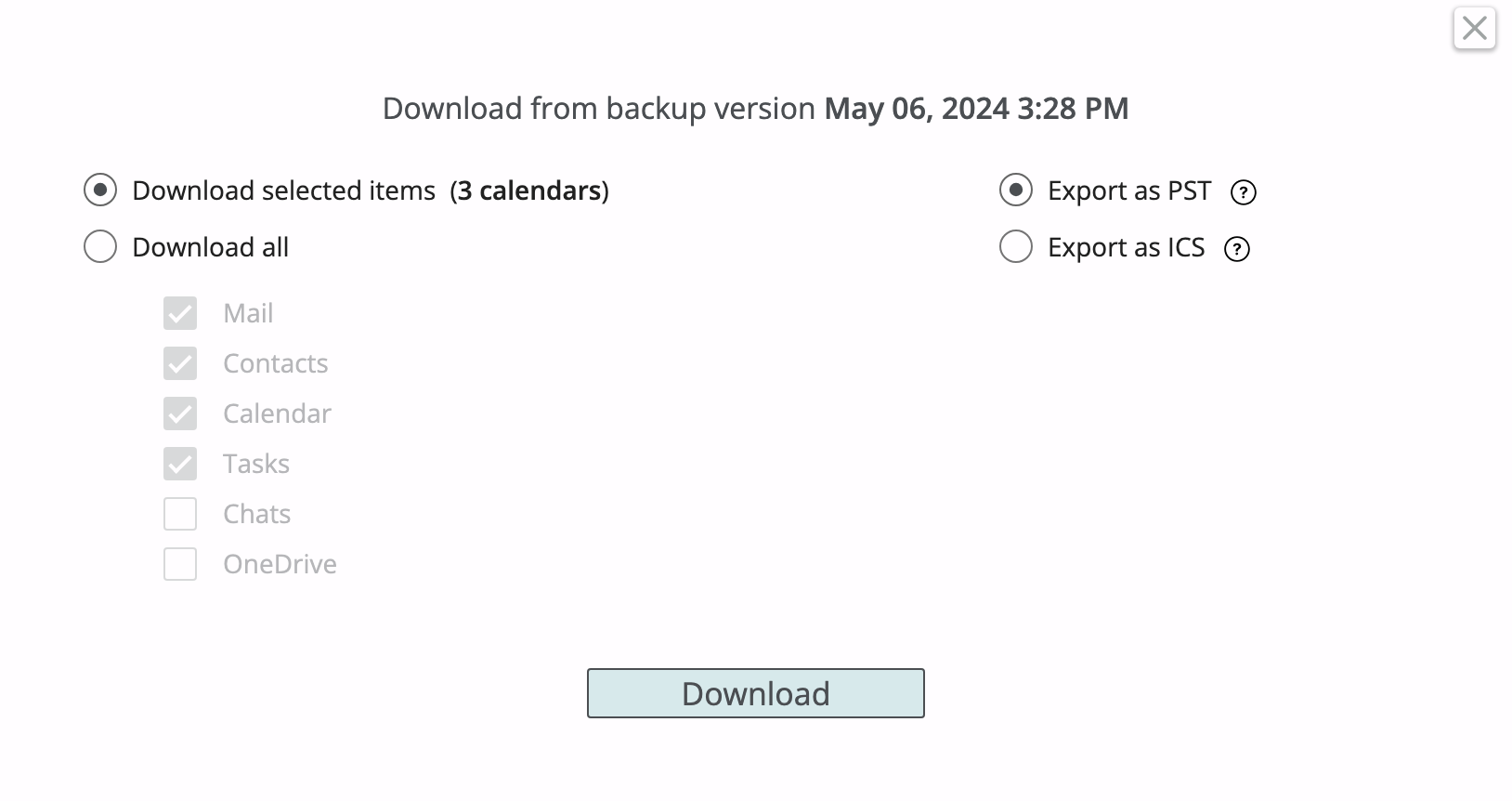
Exchange calendar data can be exported in PST and ICS formats. A user can select specific calendars or all calendars in a mailbox for export, as well as individual events returned in search results.
Recovery
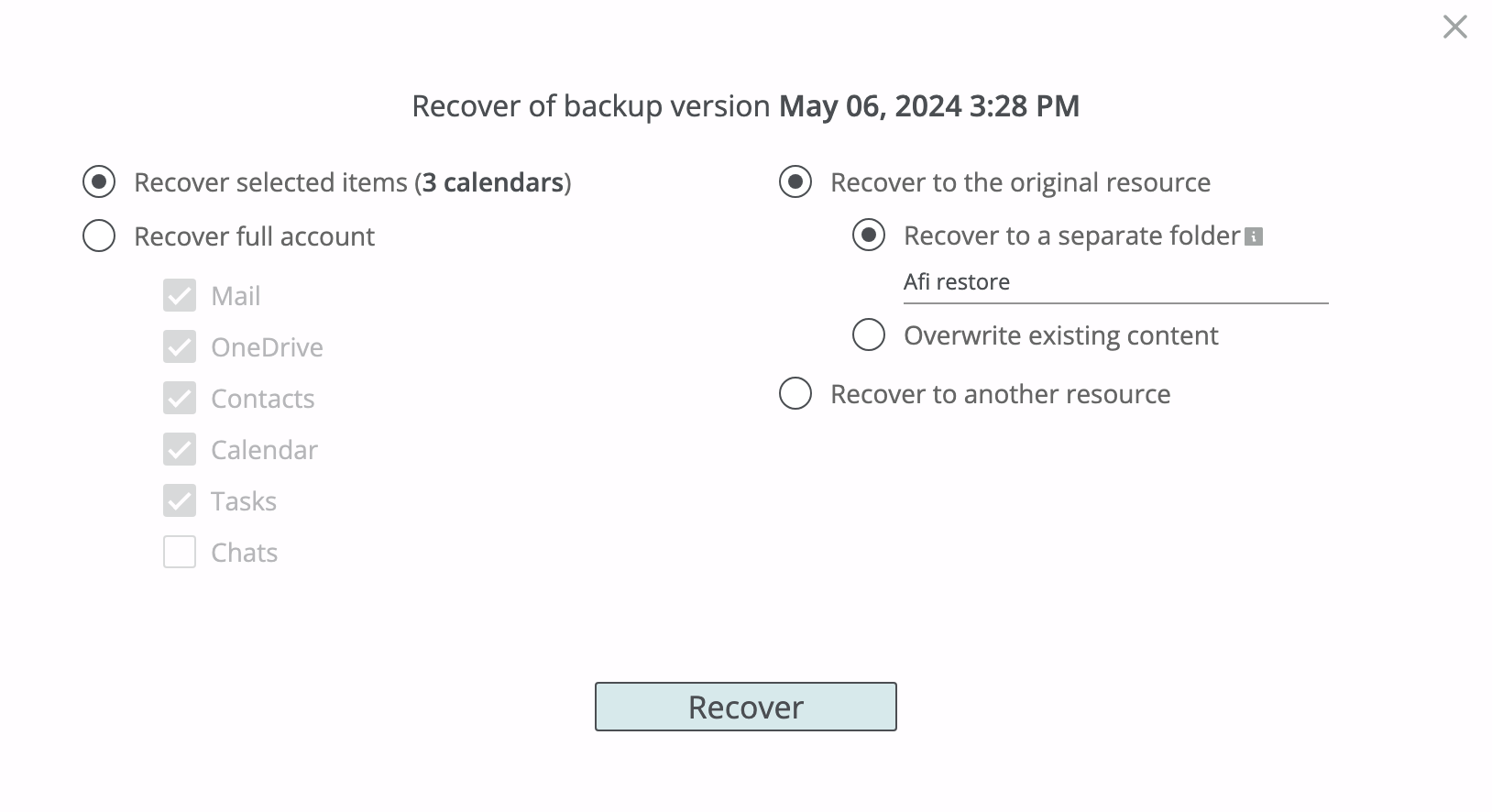
A user can restore selected or all calendars in a mailbox, as well as selected events, to the same or another mailbox. The following recovery modes are available:
- Recover to a separate folder - restore selected calendars or events to a set of new calendar groups with a specified suffix in the destination calendar group names. You can specify your own suffix or proceed with a system-generated one (
restored by AFI <date>). - Overwrite existing content - restore selected calendars or events in place. This recovery mode should be used with caution as it will replace items that already exist in the restore destination mailbox in case of a conflict. Any other existing items that don't conflict with the data being restored are preserved upon restore.
This example restores all three calendars - Calendar, Launch schedule, and R&D - with the (afi restore) suffix added to their calendar group names.
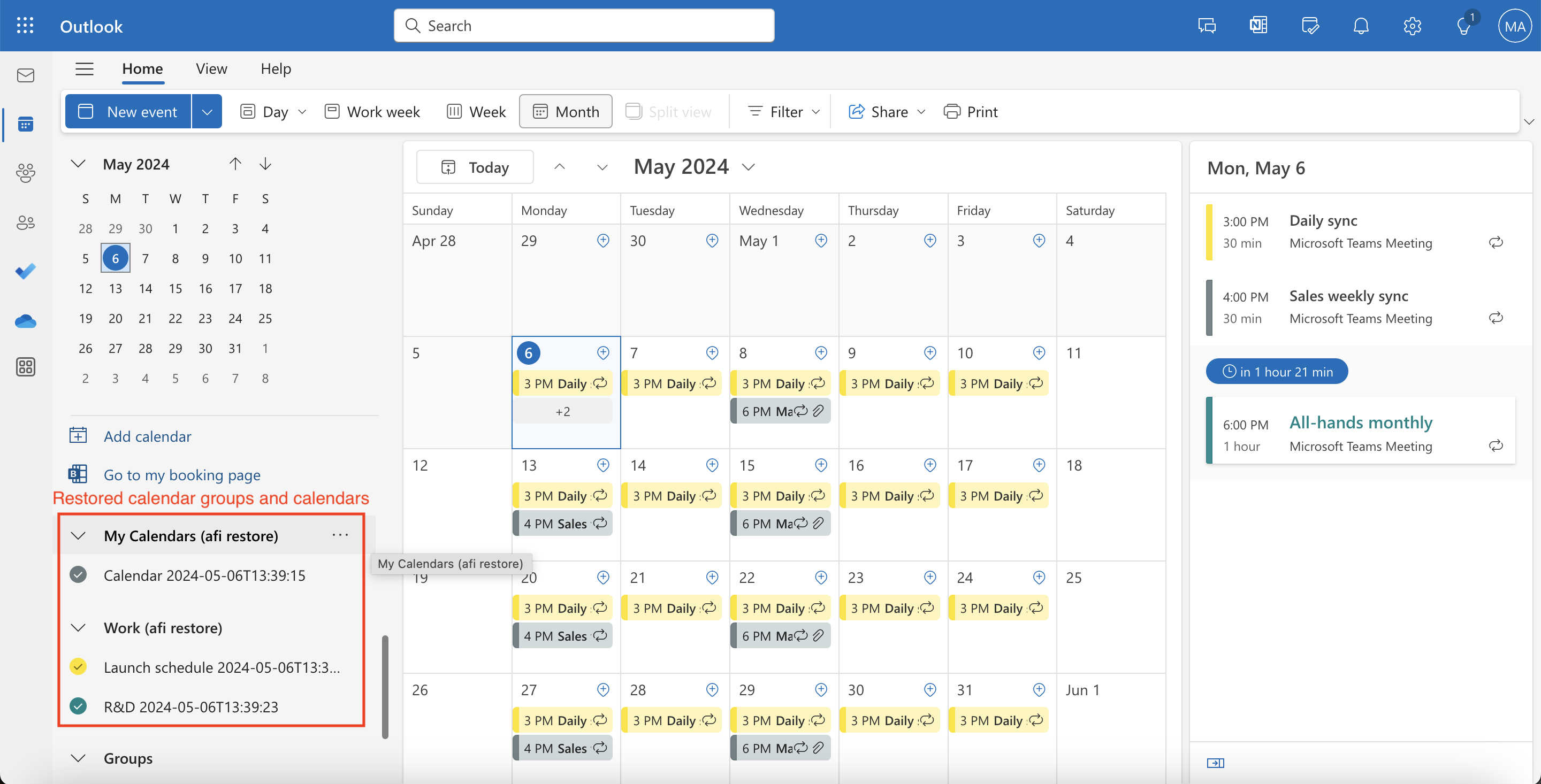
Calendar and event metadata and data (access settings, event subject and body, recurrence settings, locations, and attachments) are restored upon recovery. At the moment, the Afi service doesn't restore event recipients directly to avoid sending notifications for past events; instead, event recipients are added as a list in the event body for each restored event.